When you send something to a website, like a password, you do not want a stranger reading it along the way. SSL/TLS is what keeps it private.
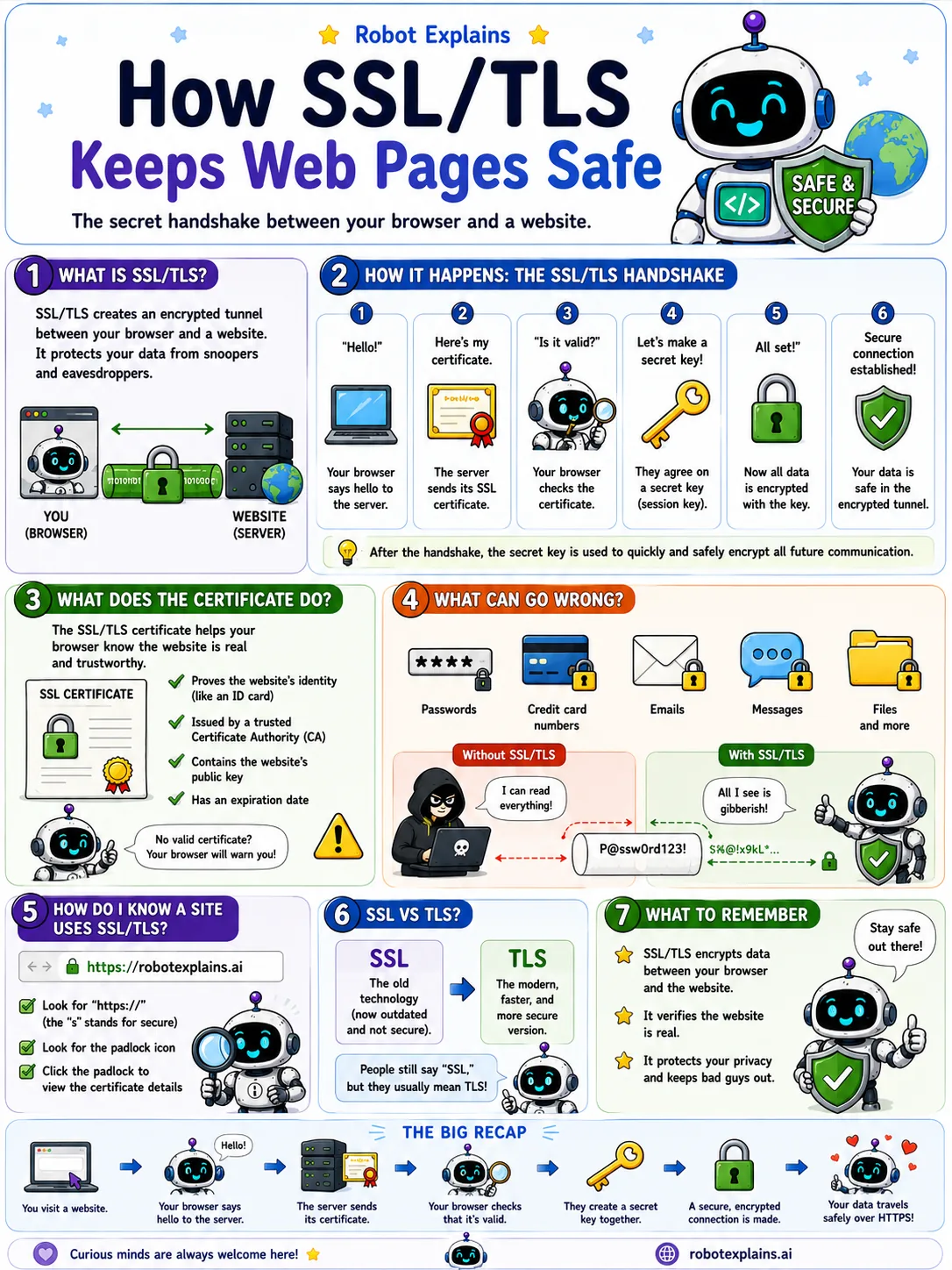
SSL/TLS builds an encrypted tunnel between your browser and the website. Anything traveling through that tunnel is scrambled, so snoopers just see gibberish.
It starts with a quick handshake. Your browser says hello, the website shows its certificate (proof of who it is), the two agree on a secret key, and from then on, everything is locked.
That certificate matters. It proves the website really is who it claims to be, so you are not handing your secrets to a fake.
You can spot it easily: look for https and the little padlock in the address bar.
By the way, SSL is the old name and TLS is the modern one, but lots of people still say "SSL." Either way, it is what keeps your data safe as it travels.
What to remember
- SSL/TLS makes a private, encrypted tunnel to a website.
- It keeps snoopers from reading what you send.
- The padlock and https mean the connection is protected.
- TLS is the modern name; people still say SSL out of habit.
Words to know
- SSL / TLS
- The technology that encrypts the connection between you and a site.
- Encryption
- Scrambling data so only the right side can read it.
- Certificate
- Proof that a website really is who it says it is.
- HTTPS
- A web address that uses SSL/TLS. Look for the padlock.
For grown-ups
TLS (the successor to SSL) establishes an encrypted, authenticated channel via a handshake: the server presents a certificate signed by a trusted authority, the two sides agree on a session key, and traffic is encrypted from then on. It protects confidentiality and integrity, and the certificate guards against impersonation.
Want the full story? These go deeper: