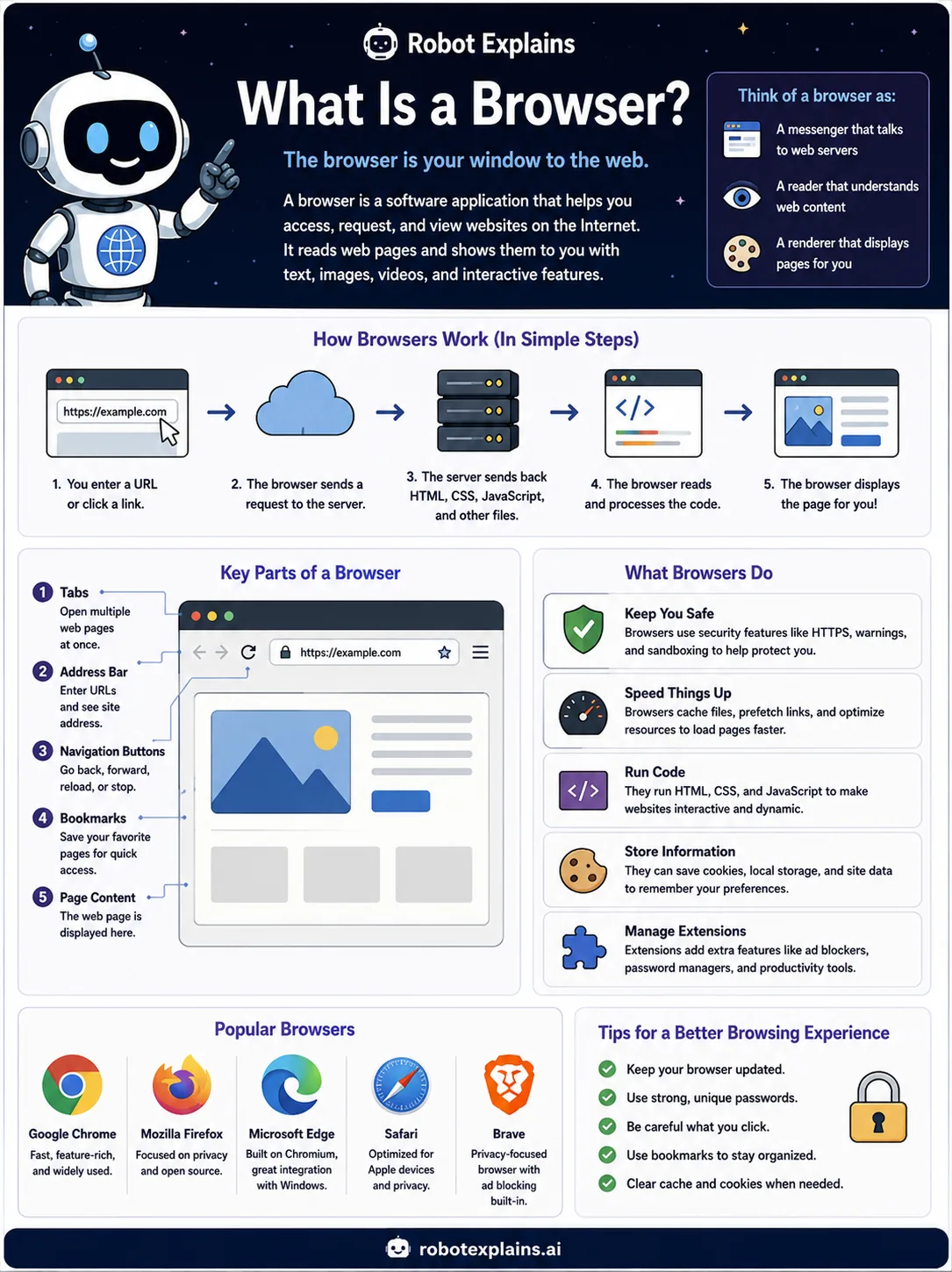
A browser is your window to the web. It is the app you open to look at websites, like Chrome, Firefox, Edge, Safari, or Brave.
When you type an address or click a link, your browser asks a server for the page. The server sends back the pieces, and the browser reads that code and turns it into the page you see, with text, pictures, and buttons.
A browser has helpful parts. The address bar is where you type a web address. Tabs let you keep many pages open at once. Bookmarks save your favorite pages so you can find them again.
Browsers also do quiet, important jobs. They help keep you safe with warnings and private connections, they remember a little so pages load faster, and they can run small add-ons called extensions.
One simple habit keeps your browser working well and safely: let it update itself whenever it asks.
What to remember
- A browser is your window to the web.
- It asks a server for a page, then reads the code and shows it to you.
- It has built-in tools to keep you safe and make pages load fast.
- Chrome, Firefox, Edge, Safari, and Brave are all browsers.
Words to know
- Browser
- The app you use to look at websites.
- Address bar
- The box at the top where you type a web address.
- Tab
- One open page. You can have many tabs at once.
- Extension
- A small add-on that gives the browser extra powers.
For grown-ups
A browser is a client that fetches resources over HTTP(S) and renders HTML, CSS, and JavaScript into the page you see. Modern browsers also handle security (HTTPS, sandboxing, warnings), caching for speed, storage like cookies and local storage, and extensions. Keeping it updated is one of the easiest security wins there is.
Want the full story? These go deeper: