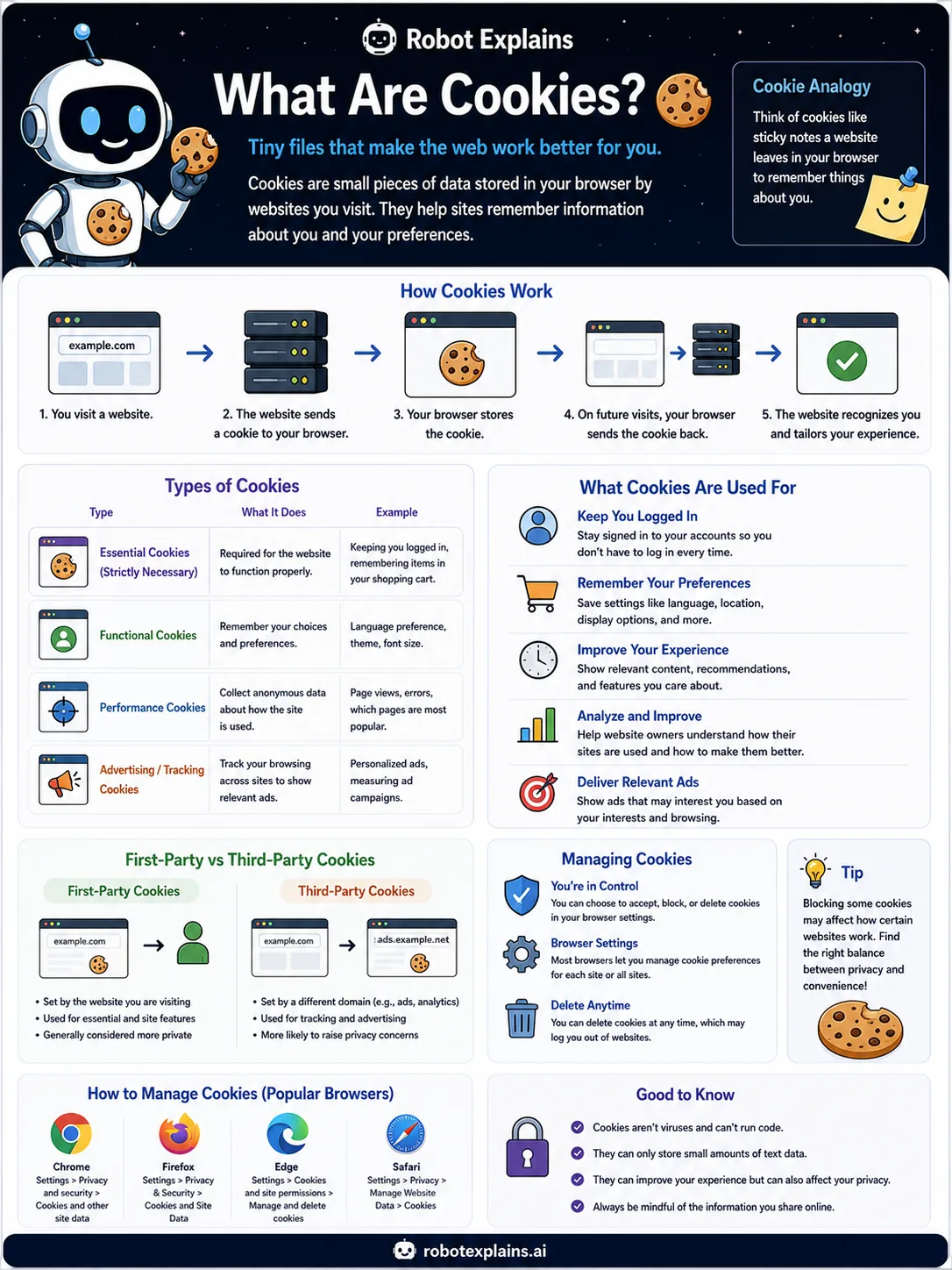
Have you ever noticed that a website remembers you, even after you close it and come back? That is usually thanks to cookies.
A cookie is a tiny note a website saves in your browser. It is not food, and it is not a program. It is just a little bit of text.
Here is how it works. You visit a website, and it sends a small cookie to your browser. Your browser stores it. The next time you visit, your browser hands the cookie back, and the site says, "Oh, I remember you!"
Cookies do helpful jobs, like keeping you logged in and remembering your settings, such as your language or dark mode.
Some cookies, called third-party cookies, come from other companies and can follow you around to show ads. That is why many browsers are blocking them.
The good news: you are in control. You can see, block, or delete cookies any time in your browser settings.
What to remember
- Cookies are tiny notes a website saves in your browser.
- They help a site remember you, like keeping you logged in.
- You are in control: you can see, block, or delete them.
- Cookies are not viruses and cannot run programs.
Words to know
- Cookie
- A small piece of data a website stores in your browser.
- Essential cookie
- A cookie a site needs to work, like keeping you logged in.
- Third-party cookie
- A cookie set by a different site, often used for tracking.
- Preferences
- Saved choices like your language or dark mode.
For grown-ups
Cookies are small key-value pairs stored by the browser and sent back with requests to the same site. They power sessions (staying logged in) and preferences, but third-party cookies enabled cross-site tracking, which is why browsers are phasing them out. Cookies are inert data, not executable code.
Want the full story? These go deeper: