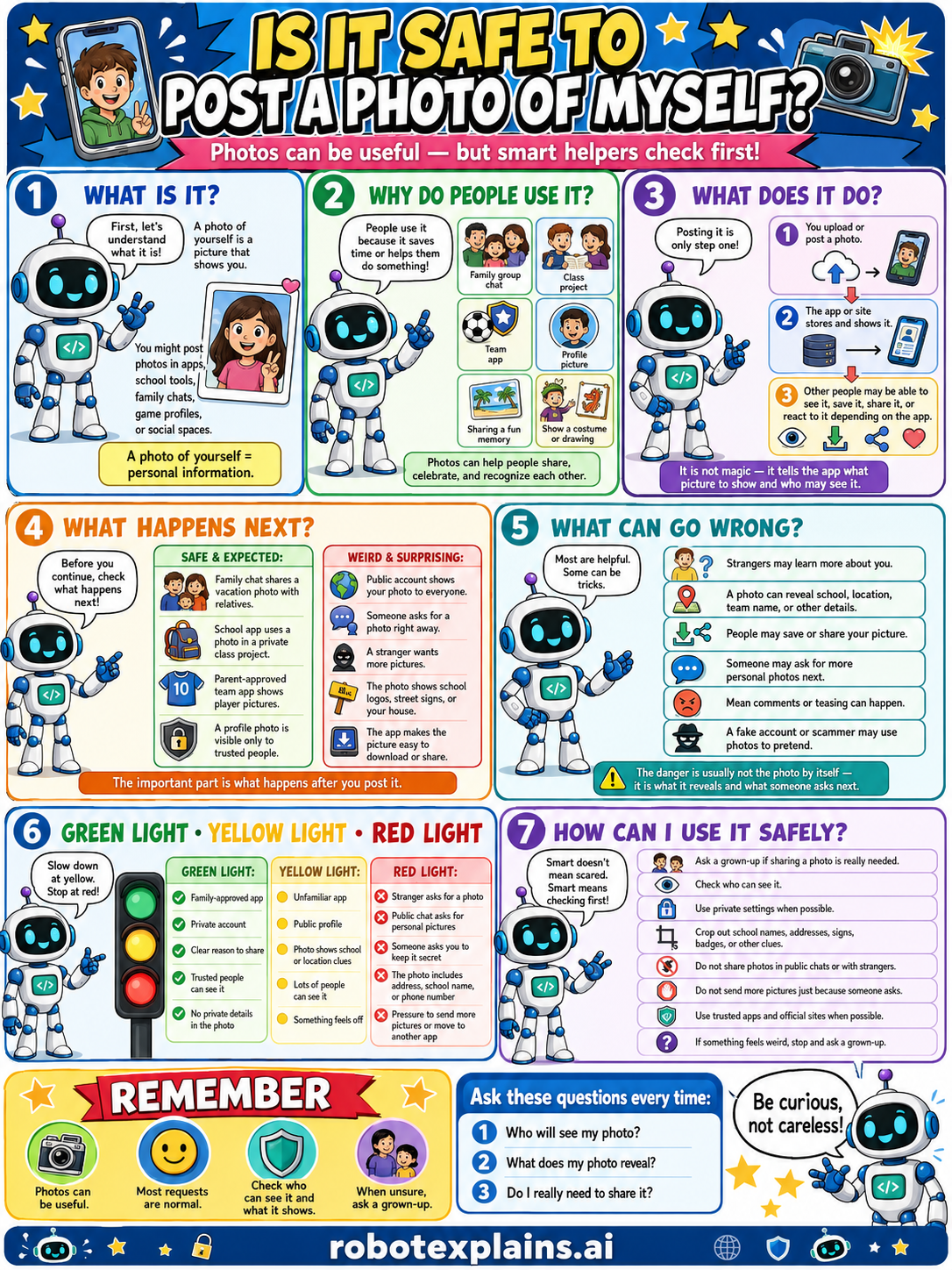
Photos can be useful, but smart helpers check first. So, is it safe to post a photo of myself? Sometimes, if you check who will see it.
What is it? First, let's understand what it is. A photo of yourself is a picture that shows you. You might post photos in apps, school tools, family chats, game profiles, or messages. A photo of yourself = personal information.
Why do people use it? People use it because it saves time or helps them share something, like a family group, a class project, a team app, or sharing a fun moment, costume, or photo. Photos can help people share, celebrate, and recognize each other.
What does it do? Posting it is only step one. You upload or post a photo, it goes up to the site or store and shows it, and other people may be able to see it, save it, share it, or react to it. It is not magic, it tells the app what picture to show and who may see it.
What happens next? Before you continue, check what happens next. A family chat sharing a vacation photo with relatives, or a school-approved app, that's safe and expected. A public account shows your photo to everyone, or a stranger wants more pictures, that's a weird, surprising red flag. The important part is what happens after you post.
What can go wrong? Most are helpful, but some can be tricks: strangers may learn more about you, a photo can reveal your school, location, team name, or other details, people may save or share your picture, someone may ask for more personal photos next, mean comments or teasing can happen, or a fake account or scammer may use photos to pretend. The danger is usually not the photo itself, it's what it reveals and who sees it.
Green light, yellow light, red light. A quick way to decide:
- 🟢 Green: a family-approved app, a private account, a class or team you trust, people details kept private.
- 🟡 Yellow: a public profile, an unfamiliar app, photos that show too much, or something that feels off — slow down.
- 🔴 Red: strangers ask for a photo, a profile that's public to everyone, photos that show your address, school name, or phone number, pressure to send more pictures, or contact from strangers — stop and ask a grown-up.
How can I use it safely? Ask a grown-up if sharing a photo is really needed. Check who can see it. Use private settings when possible. Crop out school names, addresses, signs, badges, or other clues. Don't share photos in public chats or with strangers. Don't send next pictures just because someone asks. Use trusted apps and official sites when possible. If something feels weird, stop and ask a grown-up.
Remember: photos can be useful, most requests are normal, but always check who can see it and what it shows. When unsure, ask a grown-up. Be curious, not careless!
What to remember
- Photos can be useful, but they can reveal a lot.
- Check who can see it and what it shows before posting.
- A photo can show your face, location, or details.
- When unsure, ask a grown-up.
Words to know
- Photo
- A picture of you that you can share.
- Audience
- Who is allowed to see your post.
- Private info
- Details a photo can reveal, like where you are.
- Red flag
- A warning sign something might be unsafe.
For grown-ups
Photos are dense with information: a face, a uniform or sign, a house number, geotags, or background details can reveal identity and location, and once posted a photo can be copied and persist. The safe habit pairs usefulness with judgment: confirm the audience, consider what the image reveals, strip or avoid location, and involve a grown-up. Teaches recognition and good defaults, not surveillance or how images are exploited.
Want the full story? These go deeper: