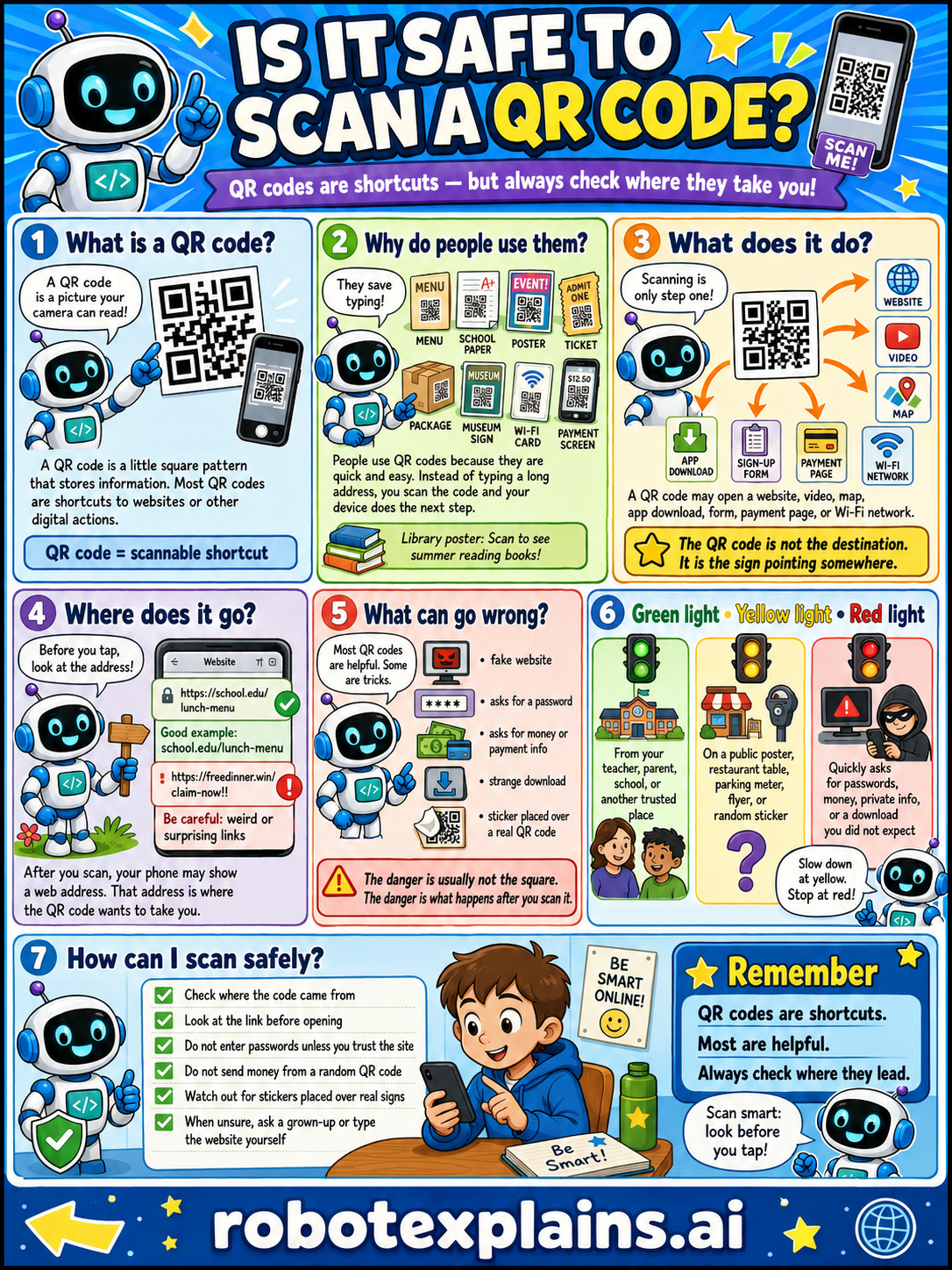
QR codes are shortcuts, but always check where they take you. So, is it safe to scan a QR code? Usually yes, if you check first.
What is a QR code? A QR code is a little square pattern that your phone's camera can read. Most QR codes are shortcuts to websites or other digital actions. (QR code = a scannable shortcut.)
Why do people use them? They save typing! People use QR codes because they're quick and easy. Instead of typing a long address, you scan the code and your device does the next step, on menus, posters, tickets, and packages.
What does it do? Scanning is only one step. A QR code may open a website, a video, an app download, a form, a payment page, or a Wi-Fi network. The QR code is not the destination, it's the sign pointing somewhere.
Where does it go? Before you tap, look at the address! A good example looks like a real, expected website. Be careful if it looks weird or surprising. After you scan, your phone may show a web address, that address is where the QR code wants to take you.
What can go wrong? Most QR codes are helpful, but some are tricks: a fake website, asking for a password, asking for money or payment info, a strange download, or a sticker placed over a real QR code. The danger is usually not the square, it's what happens after you scan it.
Green light, yellow light, red light. A quick way to decide:
- 🟢 Green: from your teacher, parent, school, or another trusted place.
- 🟡 Yellow: on a public poster, restaurant table, parking meter, flyer, or a random sticker — slow down and check.
- 🔴 Red: asks for passwords, money, or private info, or a download you did not expect — stop and ask first.
How can I scan safely? Check where the code came from. Look at the link before opening. Don't enter passwords unless you trust the site. Don't send money from a code you don't expect. Watch out for stickers placed over real codes. And when unsure, ask a grown-up or type the website yourself.
Remember: QR codes are shortcuts, most are helpful, and you should always check where they lead. Scan smart, look before you tap!
What to remember
- QR codes are shortcuts, and most are helpful.
- Always check where a code leads before you act.
- Don't enter passwords or money info unless you trust it.
- When unsure, ask a grown-up or type the website yourself.
Words to know
- QR code
- A square pattern a camera reads to open a link.
- Shortcut
- A quick way to reach a website or action.
- Red flag
- A warning sign that something might be unsafe.
- Trusted
- Something you know is safe and real.
For grown-ups
QR codes are just encoded links or actions — convenient, and mostly benign. The risk ('quishing') is that the code hides its destination, so a sticker placed over a real one can route to a fake login, payment, or download. The defense is behavior, not technique: preview the URL your camera shows before tapping, be wary of codes asking for passwords or payment, distrust stickers on public surfaces, and when unsure, navigate to the site directly. This teaches judgment and red-flag spotting, not how to attack.
Want the full story? These go deeper: