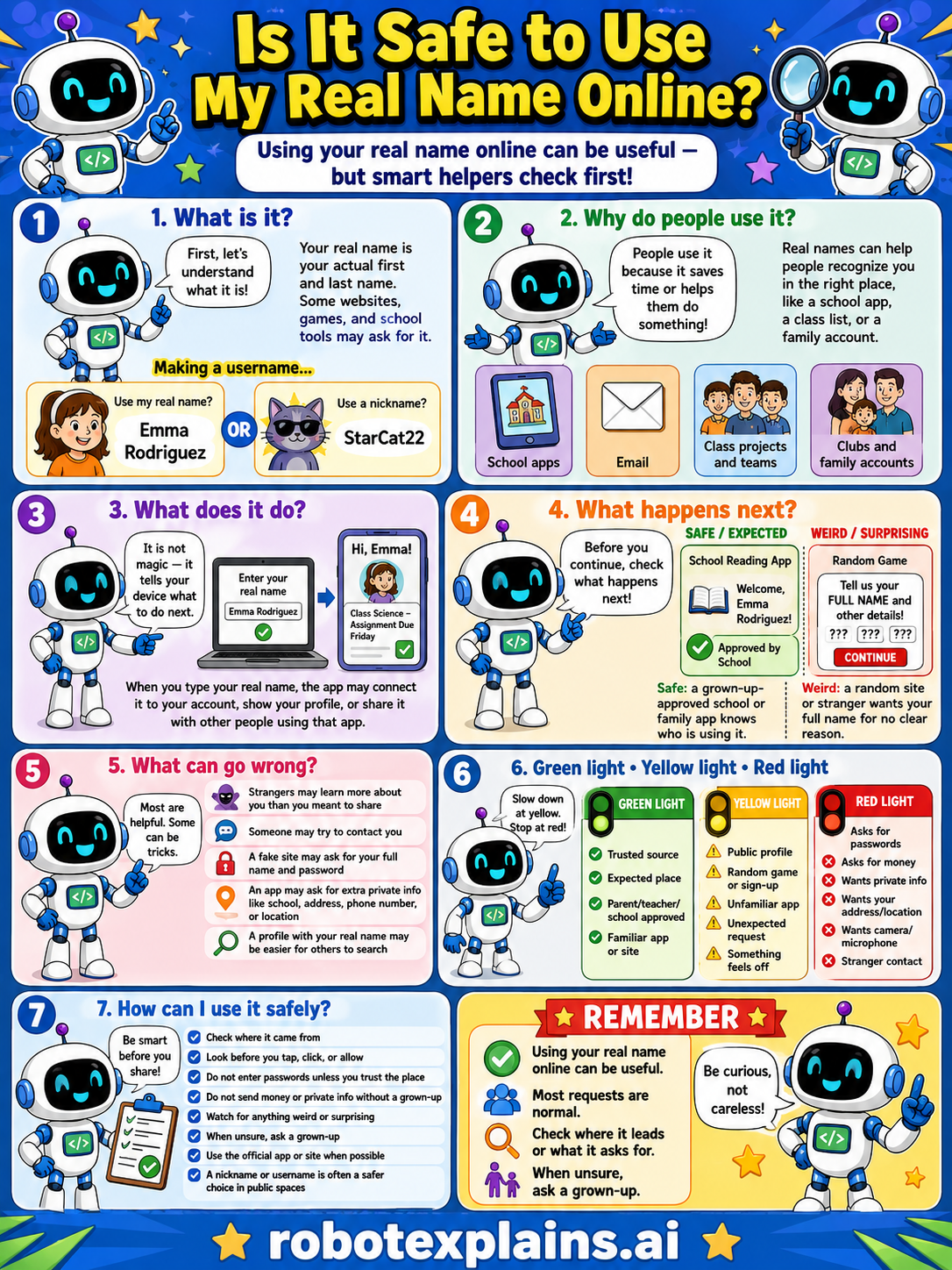
Using your real name online can be useful, but smart helpers check first. So, is it safe to use my real name online? Sometimes, depending on the place.
What is it? First, let's understand what it is. Your real name is your actual first and last name. Some websites, games, and school tools may ask for it. The question is: use your real name (like Emma Rodriguez) or a nickname (like StarCat22)?
Why do people use it? People use it because it saves time or helps them be known, like a school app, a class list, or a family account. Real names can help people recognize you in the right place.
What does it do? It is not magic, it tells your device what to do. You enter your real name, and the app may connect it to your account, show your profile, or share it with that app.
What happens next? Before you continue, check what happens next. A school reading app approved by your family is safe and expected. A random game asking for your full name with no clear reason is weird, that's a red flag.
What can go wrong? Most requests are helpful, but some can be tricks: strangers may learn who you are and try to contact you, someone may try to contact you, an app may ask for extra private info like your address, phone, or location, and a profile with your real name may be easier for others to search and find.
Green light, yellow light, red light. A quick way to decide:
- 🟢 Green: a trusted source, an expected place, your parent's or teacher's app, a familiar app.
- 🟡 Yellow: a public profile, a random game, an unfamiliar app, or an unexpected request — slow down.
- 🔴 Red: asks for passwords, asks for money, wants private info, contact from strangers, or your address or location — stop and ask a grown-up.
How can I use it safely? Check where it came from. Look before you tap, click, or allow. Don't enter passwords or private info without a grown-up. Watch for anything weird or surprising. When unsure, ask a grown-up. Use the official app/site when possible, and use a nickname or username if the place is a safer choice in public spaces.
Remember: using your real name online can be useful, most requests are normal, but always check where it leads or what it asks for. When unsure, ask a grown-up. Be curious, not careless!
What to remember
- Sometimes a real name is fine (like trusted school apps).
- In games and public places, a nickname is safer.
- Don't share your full name with strangers online.
- When unsure, ask a grown-up before sharing.
Words to know
- Real name
- Your actual first and last name.
- Username
- A nickname you use instead of your real name.
- Private info
- Details like your name, school, and address.
- Trusted
- A person or app you know is safe.
For grown-ups
Names are identity data. In closed, trusted contexts (a school account a teacher manages) a real name is normal; in open spaces (games, public profiles, chats with strangers) it enables profiling, search, and contact, so a nickname is the safer default. The lesson teaches context-judgment — match the name to how trusted and public the space is — plus the bedrock rule: don't hand your full name to strangers, and ask a grown-up when unsure.
Want the full story? These go deeper: