Voice chat is fun with people you know, but be careful with strangers and don't share private info out loud.
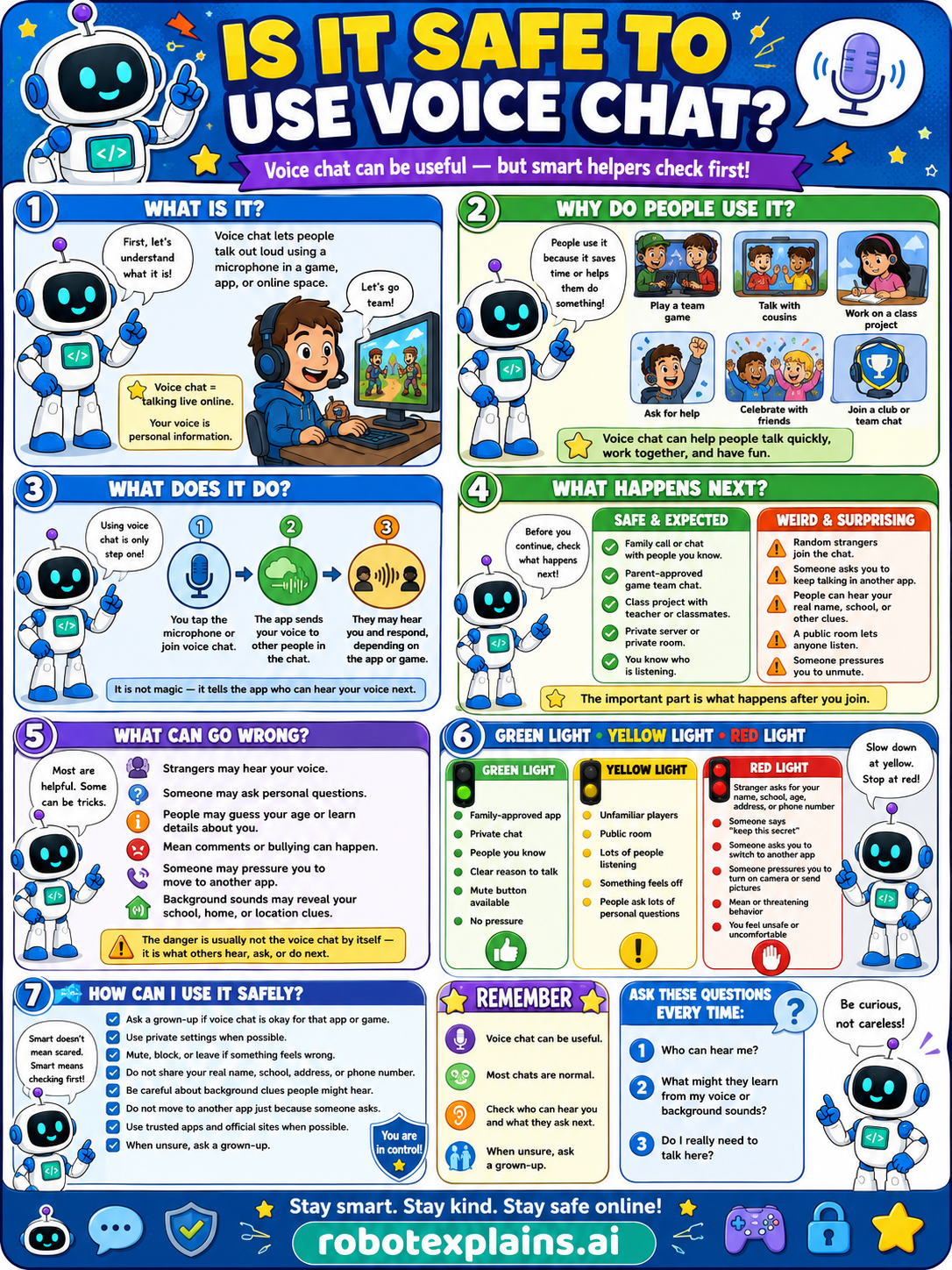
What is it? Voice chat lets people talk out loud using a microphone in a game, app, or online space. Voice chat = talking online. Your voice is personal information.
Why do people use it? People use it because it helps them play a team game, talk with friends, work on a class project, ask for help, celebrate with friends, or join a club or team chat. Voice chat can help people talk quickly, work together, and have fun.
What does it do? Using voice chat is only one step. You tap the microphone or join voice chat, the app sends your voice to other people in the chat, and they may hear you and respond, depending on the app or game. It is not magic, it lets others hear your voice next.
What happens next? Before you continue, check what happens next. A family call or chat with people you know, a parent-approved game team, a class project with teacher or classmates, that's safe and expected. A stranger asks your real name, school, or address, someone wants to move to another app, asks for photos or secrets, or a public room with strangers, that's a weird, surprising red flag.
What can go wrong? Most are helpful, but some can be tricks: strangers may hear your voice, someone may ask personal questions, people may guess your age or learn details about you, mean comments or bullying can happen, someone may pressure you to move to another app, and background sounds may reveal your school, home, or location clues. The danger is usually not the voice chat itself, it's what others hear, ask, or do next.
Green light, yellow light, red light. A quick way to decide:
- 🟢 Green: a family-approved app, people you know, a public room with trusted people, a mute button available.
- 🟡 Yellow: unfamiliar players, a public room, lots of people listening, or something that feels off — slow down.
- 🔴 Red: a stranger asks for your real name, age, or location, asks you to move to another app, asks for photos or money, is mean, or asks you to keep secrets — stop and tell a grown-up.
How can I use it safely? Ask a grown-up if it's okay for that app or game. Use private settings when possible. Mute, block, or leave if something feels wrong. Don't share your real name, school, address, or phone number. Don't talk to strangers in public voice chat. Use trusted apps and official sites. Don't move to another app just because someone asks. When unsure, ask a grown-up.
Remember: voice chat can be useful, most chats are normal, but be careful with strangers and keep private info out of it. When unsure, ask a grown-up. Be curious, not careless!
What to remember
- Voice chat can be useful, and most chats are normal.
- Be careful talking with strangers.
- Don't share private info out loud.
- When unsure, ask a grown-up.
Words to know
- Voice chat
- Talking out loud online with a microphone.
- Microphone
- The part that picks up your voice.
- Stranger
- Someone you don't know in real life.
- Private info
- Your real name, school, or address.
For grown-ups
Voice chat is a live, low-friction contact channel; the risks mirror text chat (strangers, oversharing, pressure) plus background audio that can reveal personal details. Protective habits: use it with people you know, keep personal info out of the conversation, mute or leave when uncomfortable, and tell a grown-up about anyone pushy. Teaches safe boundaries and recognition, not how bad actors operate.
Want the full story? These go deeper: