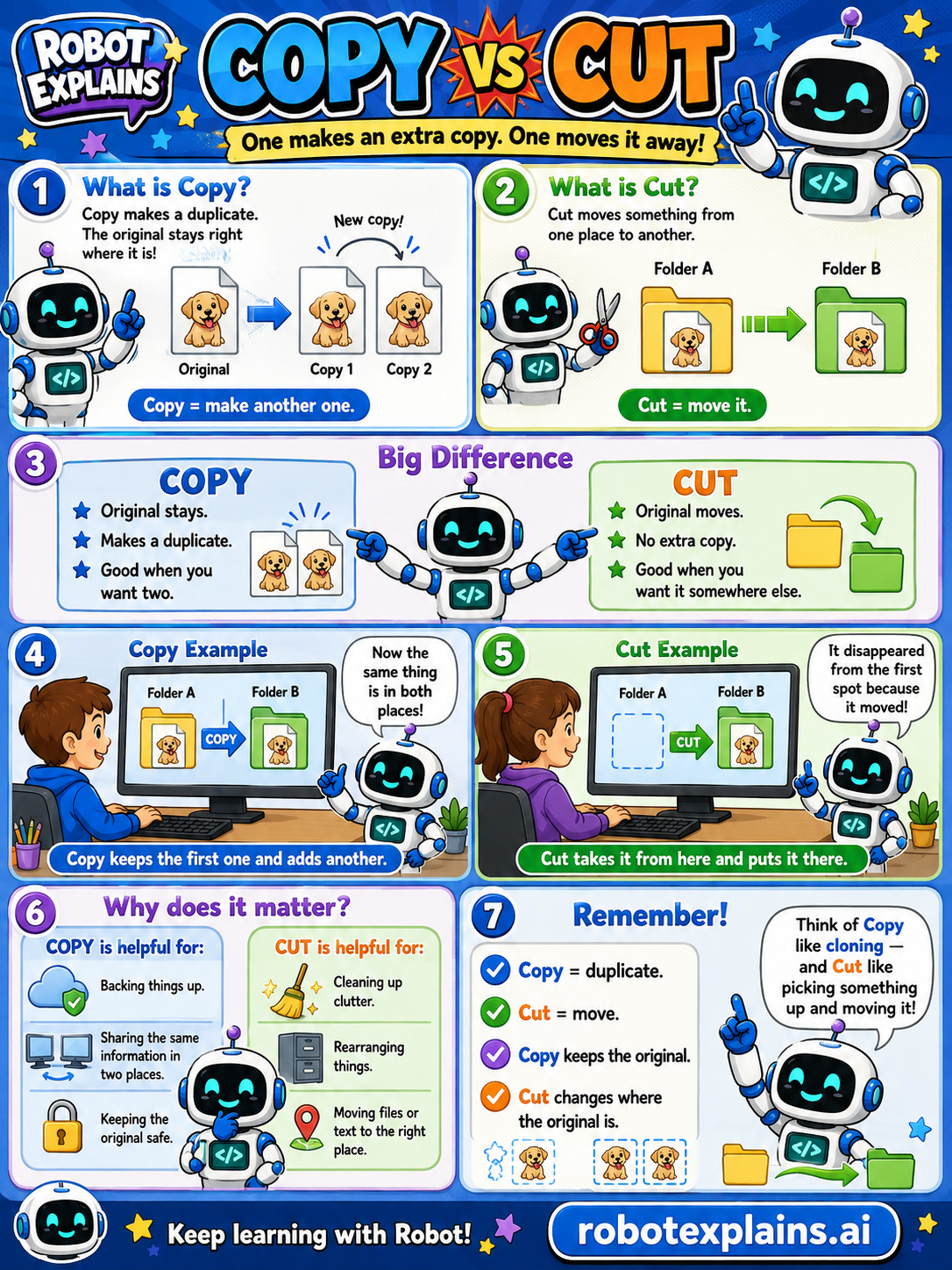
Copy makes another copy. Cut moves something away. That's the difference!
What is Copy? Copy makes a duplicate. The original stays right where it is, and you get a brand-new copy too. (Copy = make another one.)
What is Cut? Cut moves something from one place to another. It disappears from the first spot because it moved. (Cut = move it.)
The big difference. With Copy: the original stays, you make a duplicate, and there's no extra copy lost, good when you want two. With Cut: the original moves, there's no extra copy, good when you want it somewhere else.
Copy example. You copy a picture from Folder A to Folder B. Now the picture is in both places, Copy keeps the first one and adds another.
Cut example. You cut a picture from Folder A to Folder B. It disappears from Folder A because it moved, Cut takes it from here and puts it there.
Why does it matter? Copy is helpful for backing things up, sharing the same info in two places, and keeping the original safe. Cut is helpful for cleaning up clutter, rearranging things, and moving files or text to the right place.
Remember: Copy = duplicate, Cut = move. Copy keeps the original; Cut changes where the original is. Think of Copy like cloning, and Cut like picking something up and moving it!
What to remember
- Copy makes another copy.
- Cut moves something away.
- Copy keeps the original where it is.
- Cut changes where the original is.
Words to know
- Copy
- Make a duplicate and keep the original.
- Cut
- Move something from one place to another.
- Paste
- Put the copied or cut thing in its new spot.
- Original
- The first version of the file or text.
For grown-ups
Both are clipboard actions; the difference is whether the source survives. Copy duplicates the selection, leaving the original in place — you end with two. Cut removes the selection from its source and holds it for pasting elsewhere — you end with one, relocated. Paste places whatever is on the clipboard. The mental anchor: copy = clone, cut = pick up and move.
Want the full story? These go deeper: