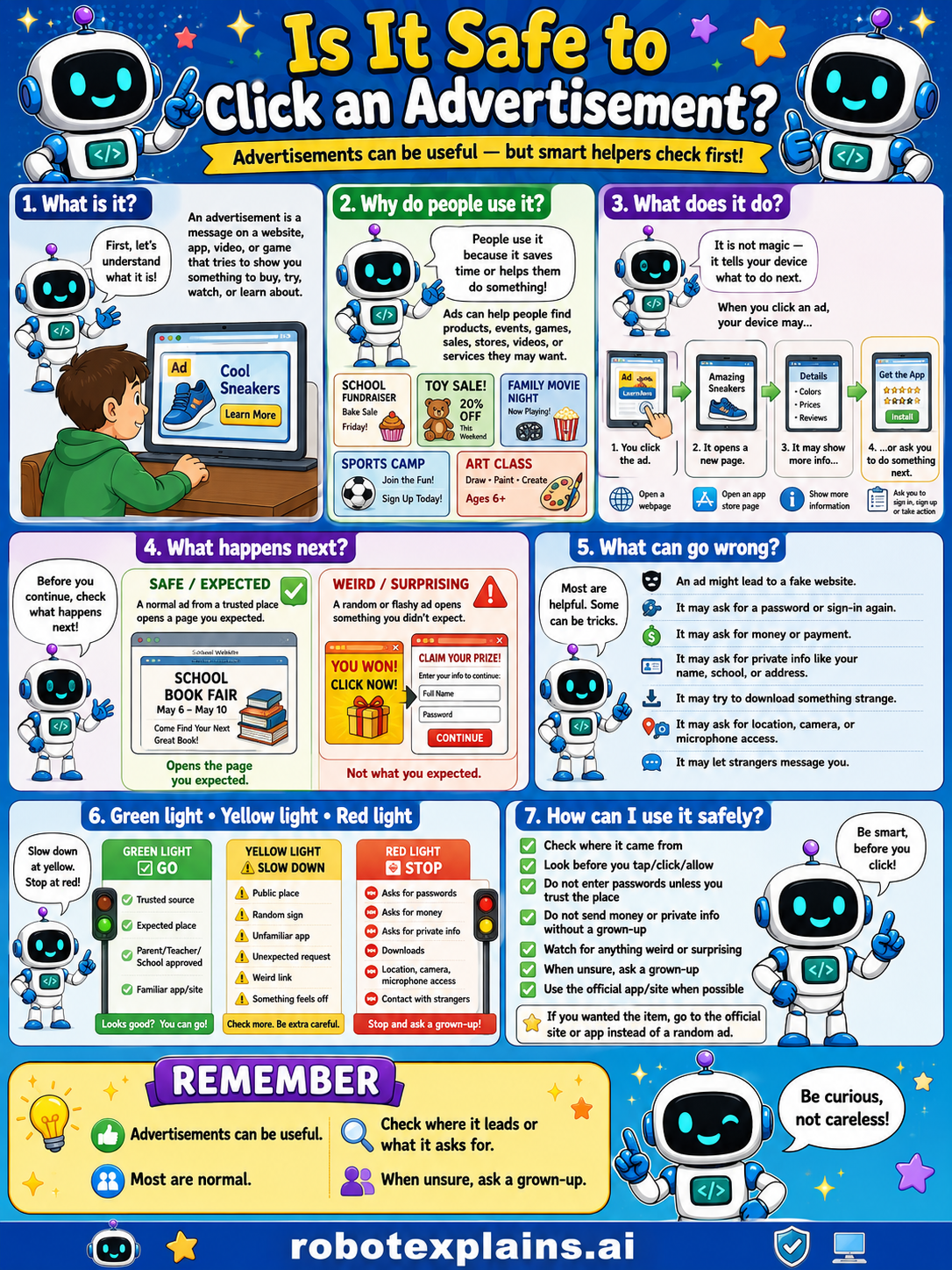
Advertisements can be useful, but smart helpers check first. So, is it safe to click an advertisement? Sometimes, if you check where it goes.
What is it? First, let's understand what it is. An advertisement is a message on a website, app, video, or game that wants you to do something, to buy, try, watch, or learn about something.
Why do people use it? People use it because it saves time or helps them do something. Ads can help people find products, events, games, sales, shows, videos, or services they may want.
What does it do? It is not magic, it tells your device what to do next. When you click an ad, your device may open a webpage, open an app, show more info, or ask you to do something it wants.
What happens next? Before you continue, check what happens next. A school book fair ad you expected opens the page you expected, that's safe. A random or flashy ad opening something you didn't expect ("You won! Click now!") is a red flag, not what you expected.
What can go wrong? Most ads are helpful, but some can be tricks: an ad might lead to a fake website, ask for a password or payment, ask for your name, school, or address, try to download something strange, ask for location or camera access, or show a strange message.
Green light, yellow light, red light. A quick way to decide:
- 🟢 Green: a trusted place, an expected ad, your parent's or school's app.
- 🟡 Yellow: an unfamiliar app, a weird link, or something that feels off — slow down and be careful.
- 🔴 Red: asks for money, asks for private info, downloads, location access, or contact with strangers — stop and ask a grown-up.
How can I use it safely? Check where it came from. Look before you tap, click, or allow. Don't enter passwords unless you trust the site. Don't send money or private info without a grown-up. Watch for anything weird or surprising. When unsure, ask a grown-up. Use the official site/app when possible, not the ad to the official place or instead of a random ad.
Remember: advertisements can be useful, most are normal, but always check where it leads or what it asks for. When unsure, ask a grown-up. Be curious, not careless!
What to remember
- Ads are messages that want you to do something.
- Most ads are normal, but some are tricks.
- Check where an ad leads and what it asks for.
- When unsure, ask a grown-up before clicking.
Words to know
- Advertisement
- A message on a site or app that wants you to act.
- Pop-up
- An ad that suddenly appears on the screen.
- Red flag
- A warning sign something might be unsafe.
- Trusted
- Something you know is safe and real.
For grown-ups
Online ads range from legitimate marketing to malvertising — ads that route to scams, fake prizes, or sketchy downloads. The skill kids need is consumer skepticism: notice that an ad wants an action, check where it leads, be wary of 'you won!' urgency and requests for money or info, and avoid surprise downloads. Frames safe judgment, not ad-tech exploitation.
Want the full story? These go deeper: