Location sharing can be handy with people you trust, but sharing it publicly or with strangers can be risky.
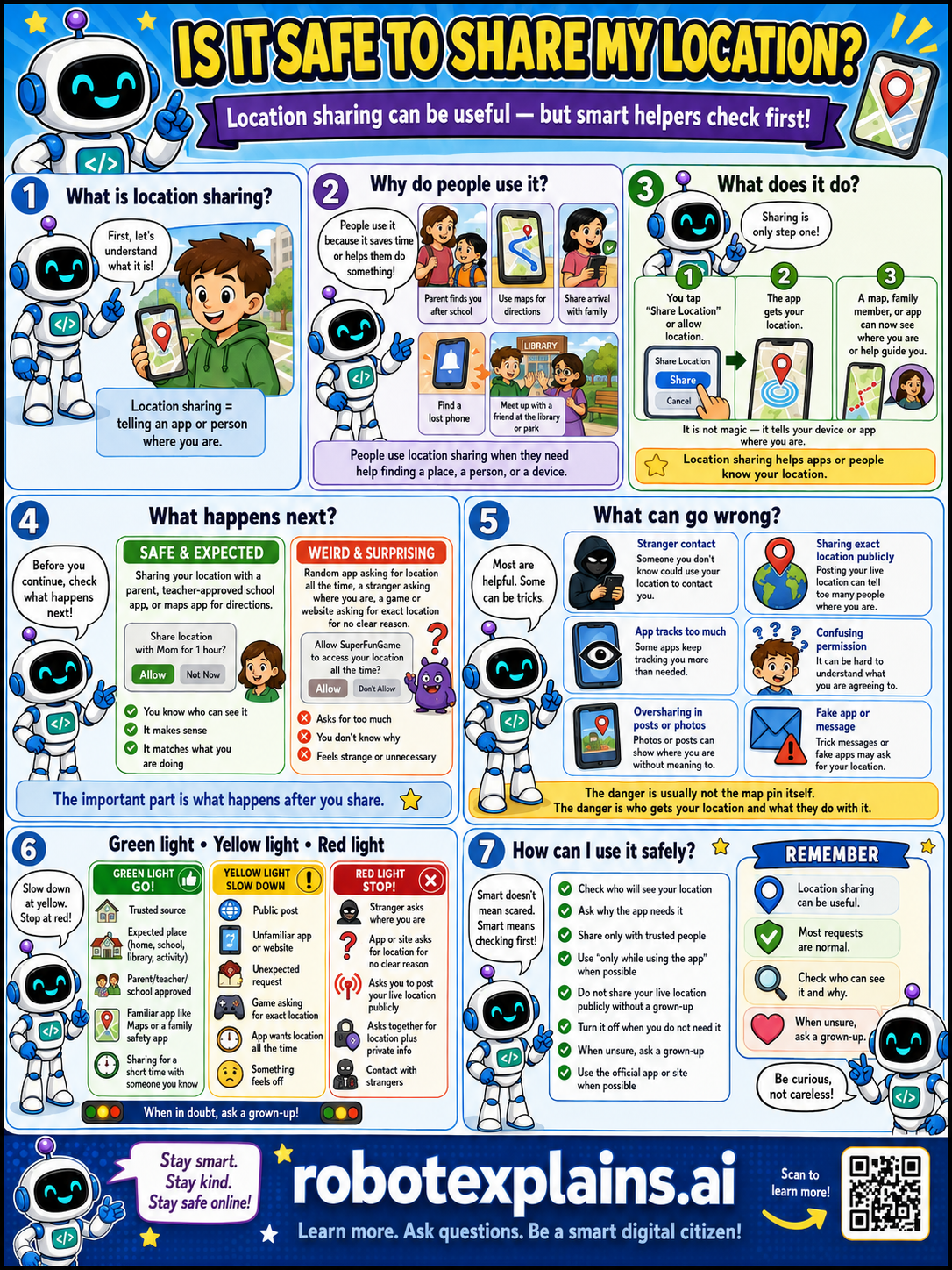
What is it? Location sharing is telling an app or person where you are. Location sharing = telling an app or person where you are.
Why do people use it? People use it because it saves time or helps them find a place, person, or device, like a parent finds you after school, getting directions, or sharing safely with family. People use location sharing when they need help finding a place, a person, or a device.
What does it do? Sharing is only one step. You tap 'Share Location' or allow an app, the app gets your location, and a map, family member, or app can see where you are or help guide you. It is not magic, it tells your device or app where you are.
What happens next? Before you continue, check what happens next. Sharing your location with a parent, a teacher-approved app, or maps app for directions, that's safe and expected. A random app asking for location all the time, a stranger asking you or a website asking for much location for no clear reason, that's a weird, surprising red flag.
What can go wrong? Most are helpful, but some can be tricks: a stranger could know where you live, an app tracks you more than needed, an app or website shows your location to others, oversharing in posts or photos, or a confusing permission. The danger is usually not the map pin itself, it's who gets your location and what they do with it.
Green light, yellow light, red light. A quick way to decide:
- 🟢 Green: a trusted person, an expected place, a parent's or teacher's app, a familiar app, sharing for a short time with someone you know.
- 🟡 Yellow: an unfamiliar app, sharing all the time, or something that feels off — slow down.
- 🔴 Red: a stranger asks where you are, an app or site shares it widely, sharing your exact home location, or contact from strangers — stop and ask a grown-up.
How can I use it safely? Check who will see your location. Ask why an app needs it. Share only with trusted people. Use 'only while using the app' when possible. Don't share your live location publicly. Turn it off when you do not need it. When unsure, ask a grown-up. Use the official app or site when possible.
Remember: location sharing can be useful, most requests are normal, but always check who gets it. When unsure, ask a grown-up. Be curious, not careless!
What changed?
Every tap changes something. The trick isn't fear — it's noticing. After you say “yes,” ask: what just changed?
- Turned on locationapps can see where you are right now
- Shared your location in a postpeople can tell where you were
- Left location on all the timeyour phone keeps a map of everywhere you go
What to remember
- Location sharing tells an app or person where you are.
- It's useful with people and apps you trust.
- Don't share your location publicly or with strangers.
- When unsure, ask a grown-up.
Words to know
- Location sharing
- Telling an app or person where you are.
- Public
- Visible to anyone, not just people you trust.
- Private info
- Details like where you live or go.
- Red flag
- A warning sign something might be unsafe.
For grown-ups
Location is high-sensitivity data: shared with trusted family or for a specific feature (maps, a meetup) it's useful; shared publicly, continuously, or with strangers it enables tracking and physical-safety risks. The habit is scoping who gets it and for how long, preferring 'while using the app,' and never posting real-time location publicly. Teaches privacy judgment, not surveillance methods.
Want the full story? These go deeper: