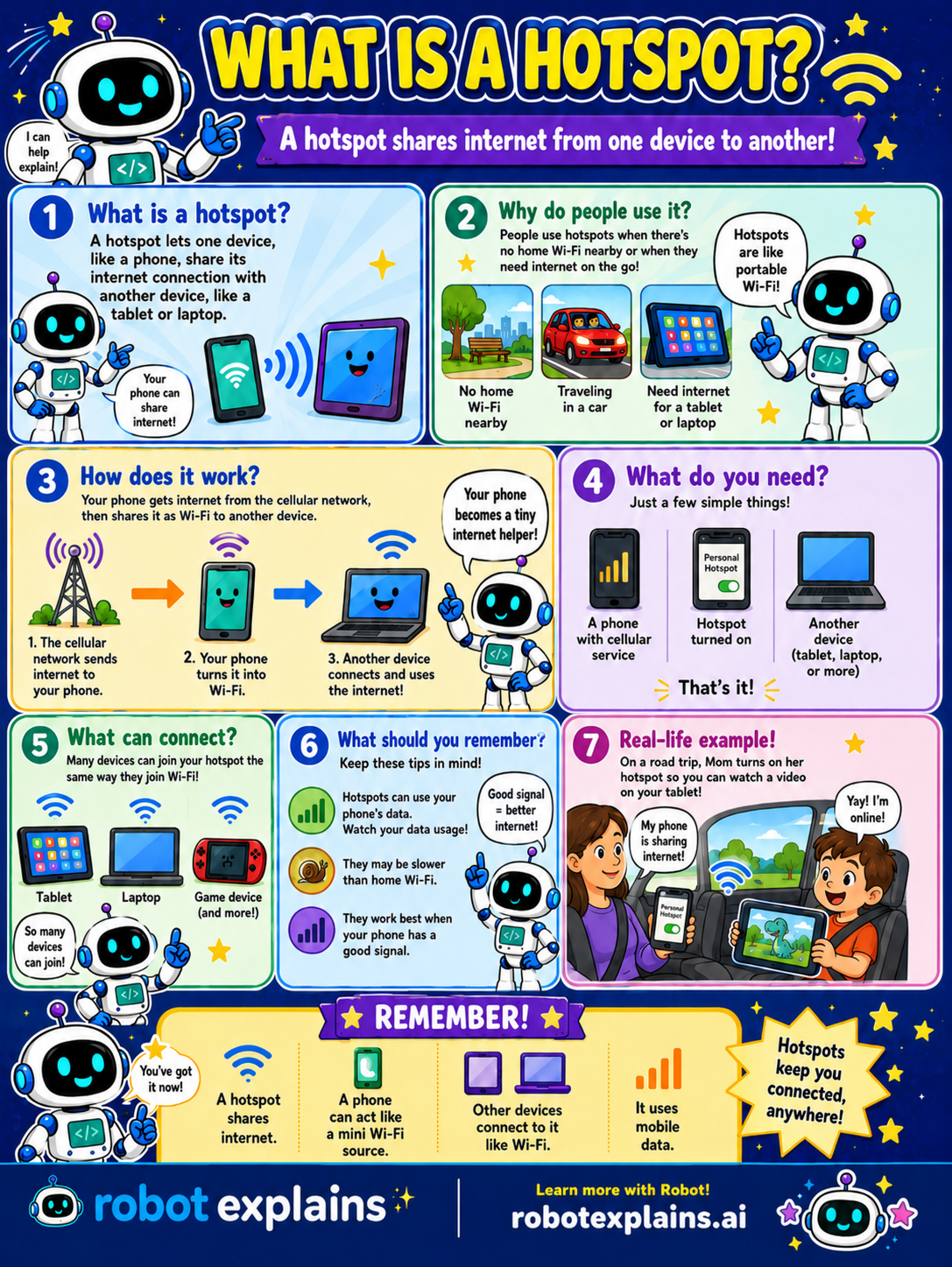
A hotspot lets one device — usually a phone — share its internet connection with other devices nearby, like a tablet or a laptop.
Why do people use it? A hotspot is handy when there's no Wi-Fi around, or when you need internet on the go, like in the car or on a trip. Anywhere your phone has signal, it's like carrying your own portable Wi-Fi.
How does it work? Your phone already gets internet from the cellular network, the same signal that lets it make calls. When you turn on its hotspot, your phone turns that signal into Wi-Fi and shares it. Another device connects to your phone's hotspot just like it connects to any Wi-Fi, and now it's online too. Your phone becomes a tiny internet helper!
What do you need? Just three things: a phone with cellular service, the hotspot turned on, and another device to connect, like a tablet or laptop.
What can connect? Lots of devices can join a hotspot the same way they join Wi-Fi, a tablet, a laptop, a game device, and more.
What should you remember? A hotspot uses your phone's mobile data, so keep an eye on how much you use. It can be slower than home Wi-Fi, and it works best when your phone has a strong signal.
Here's a real example. On a road trip, Mom turns on her phone's hotspot so you can watch a video on your tablet, even with no Wi-Fi for miles.
Remember: a hotspot shares one device's internet with others, a phone can act like a mini Wi-Fi source, other devices connect to it just like Wi-Fi, and it uses mobile data. Hotspots keep you connected, anywhere!
What to remember
- A hotspot shares one device's internet with others.
- A phone can act like a mini Wi-Fi source.
- Other devices connect to it just like Wi-Fi.
- It uses your phone's mobile data.
Words to know
- Hotspot
- A device that shares its internet connection with others.
- Mobile data
- Internet that comes over the phone (cellular) network.
- Cellular network
- The phone towers that give your phone internet on the go.
- Tethering
- Another word for sharing one device's internet with another.
For grown-ups
A mobile hotspot shares a phone's cellular data connection with other devices over Wi-Fi (also called tethering). It's handy when there's no Wi-Fi, but it uses the phone's data plan, can be slower than home broadband, and depends on cellular signal strength. Practical notes: watch data caps, protect the hotspot with a password, and prefer HTTPS on any shared connection.
Want the full story? These go deeper: