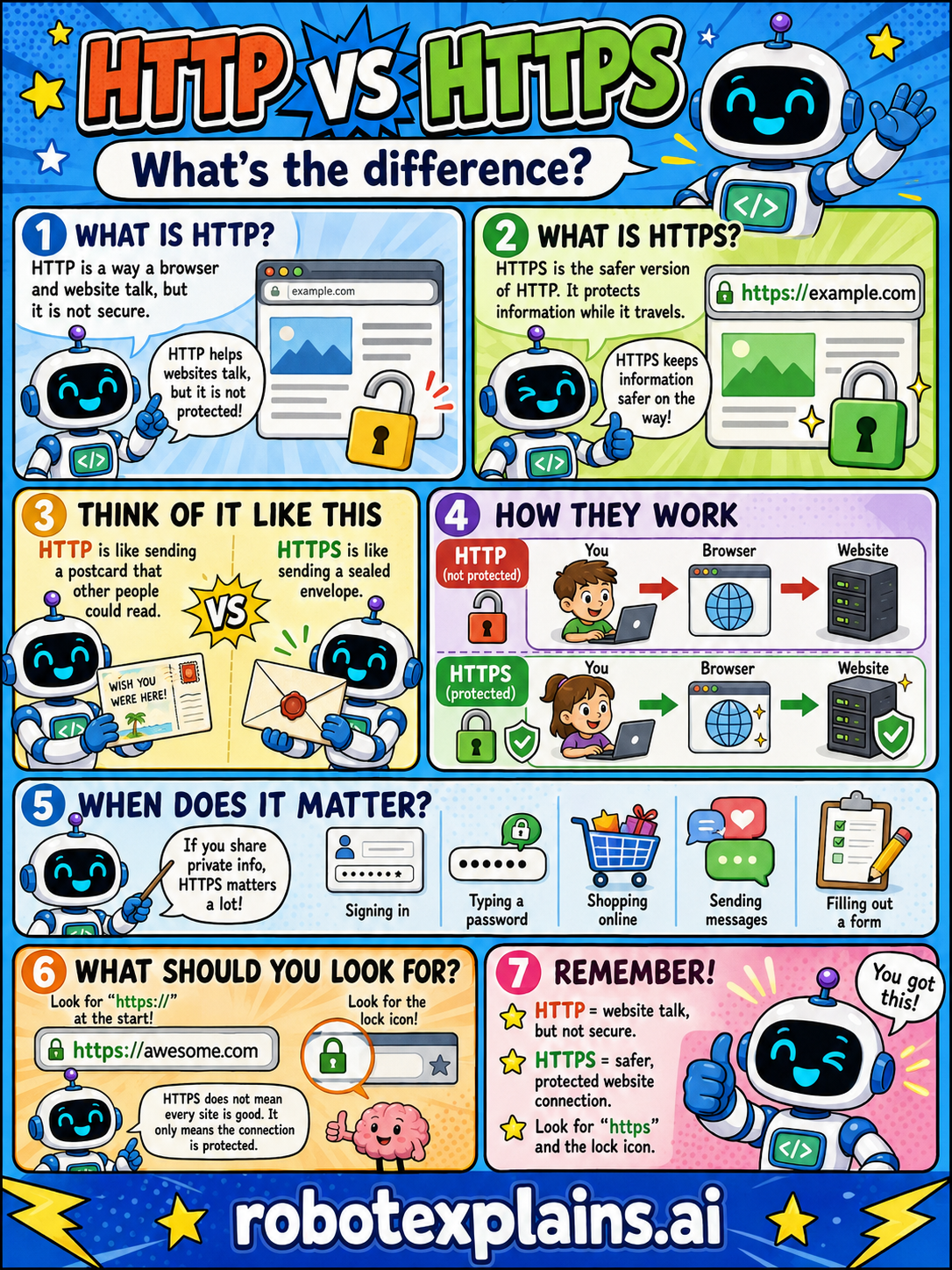
HTTP and HTTPS look almost the same, but one is safer. HTTP lets a browser and website talk; HTTPS protects the information. What's the difference?
What is HTTP? HTTP is a way a browser and a website talk to each other, but it is not secure. It helps websites talk, but the information is not protected.
What is HTTPS? HTTPS is the safer version of HTTP. It protects information while it travels, keeping it safer on the way.
Think of it like this. HTTP is like sending a postcard that other people could read along the way. HTTPS is like sending a sealed envelope, protected.
How they work. With HTTP (not protected), you talk to a website through your browser, but the message isn't locked. With HTTPS (protected), the message is scrambled so others can't read it as it travels.
When does it matter? HTTPS matters a lot when you share private info, like signing in, typing a password, shopping online, sending messages, or filling out a form.
What should you look for? Look for https:// at the start of the address, and the lock icon. (Note: the lock doesn't mean every site is good, it only means the connection is protected.)
Remember: HTTP = website talk, but not secure. HTTPS = safer, protected connection. Look for 'https' and the lock icon!
What to remember
- HTTP is website talk, but not secure.
- HTTPS is a safer, protected website connection.
- Look for 'https' and the lock icon.
- HTTPS matters most when you share private info.
Words to know
- HTTP
- A way a browser and website talk, not protected.
- HTTPS
- The safer version of HTTP that protects information.
- Encryption
- Scrambling info so others can't read it.
- Lock icon
- A small lock that shows the connection is protected.
For grown-ups
HTTP is the protocol browsers and servers use to exchange web pages; by itself it's plaintext, so anyone in between can read or tamper with it. HTTPS is HTTP wrapped in TLS encryption, protecting confidentiality and integrity in transit and authenticating the site. The padlock means the connection is encrypted — not that the site is honest, so it's necessary, not sufficient. Today HTTPS is the default expectation for any site, especially where you enter information.
Want the full story? These go deeper: