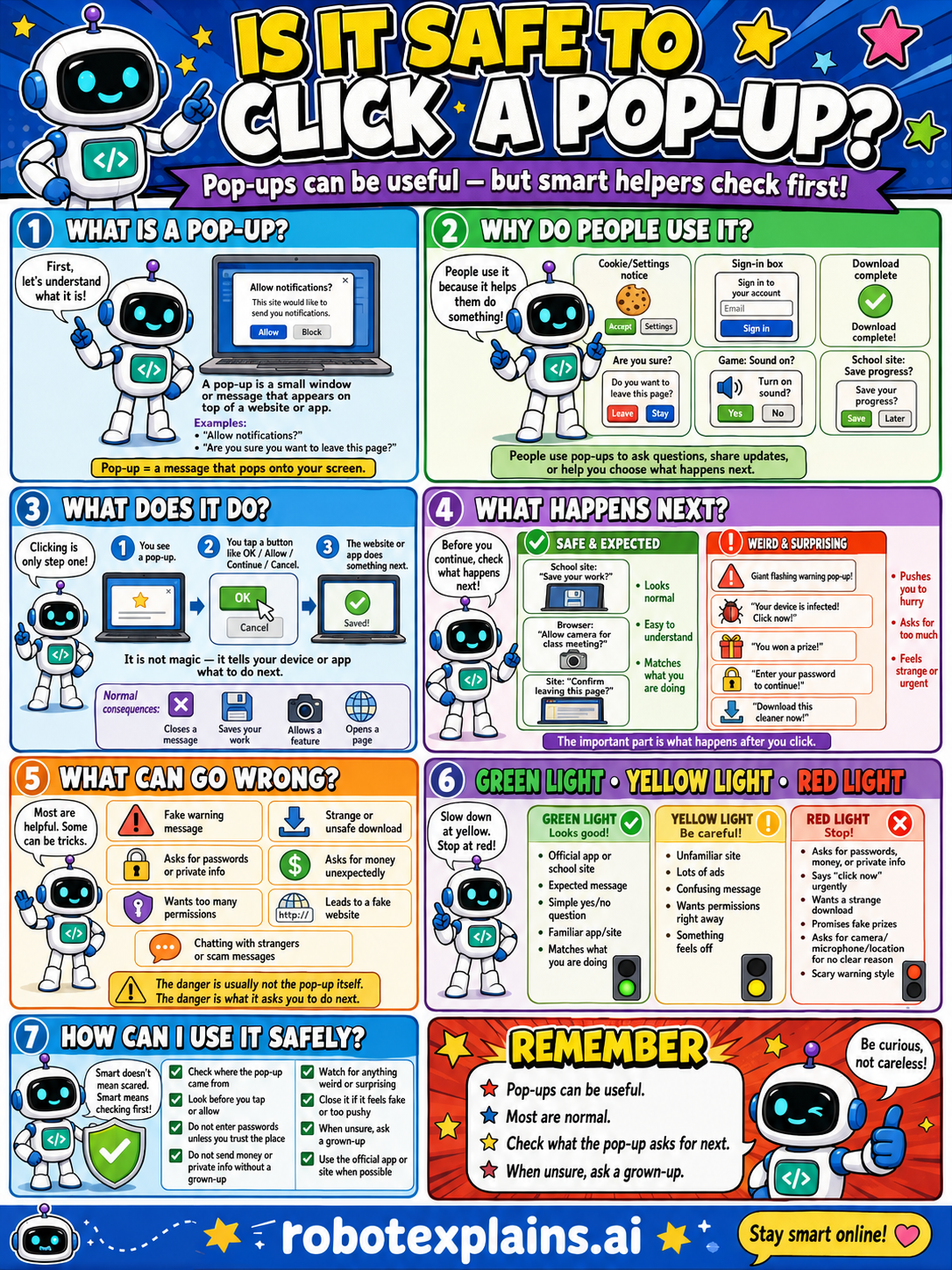
Pop-ups can be useful messages, but some are tricks, so check what a pop-up asks for before you click.
What is it? A pop-up is a small window or message that appears on top of a website or app. Pop-up = a message that wants your attention.
Why do people use it? People use pop-ups to ask questions, share updates, or help you choose what happens next, like allowing notifications, a sign-in box, or a download-complete message.
What does it do? Clicking is only one step. You tap a button, the website or app does something, and the pop-up may go away or do something next. It is not magic, it tells your device or app what to do.
What happens next? Before you continue, check what happens next. A 'Save your progress?' box you expected is safe. A 'Your device is infected! Click now!' or 'Enter your password to continue!' is a weird, surprising red flag, scary or urgent ones are tricks.
What can go wrong? Most are helpful, but some can be tricks: a fake warning, asking for passwords or private info, wanting too many permissions, chatting with strangers, or leading to a fake website. The danger is usually not the pop-up itself, it's what it asks you to do next.
Green light, yellow light, red light. A quick way to decide:
- 🟢 Green: an official app or site, an expected message, a simple yes/no question, a familiar app or site.
- 🟡 Yellow: an unfamiliar site, lots of confusing words, or something that feels off — slow down.
- 🔴 Red: asks for passwords, money, or private info, says 'click now!', wants a strange download, or a scary urgent warning — stop and ask a grown-up.
How can I use it safely? Check where the pop-up came from. Look before you tap or close. Don't enter passwords or private info without a grown-up. Watch for anything weird or surprising. Close pop-ups that feel fake or pushy. When unsure, ask a grown-up.
Remember: pop-ups can be useful, most are normal, but always check what the pop-up asks for next. When unsure, ask a grown-up. Be curious, not careless!
What changed?
Every tap changes something. The trick isn't fear — it's noticing. After you say “yes,” ask: what just changed?
- Clicked the pop-upyour device went somewhere new
- Tapped “You won!”it may have opened a page that wants your info
- Closed it with the Xnothing changed — and that's often the safest move
What to remember
- Pop-ups can be useful, and most are normal.
- Some pop-ups are tricks.
- Check what the pop-up asks for next.
- When unsure, ask a grown-up.
Words to know
- Pop-up
- A small window that appears on top of a page.
- Notification
- A pop-up that shares news or updates.
- Red flag
- A warning sign something might be unsafe.
- Trusted
- Something you know is safe and real.
For grown-ups
Pop-ups range from legitimate prompts (cookie notices, permission asks, download-complete messages) to scareware and scam overlays ('your device is infected!'). The skill is reading what the pop-up is actually asking and noticing urgency or fear as a red flag, rather than reflexively clicking. Frames safe response, not how malicious pop-ups are built.
Want the full story? These go deeper: