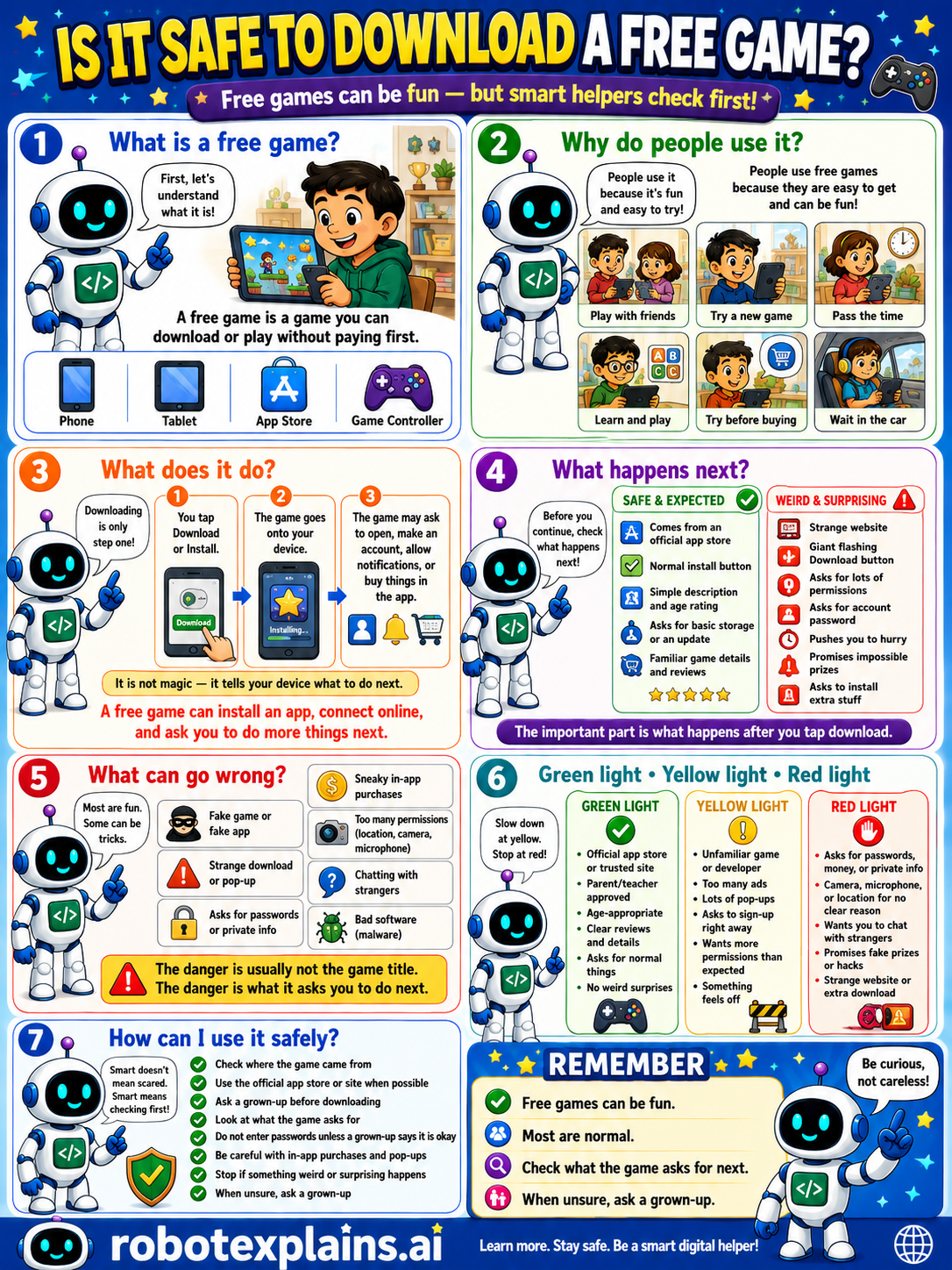
Free games can be fun, but only download from official stores and check what the game asks for.
What is it? A free game is a game you can download or play without paying first, on a phone, tablet, app store, or game controller.
Why do people use it? People use free games because they're fun and easy to try, like playing with friends, trying a new game, passing the time, learning and playing, trying before buying, or waiting in the car. People use free games because they're easy to get and can be fun.
What does it do? Downloading is only one step. You tap install or download, the game goes onto your device, and the game may ask to open, make an account, allow notifications, or buy things in the app. It is not magic, it tells your device what to do next, and may ask you to do more things next.
What happens next? Before you continue, check what happens next. A game from the official app store, a normal install button, simple description, and age rating, asking for basic storage or an update, that's safe and expected. A strange website, a giant 'download now' button, asking for lots of permissions, asking for your password, promises that seem impossible, or pushes you to hurry, that's a weird, surprising red flag.
What can go wrong? Most are fun, but some can be tricks: a fake game or fake app, a strange download or pop-up, asking for passwords or private info, sneaky in-app purchases, too many permissions (location, camera, microphone), chatting with strangers, or bad software (malware). The danger is usually not the game title, it's what it asks you to do next.
Green light, yellow light, red light. A quick way to decide:
- 🟢 Green: the official app store or trusted site, a parent's or teacher's pick, an age-appropriate game, clear reviews and details, no weird extras.
- 🟡 Yellow: an unfamiliar game or developer, too many ads, lots of pop-ups, asks to sign up right away, or something that feels off — slow down.
- 🔴 Red: asks for passwords, money, or private info, a camera, microphone, or location for no clear reason, wants you to chat with strangers, or a strange website or extra download — stop and ask a grown-up.
How can I use it safely? Check where the game came from. Use the official app store or site when possible. Ask a grown-up before downloading. Look at what the game asks for. Don't enter passwords unless a grown-up says it's okay. Be careful with in-app purchases and pop-ups. Stop if something weird or surprising happens. When unsure, ask a grown-up.
Remember: free games can be fun, most are normal, but always check the official store and what the game asks for next. When unsure, ask a grown-up. Be curious, not careless!
What changed?
Every tap changes something. The trick isn't fear — it's noticing. After you say “yes,” ask: what just changed?
- Installed the gamenew software is now on your device
- Tapped “Allow” during setupthe app got the permissions it asked for
- Downloaded from an unknown siteyou can't be sure what else came with it
What to remember
- Free games can be fun, and most are fine.
- Only download from official app stores.
- Check what the game asks for next.
- When unsure, ask a grown-up.
Words to know
- Free game
- A game you can download or play without paying first.
- App store
- The official, trusted place to get apps and games.
- Permission
- What a game is allowed to use or see.
- Bad software
- Harmful programs hidden in fake downloads.
For grown-ups
Free games are mostly legitimate, but 'free' is also the lure for fake apps, sideloaded malware, and permission-grabbing clones outside official stores. Safe defaults: install only from official app stores, prefer known publishers and good reviews, scrutinize permissions, and watch for 'too good to be true' extras and surprise payments. Teaches source-trust and permission awareness, not how malicious apps work.
Want the full story? These go deeper: