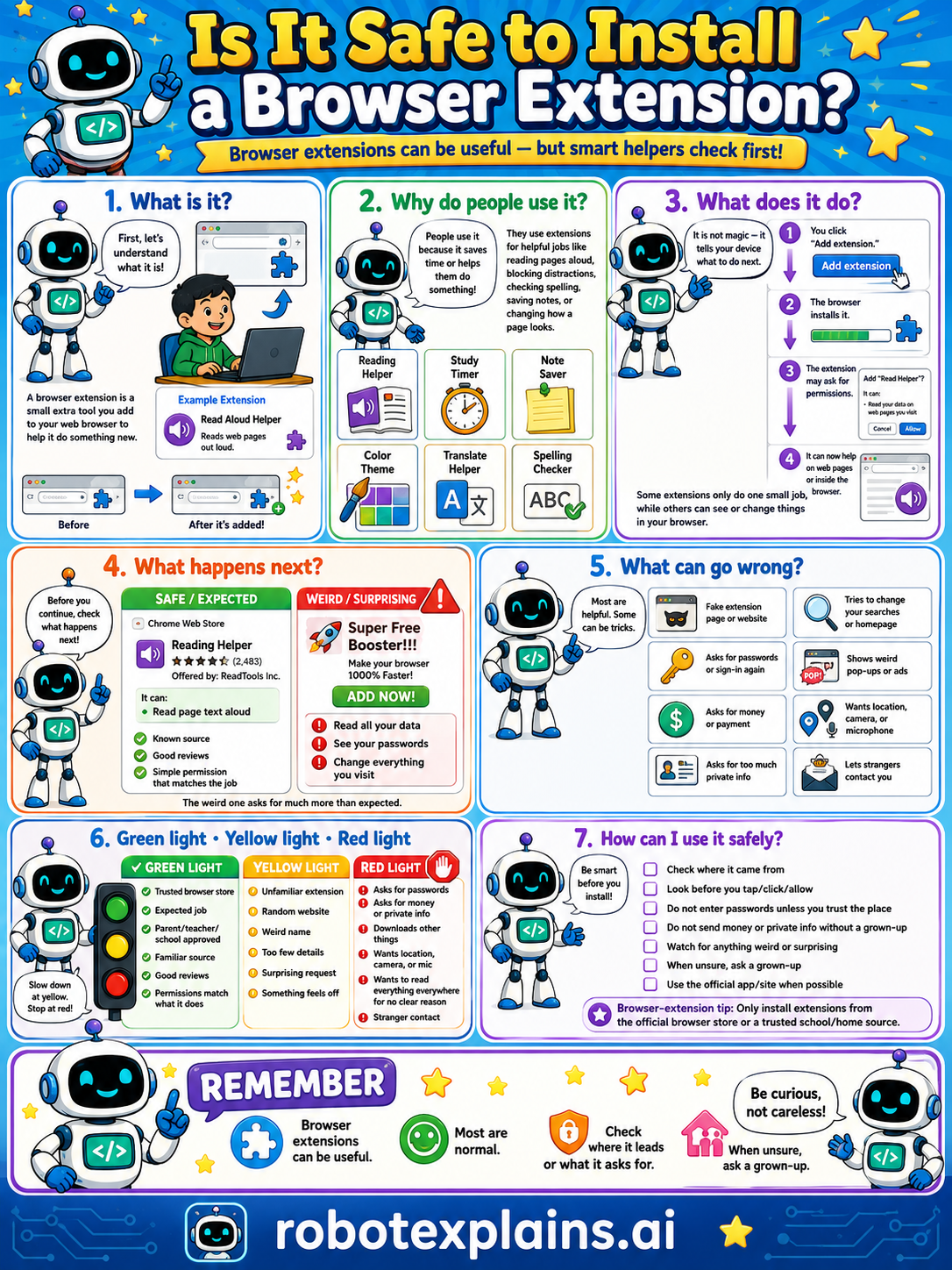
Browser extensions can be useful, but smart helpers check first. So, is it safe to install a browser extension? It can be, if it's trusted.
What is it? First, let's understand what it is. A browser extension is a small extra tool you add to your browser to help it do something new, like a reading helper, study timer, note saver, color theme, translate helper, or spelling checker.
Why do people use it? People use it because it saves time or helps them do something, like reading pages aloud, blocking distractions, checking spelling, saving notes, or changing how a page looks.
What does it do? It is not magic, it tells your browser what to do. You click "Add extension," the browser installs it, and the extension may ask for permissions. Some extensions only do one small job, while others can see or change things in your browser, so permissions matter.
What happens next? Before you continue, check what happens next. A well-reviewed Reading Helper with good ratings and a simple permission ("read page text aloud") is safe and expected. A "Super Free Booster!!! 100% faster!" with no reviews is a weird, surprising red flag.
What can go wrong? Most are helpful, but some can be tricks: a fake extension or website, an extension that asks for passwords or login, one that tries to change your searches or homepage, wants location, camera, or microphone, or a stranger trying to contact you. The weird one asks for much more than expected.
Green light, yellow light, red light. A quick way to decide:
- 🟢 Green: the official web store, an expected add-on, your parent's or school's pick, a familiar one, good reviews.
- 🟡 Yellow: an unfamiliar name, a weird link, few reviews, or something that feels off — slow down.
- 🔴 Red: asks for passwords or private info, downloads, wants location, camera, or contact with strangers — stop and ask a grown-up.
How can I use it safely? Check where it came from. Look before you install. Don't enter passwords unless you trust the place. Don't send money or private info without a grown-up. Watch for anything weird or surprising. When unsure, ask a grown-up. Use the official app/site when possible, and get extensions only from the official browser store or a trusted school or home source.
Remember: browser extensions can be useful, most are normal, but always check what it asks for and where it leads. When unsure, ask a grown-up. Be curious, not careless!
What to remember
- Extensions are add-ons that give your browser new powers.
- Most are useful, but they can ask for big permissions.
- Only install trusted extensions from official stores.
- Check reviews and what it asks for, ask a grown-up.
Words to know
- Extension
- A small add-on that gives a browser new abilities.
- Permission
- What an extension is allowed to see or do.
- Official store
- The browser's trusted place to get extensions.
- Red flag
- A warning sign something might be unsafe.
For grown-ups
Extensions are powerful: many can read or change page content, see browsing activity, or alter settings, so a malicious or abandoned one is a real risk. The safe-habit version: install only from the official store, prefer well-reviewed and widely-used ones, read the requested permissions, and get adult sign-off. Teaches permission awareness and source-trust, not how malicious extensions operate.
Want the full story? These go deeper: