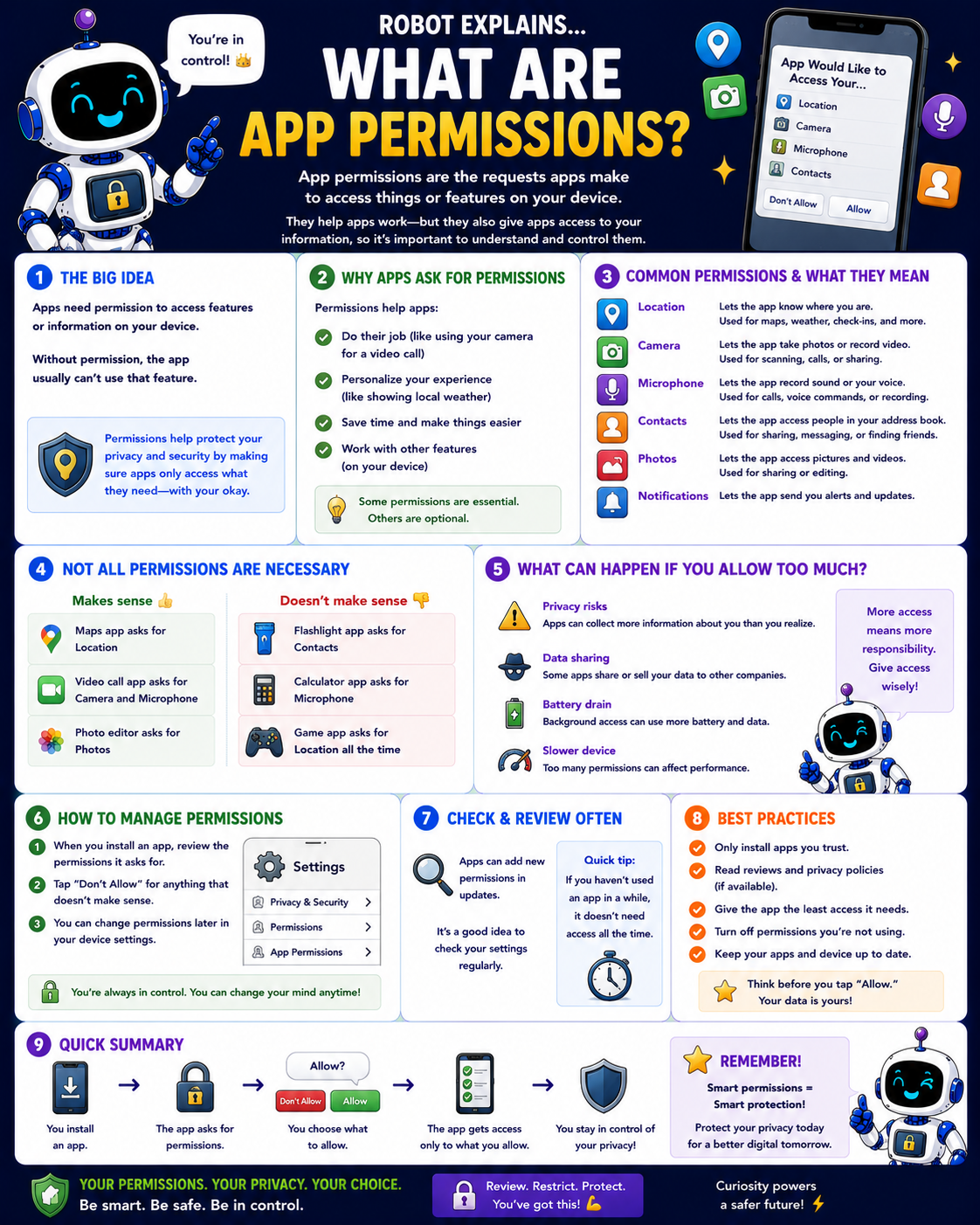
App permissions are the requests apps make to access things or features on your device. They help apps work, but they also give apps access to your information, so it's important to understand and control them.
The big idea: apps need permission to access features or information on your device. Without permission, the app usually can't use that feature. Permissions help protect your privacy and security by making sure apps only access what they need, with your okay.
Why do apps ask for permissions? To do their job (like using your camera for a video call), to personalize your experience (like showing local weather), to save time, and to work with other features. Some permissions are essential; others are optional.
Common permissions and what they mean: Location (maps, weather, check-ins), Camera (photos, video calls, scanning), Microphone (voice, calls, recording), Contacts (for sharing, messaging, or finding friends), Photos (saving and sharing pictures), and Notifications (alerts and updates).
Not all permissions are necessary. It makes sense for a maps app to ask for location, or a video-call app to ask for camera and microphone. It does not make sense for a flashlight app to ask for your contacts, a calculator to ask for your microphone, or a game to want your location all the time.
What can happen if you allow too much? Privacy risks (apps learn more about you than you realize), data sharing (some apps sell your data), battery drain, and a slower device. More access means more responsibility, so give access wisely.
How to manage permissions: when you install an app, review the permissions it asks for, say "Don't Allow" for anything that doesn't make sense, and change permissions later in your device settings. Apps can add new permissions in updates, so review settings regularly.
Best practices: only install apps you trust, read reviews and privacy policies, give an app the least access it needs, turn off permissions you're not using, and keep your apps and device updated.
Remember: you install an app, the app asks for permissions, you choose what to allow, the app gets access only to what you allow, and you stay in control. Your permissions, your privacy, your choice.
What to remember
- Permissions are the access apps ask for on your device.
- Allow only what an app truly needs to do its job.
- A flashlight app doesn't need your contacts.
- You can change permissions anytime in settings.
Words to know
- Permission
- Access an app asks for on your device.
- Allow / Deny
- Your choice to grant or refuse access.
- Privacy
- Keeping control of your information.
- Least access
- Giving only what's truly needed.
For grown-ups
App permissions gate an app's access to device capabilities and data (location, camera, mic, contacts, photos, notifications). Grant least privilege, deny anything that doesn't fit the app's purpose, prefer trusted apps, and review periodically, apps can request more in updates. Over-permissioned apps are a privacy and battery risk.
Want the full story? These go deeper: