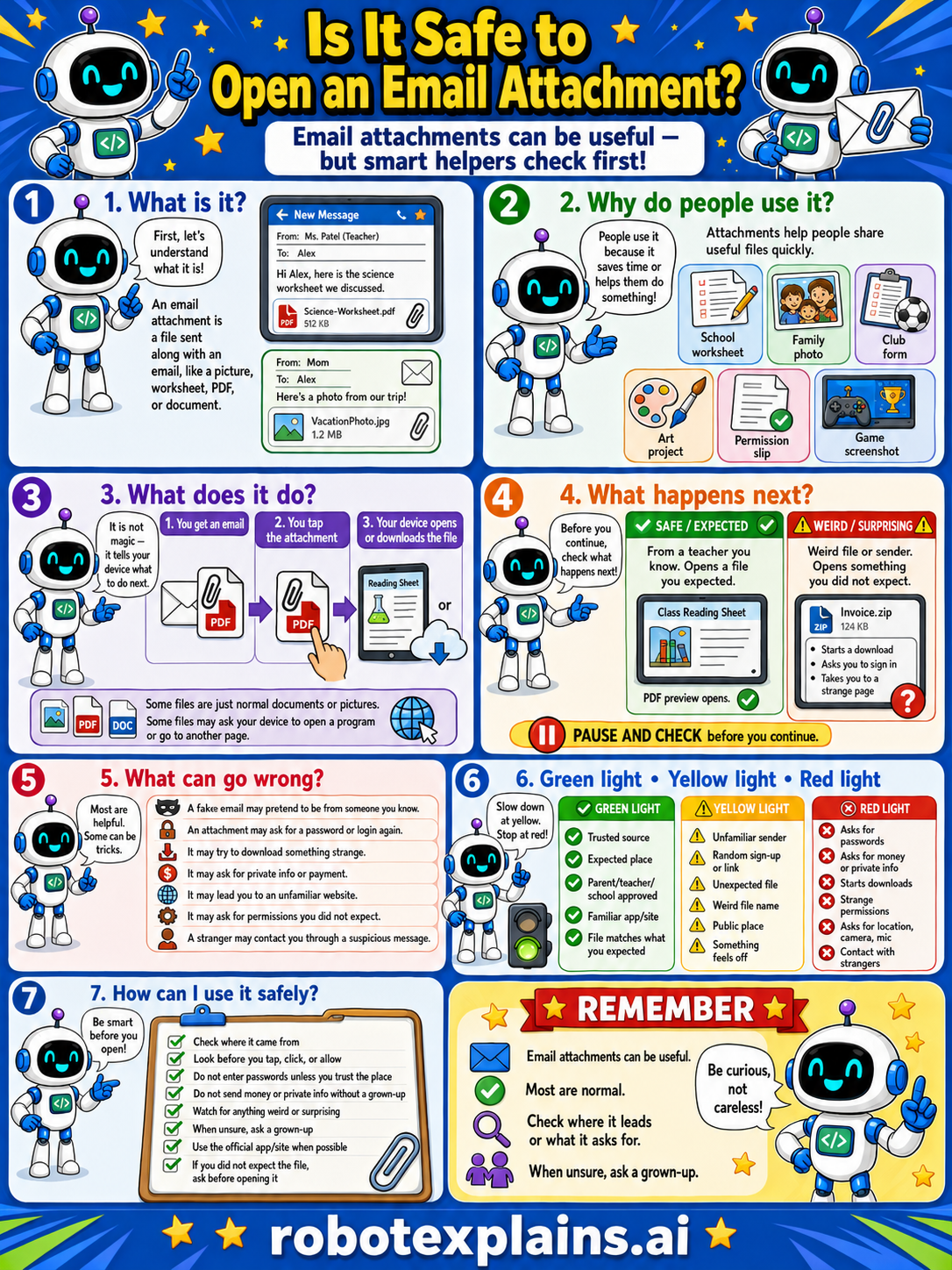
Email attachments can be useful, but smart helpers check first. So, is it safe to open an email attachment? Usually, if you check who sent it.
What is it? First, let's understand what it is. An email attachment is a file sent along with an email, like a picture, worksheet, PDF, or document.
Why do people use it? People use it because it's quick and helps share useful files, like a school worksheet, a family photo, club forms, an art project, a permission slip, or a game screenshot.
What does it do? It is not magic, it lets you open or save the file. You get an email, you tap the attachment, and your device opens or downloads the file. Some files are normal documents or pictures; some files may ask your device to open a program or go to another page.
What happens next? Before you continue, pause and check. From a teacher you know, a class reading sheet you expected, that's safe and expected. A weird file or sender, a surprise "invoice.zip" you didn't expect, that's a red flag.
What can go wrong? Most attachments are helpful, but some are tricks: a fake email pretending to be from someone you know, an attachment that asks for a password or login, files that may be private info or payment, files that may ask your device to open a program, or a stranger contacting you through a suspicious message.
Green light, yellow light, red light. A quick way to decide:
- 🟢 Green: a trusted source, an expected file, your parent's or school's account, a familiar app or file.
- 🟡 Yellow: an unfamiliar sender, a random name, a weird file type, or something that feels off — slow down.
- 🔴 Red: asks for passwords or private info, a download you didn't expect, a strange program, or contact from strangers — stop and ask a grown-up.
How can I use it safely? Check where it came from. Look before you tap, click, or allow. Don't enter passwords unless you trust the place. Don't send money or private info without a grown-up. Watch for anything weird or surprising. When unsure, ask a grown-up. Use the official app/site when possible. And if you don't expect the file, ask before opening it.
Remember: email attachments can be useful, most are fine, but always check where it leads or what it asks for. When unsure, ask a grown-up. Be curious, not careless!
What to remember
- Most attachments are useful, but some are tricks.
- Check who sent it and whether you expected it.
- Be careful with surprise files or strange file types.
- When unsure, ask a grown-up before opening.
Words to know
- Attachment
- A file sent along with an email.
- Sender
- The person or account an email came from.
- Red flag
- A warning sign something might be unsafe.
- Trusted
- Someone or something you know is safe.
For grown-ups
Attachments are a classic malware and phishing vector — a file that looks like a document or photo can carry something harmful, especially when unexpected or from an unknown sender. The defense is behavioral: verify the sender, confirm you were expecting the file, be wary of odd file types or 'too urgent' framing, and ask an adult when unsure. Teaches red-flag recognition and pause-and-check, not how attachments are weaponized.
Want the full story? These go deeper: