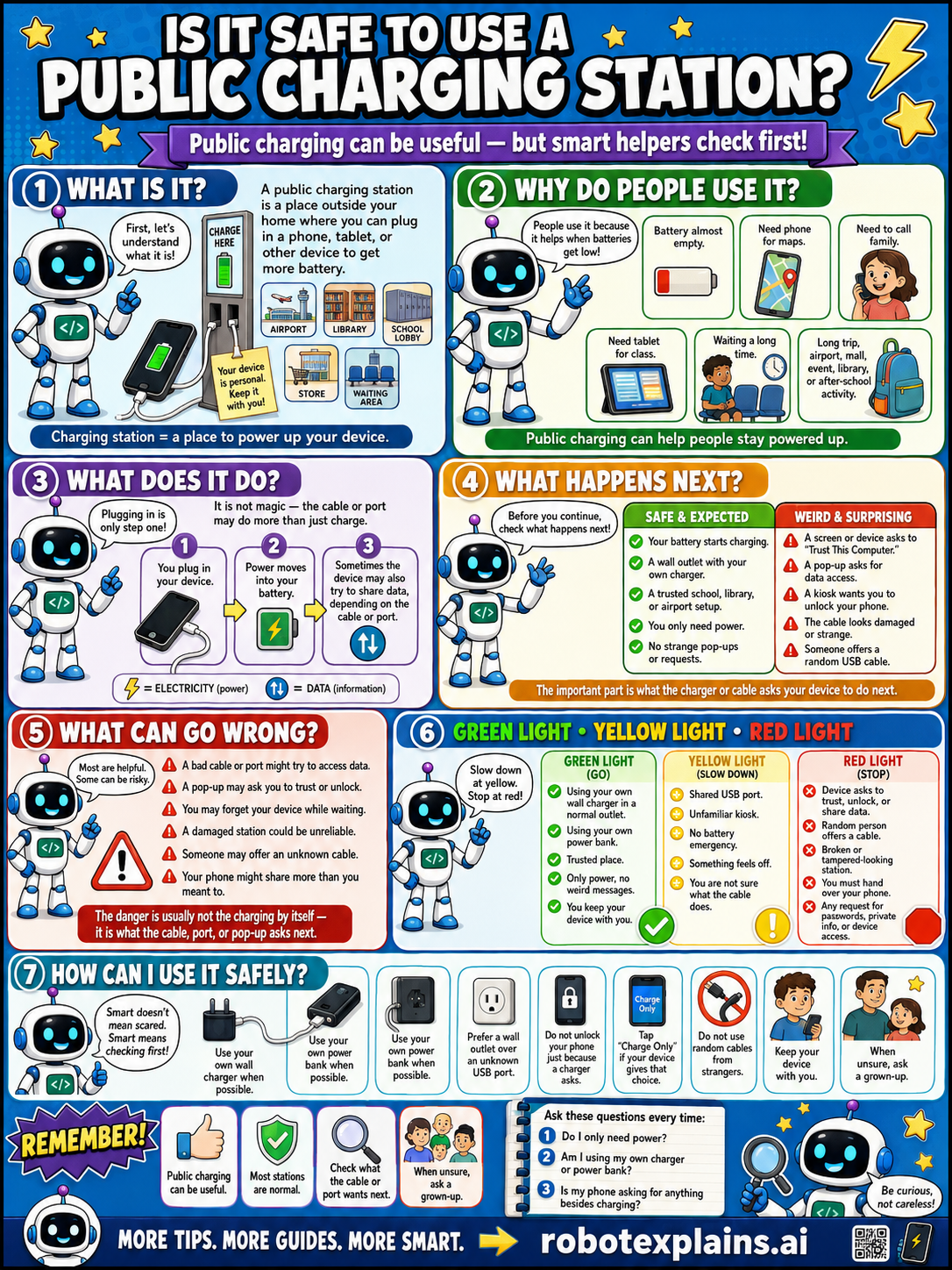
Public charging can be useful, but smart helpers check first. So, is it safe to use a public charging station? It can be, if you charge power-only.
What is it? First, let's understand what it is. A public charging station is a place outside your home where you can plug in a phone, tablet, or other device to get more battery, at an airport, library, school, store, or waiting area.
Why do people use it? People use it because it helps when batteries get low, like a battery almost empty, needing the phone for maps, or needing to call family. Public charging can help people stay powered up.
What does it do? Plugging in is only step one! It is not magic, the cable or port may do more than just charge: you plug in, your device draws power into its battery, and sometimes the device may also try to share data, depending on the cable or port. USB can carry electricity (power) and data (information).
What happens next? Before you continue, check what happens next. Your battery starts charging, a wall outlet with your own charger, a trusted school or library port, you only need power, no strange pop-ups or requests, that's safe and expected. A pop-up asking to "Trust This Computer," a request to unlock and share data, or a cable made for data not just power, is a weird, surprising red flag.
What can go wrong? Most are helpful, but some can be tricks: a bad cable or port might try to access data, a pop-up may ask you to trust or unlock, you may forget your device while charging, a damaged station could be unsafe, someone may offer an unknown cable, or your phone might share more than you meant to. The danger is usually not charging by itself, it's what the cable, port, or pop-up asks next.
Green light, yellow light, red light. A quick way to decide:
- 🟢 Green: using your own charger in a normal outlet, using your own power bank, a trusted place, only power, no pop-ups.
- 🟡 Yellow: a shared USB port, an unfamiliar kiosk, no battery emergency, or something that feels off — slow down and check first.
- 🔴 Red: a device asks to trust, unlock, or share data, a pop-up wants permissions, a broken or tampered-looking station, or any request for private info or device access — stop and don't continue.
How can I use it safely? Use your own charger when possible. Use your own wall outlet when possible. Prefer a wall outlet over a public USB port. Don't unlock or share your device just to charge. Tap "Charge Only" if your device asks that. Don't let your charger or device out of sight, don't use random cables, ask a grown-up if a pop-up asks for access, and keep your device with you. When unsure, ask a grown-up.
Remember: public charging can be useful, most stations are safe, but check the cable or port and what it asks. When unsure, ask a grown-up. Be curious, not careless!
What to remember
- Public charging is handy when your battery is low.
- A USB cable can carry power AND data.
- Use your own charger and wall outlet when possible.
- When unsure, ask a grown-up.
Words to know
- Charging station
- A public place to power up a device.
- USB
- A cable that can carry both power and data.
- Power-only
- Charging without sharing any data.
- Red flag
- A warning sign something might be unsafe.
For grown-ups
Public USB ports carry a small, real risk ('juice jacking'): the same cable carries power and data, so a tampered port could attempt data access or push something to the device. Realistic, low-drama guidance: prefer your own charger in a wall outlet, use a power-only cable or the device's data-blocking prompt, and don't tap 'trust this computer' on a public port. Ties neatly to the How USB Works lesson and teaches the power-vs-data distinction, not the attack itself.
Want the full story? These go deeper: