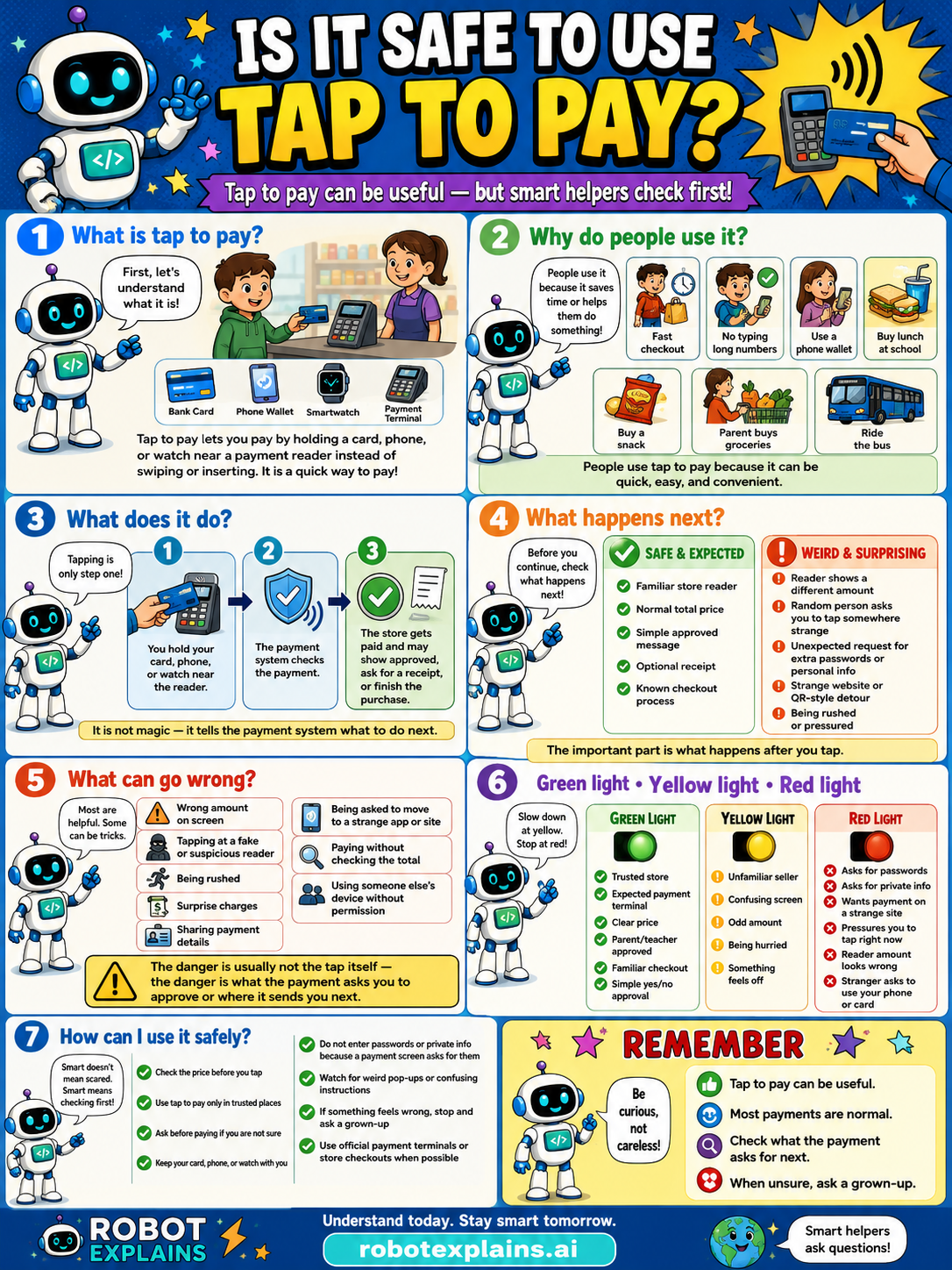
Tap to pay is usually quick and safe, but always check the amount and only tap on real, trusted payment readers.
What is it? Tap to pay lets you pay by holding a card, phone, or watch near a payment reader instead of swiping or inserting. It's a quick way to pay, using a bank card, phone wallet, smartwatch, or payment reader.
Why do people use it? People use it because it's quick, easy, and convenient, like a fast checkout, no typing card numbers, buying lunch at school, or paying for groceries and bus rides. People use tap to pay because it can be quick, easy, and convenient.
What does it do? Tapping is only one step. You hold your card, phone, or watch near the reader, the payment system checks the payment, and the store gets paid and may show approval, ask for a receipt, or finish the purchase. It is not magic, it tells the payment system what to do next.
What happens next? Before you continue, check what happens next. A familiar store reader, the normal total price, a simple approved message, an optional receipt, that's safe and expected. A reader shows a different amount, a random person asks you to tap somewhere strange, an unexpected request for personal info, or a strange website or QR-style detour, that's a weird, surprising red flag.
What can go wrong? Most are helpful, but some can be tricks: the wrong amount, tapping a fake or suspicious reader, being tricked into a strange tap or site, paying without checking the total, surprise charges, or someone using a device without permission. The danger is usually not the tap itself, it's whether the payment asks you to approve where it needs you next.
Green light, yellow light, red light. A quick way to decide:
- 🟢 Green: a trusted store, an expected payment terminal, a clear price, a parent's or teacher's approved tap, a familiar checkout.
- 🟡 Yellow: an unfamiliar seller, a confusing screen, an odd amount, or something that feels off — slow down.
- 🔴 Red: asks for passwords, asks for private info, wants payment on a strange site, pressures you to tap right now, or a reader that looks broken or fake — stop and ask a grown-up.
How can I use it safely? Tap to pay is for grown-ups, ask first. Check the price before you tap. Only tap on real, trusted readers. Don't enter passwords or private info to make a payment. Watch for weird signs or confusing instructions. If something feels wrong, stop and ask a grown-up. Use official payment terminals or store checkouts when possible.
Remember: tap to pay can be useful, most payments are normal, but always check the amount and use real, trusted readers. When unsure, ask a grown-up. Be curious, not careless!
What changed?
Every tap changes something. The trick isn't fear — it's noticing. After you say “yes,” ask: what just changed?
- Tapped to payreal money moved from your account to the store
- Confirmed the purchasethe payment is done and hard to undo
- Saved your card in an appthe app can charge it again later
What to remember
- Tap to pay is usually quick and safe.
- Always check the amount before you tap.
- Only tap on real, trusted payment readers.
- Tap to pay is for grown-ups, ask first.
Words to know
- Tap to pay
- Paying by holding a card or phone near a reader.
- Payment reader
- The machine that takes a tap payment.
- Amount
- How much money the payment is for.
- Trusted
- A real, known store or reader.
For grown-ups
Contactless payment is generally secure: it uses tokenized, encrypted, short-range transactions, often with device authentication, and doesn't expose the real card number. The realistic cautions are checking the amount, using legitimate readers, and watching for skimmers or odd requests, plus the obvious point that payments are a grown-up's decision. Teaches verify-the-amount and trusted-reader habits; it's payment literacy more than a threat lesson.
Want the full story? These go deeper: