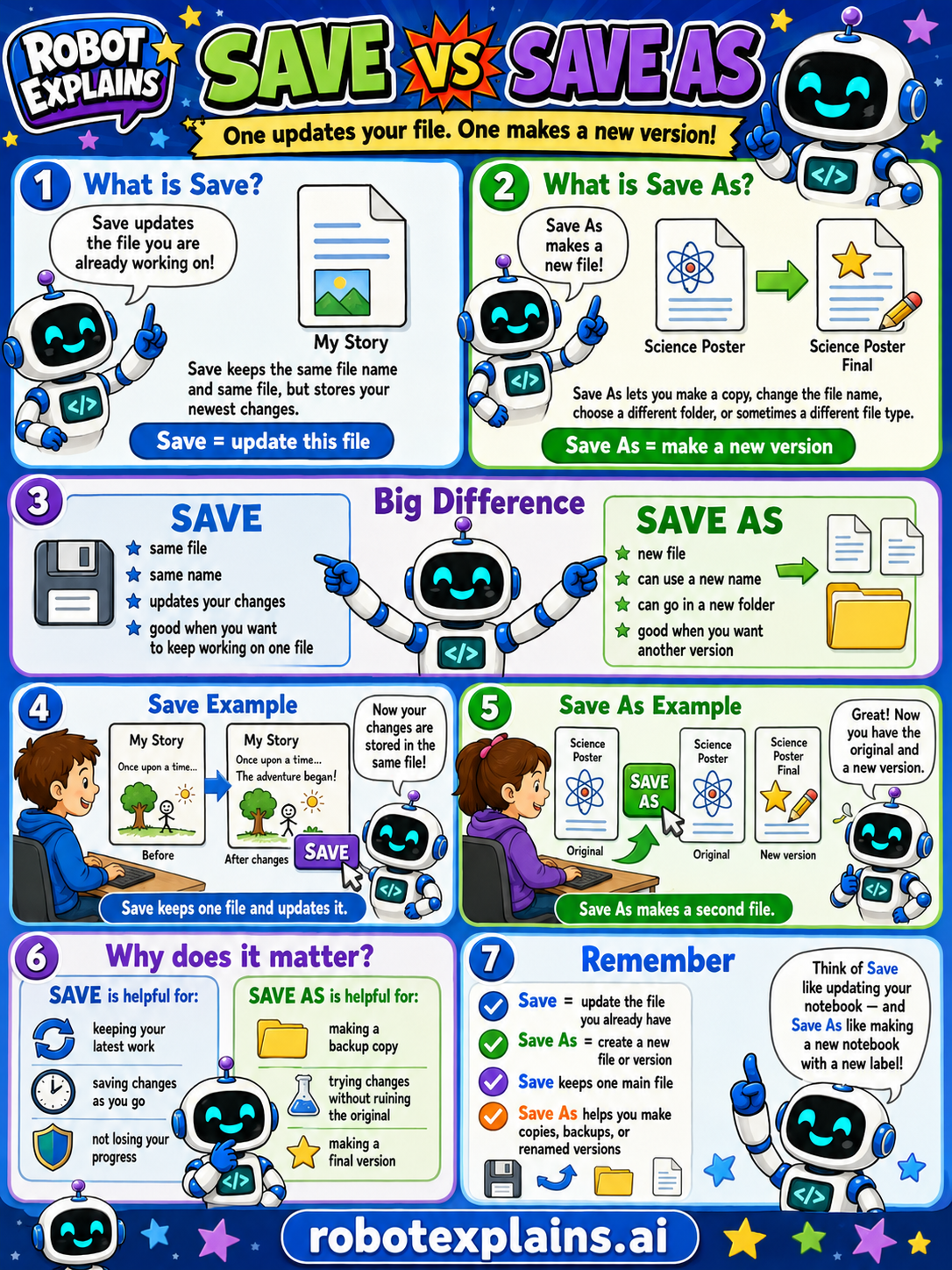
Save updates your file. Save As makes a new version! Here's the difference.
What is Save? Save keeps the file you are already working on, same file, same name, but it stores your newest changes. (Save = update this file.)
What is Save As? Save As makes a new file. It lets you make a copy, change the file name, choose a different folder, or sometimes change the file type. (Save As = make a new version.)
The big difference. Save: same file, same name, updates your changes, good when you want to keep working on one file. Save As: a new file, can use a new name, can go in a new folder, good when you want another version.
Save example. "My Story" once upon a time... after changes, you Save, the file stays the same and updates. Save keeps one file and updates it.
Save As example. You have a "Science Poster," do Save As, and now you have the original and a new version. Save As makes a second file.
Why does it matter? Save is helpful for keeping your latest work, saving as you go, and not losing your progress. Save As is helpful for making a backup copy, trying changes without ruining the original, and making a final version.
Remember: Save = update the file you already have, Save As = create a new file or version, Save keeps one main file, and Save As helps you make copies, backups, or renamed files. Think of Save like updating your notebook, and Save As like making a new notebook with a new label!
What to remember
- Save updates the file you're working on.
- Save As creates a new file or version.
- Save keeps one main file.
- Save As helps you make copies, backups, or renamed versions.
Words to know
- Save
- Update the file you're already working on.
- Save As
- Make a new file from what you have.
- File
- Your saved work, like a document or picture.
- Version
- One saved copy of your work at a point in time.
For grown-ups
Both write your work to disk; the difference is the target. Save writes changes back to the current file, same name and location — overwriting the prior version. Save As creates a new file: you can change the name, folder, or even file type, leaving the original untouched. Save As is how you make copies, backups, and renamed versions, and how you avoid clobbering an original you want to keep. A genuinely useful distinction people lose work over.
Want the full story? These go deeper: