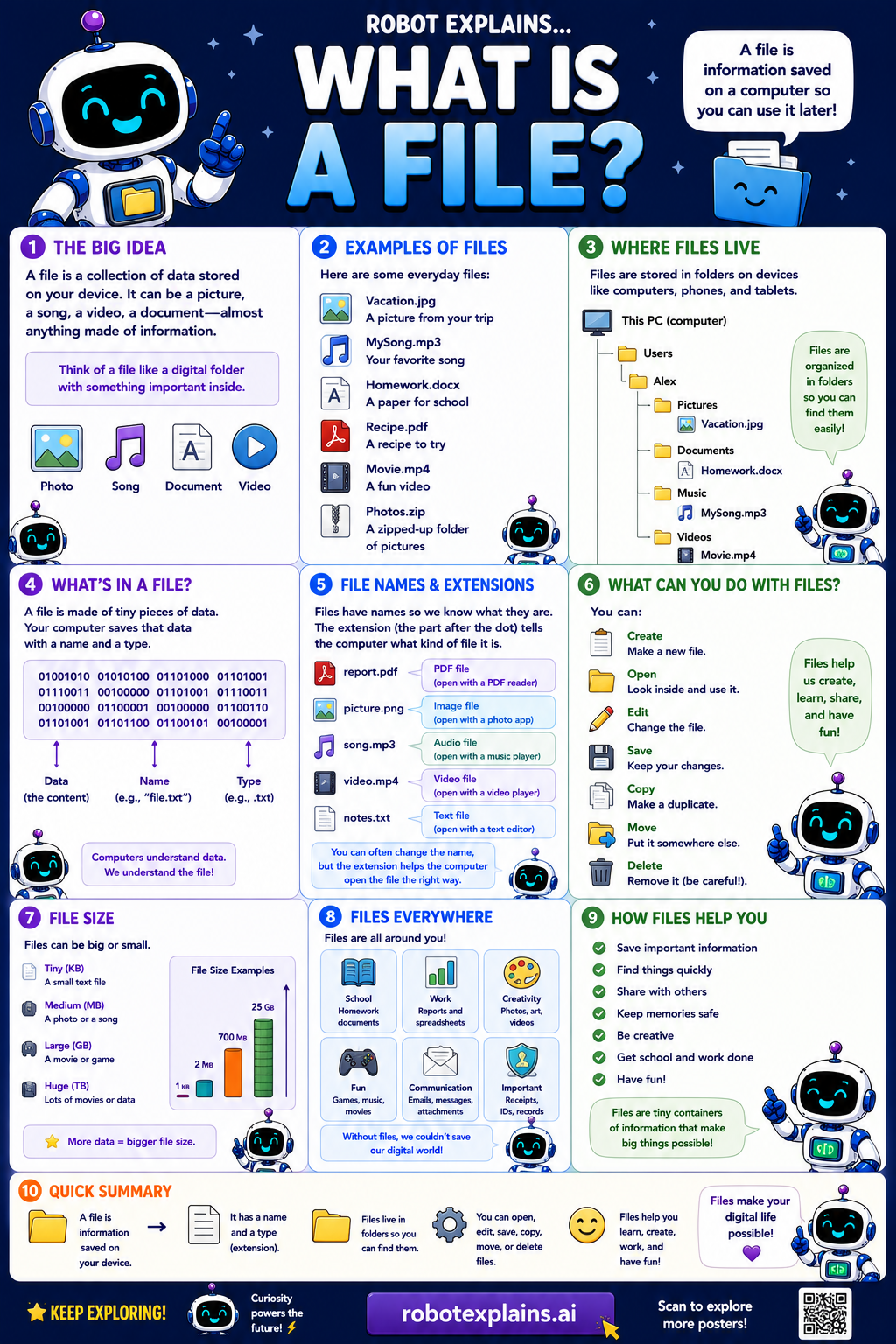
A file is a collection of data stored on your device. It can be a picture, a song, a video, a document, almost anything with important information inside. Think of a file like a digital folder with something important inside.
Examples of files you see every day: a vacation photo, a song from a trip, a homework document, a recipe PDF, a movie, or a zipped-up folder of pictures.
Where do files live? Files are stored in folders on devices like computers, phones, and tablets. They're organized in folders so you can find them easily.
What's in a file? A file is made of tiny pieces of data, the computer saves that data with a name and a type.
File names and extensions: files have names so we know what they are. The extension (the little bit after the dot) tells the computer what kind of file it is, like .pdf (a document), .jpg (a picture), .mp3 (audio), or .mp4 (a video).
File size: files can be small or big. A short note is tiny, a photo is bigger, and a full movie is huge. File size is how much space a file takes up.
What can you do with files? Create them, open them, edit them, save them, copy them, move them, and delete them (carefully!).
Remember: a file is information saved on a device, it can be a picture, song, video, document, and more, files have names and types, and they make your digital life possible!
What to remember
- A file is information saved on a device for later.
- It can be a picture, song, video, document, and more.
- A file's extension (like .jpg) tells you its type.
- Files live inside folders so you can find them.
Words to know
- File
- A collection of data saved on a device.
- Extension
- The end of a file name, like .jpg or .mp3.
- File size
- How much space a file takes up.
- Folder
- A container that holds files.
For grown-ups
A file is a named collection of data stored on a device, identified by its name and extension (which signals its format, .jpg, .mp3, .pdf). Files have a size and live within folders (directories). They're the basic unit of saved information that apps create, open, edit, and share.
Want the full story? These go deeper: