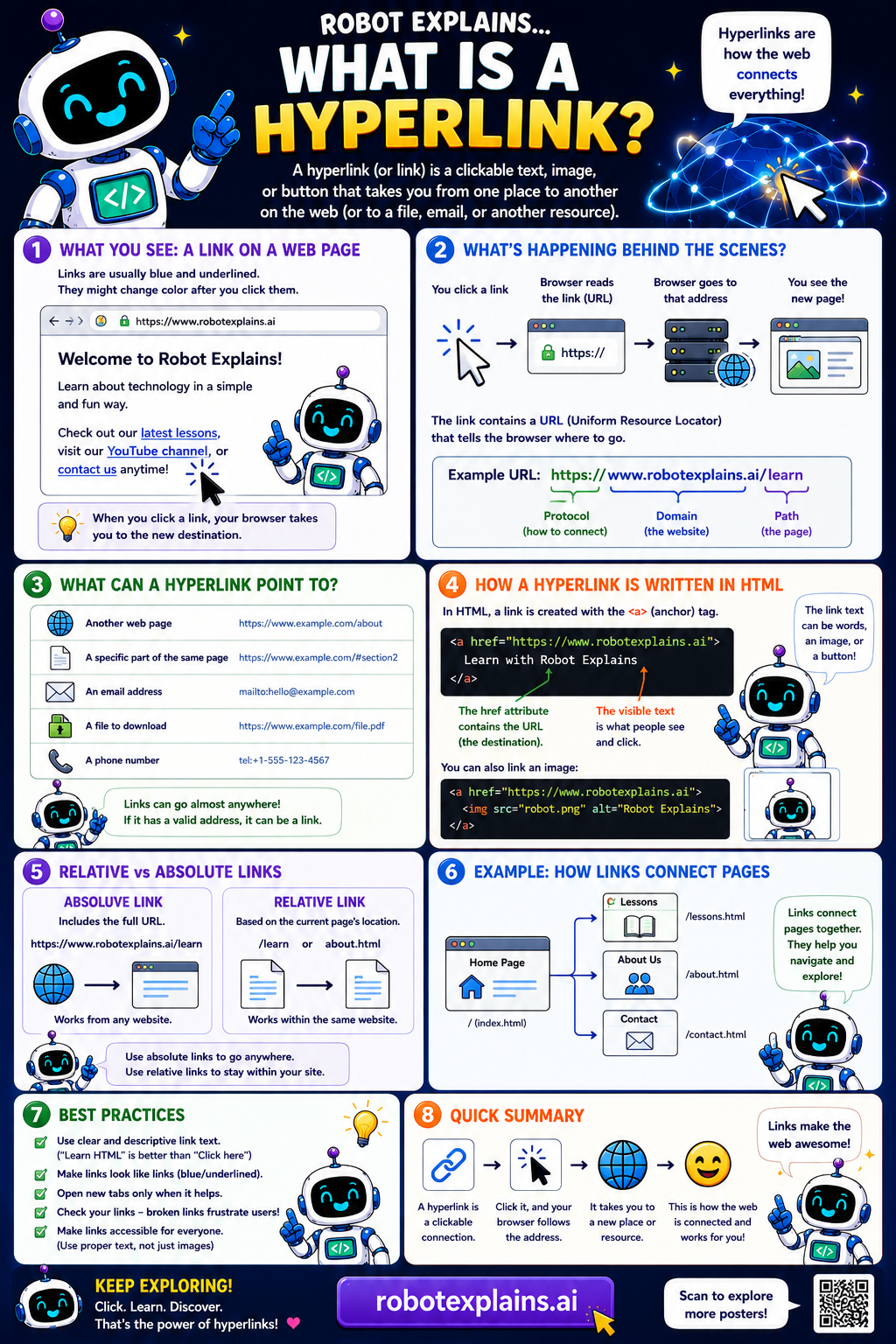
A hyperlink (or link) is a clickable text, image, or button that takes you from one place to another, to a new web page, a file, an email, or another resource. Hyperlinks are how the web connects everything!
What do you see? Links are usually blue and underlined, and they might change color after you click them. When you click a link, your browser takes you to the new destination.
What's happening behind the scenes? You click a link, the browser reads the link (the URL), the browser goes to that address, and you see the new page. The link contains a URL (Uniform Resource Locator) that tells the browser where to go, like https://www.robotexplains.ai/learn, with a protocol, a domain, and a path.
What can a hyperlink point to? Another web page, a specific part of the same page, an email address, a file to download, or even a phone number. Links can go almost anywhere!
How is a hyperlink written in HTML? With the <a> (anchor) tag: <a href="https://www.robotexplains.ai">Learn with Robot Explains</a>. The href holds the destination URL, and the visible text is what people see and click. You can even link an image instead of text.
Relative vs absolute links: an absolute link includes the full URL and works from anywhere. A relative link is based on the current page's location (like /learn) and works within the same website.
Remember: a hyperlink is a clickable connection, you click it and go somewhere new, it takes you to a page or resource, and links make the web awesome!
What to remember
- A hyperlink is a clickable connection to somewhere new.
- It carries a URL that tells the browser where to go.
- Links can point to pages, files, emails, and more.
- Hyperlinks are how the web connects everything.
Words to know
- Hyperlink
- A clickable link to another place or resource.
- URL
- The web address a link points to.
- Anchor tag
- The HTML <a> tag that makes a link.
- href
- The part of a link that holds the destination URL.
For grown-ups
A hyperlink connects one resource to another via a URL, authored in HTML with the anchor tag (`<a href="...">`). Links can target pages, page sections, files, email, or phone numbers, and can be absolute or relative. Descriptive link text matters for usability and accessibility; hyperlinks are the connective tissue of the web.
Want the full story? These go deeper: