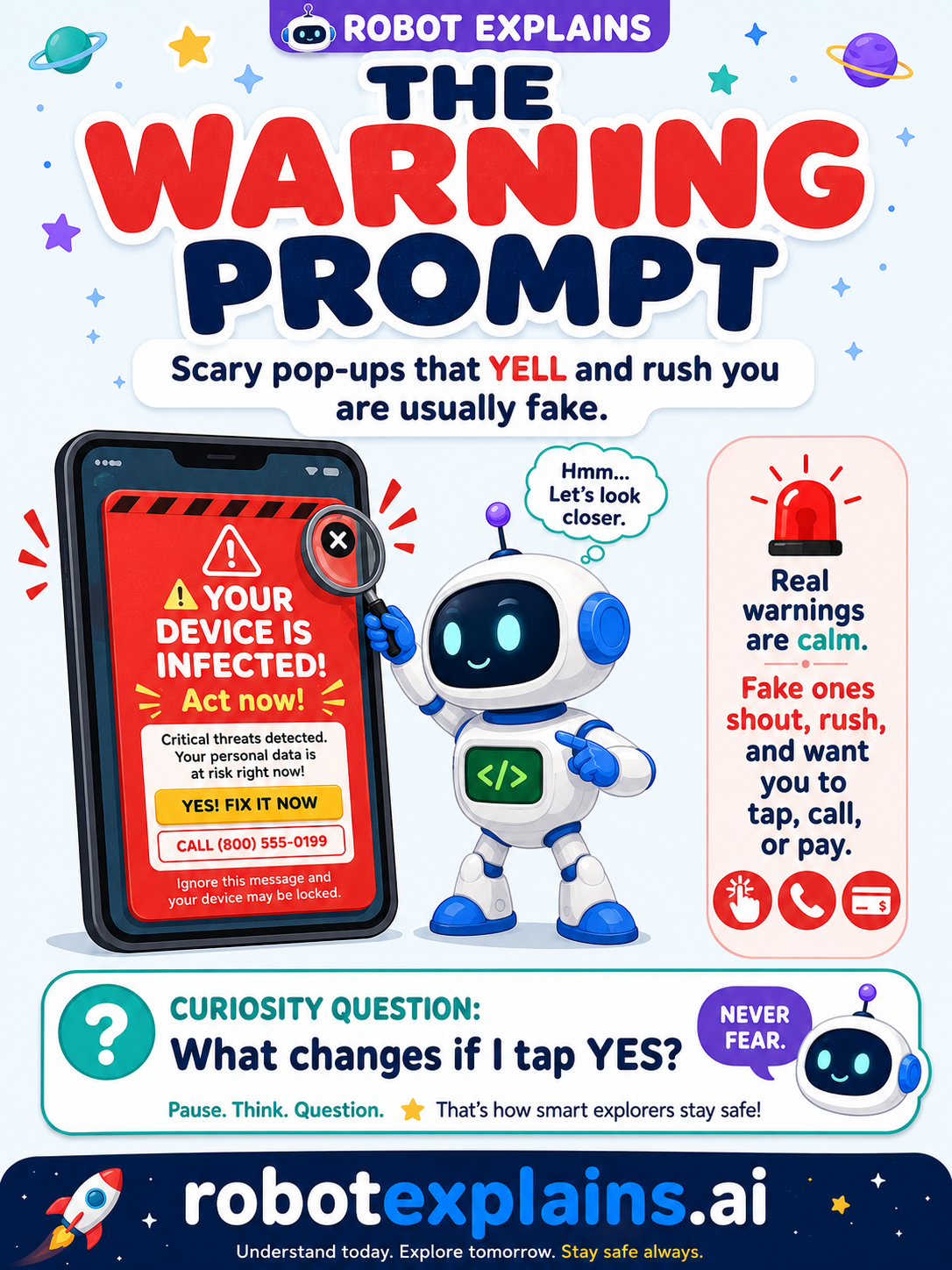
Some prompts are helpful. Others are just trying to scare you. A warning prompt says something might be wrong — but the big question is: is this warning real, or is it a trick?
What is a warning prompt? It's a message that claims there's a problem: "Your device is infected!" "Virus detected!" "Your account will be closed!" Real devices do show warnings sometimes — but they're calm and quiet. The fake ones are loud, flashing, and in a huge hurry.
How to spot a fake. Fake warnings almost always:
- YELL with big red text, alarms, or flashing.
- Rush you: "Act now!" "Only 30 seconds!"
- Tell you to tap, call a number, or pay to "fix" it.
Here's a secret: a website cannot actually scan your device or know it has a virus. If a web page says "you're infected," it's guessing — to scare you.
What to do. Don't tap the buttons inside the pop-up (even "Close" or "No" can be fake). Close the tab or the window itself, or ask a grown-up to help. Never call the number or pay.
Green, yellow, red.
- 🟢 Green: a calm update note from your own device or a trusted app.
- 🟡 Yellow: an unexpected "warning" you weren't looking for — slow down.
- 🔴 Red: "INFECTED! Call this number / pay now!" — close it and tell a grown-up.
Remember: a warning that shouts and rushes is almost always fake. Stay calm, don't tap, and ask a grown-up. Be curious, not careless!
What changed?
Every tap changes something. The trick isn't fear — it's noticing. After you say “yes,” ask: what just changed?
- Tapped a fake “infected!” warningit can open a scam page or start a bad download
- Called the “support” numbera stranger may ask for money or passwords
- Closed it with the ✕nothing changed — the scary message was just for show
What to remember
- Real warnings are calm; fake ones shout and rush you.
- A web page can't actually scan your device.
- Don't tap, call, or pay — just close it.
- When unsure, ask a grown-up.
Explain it back
You understand something best when you can teach it. Finish these out loud — to a friend, a grown-up, a little brother or sister, or even the mirror:
- A warning prompt is…
- One way to tell a fake warning from a real one is…
- If a pop-up says my device is infected, I should…
Words to know
- Warning prompt
- A message that says something might be wrong.
- Scareware
- A fake warning made to scare you into tapping or paying.
- Pop-up
- A little window that appears on top of a page.
- Red flag
- A warning sign that something might be unsafe.