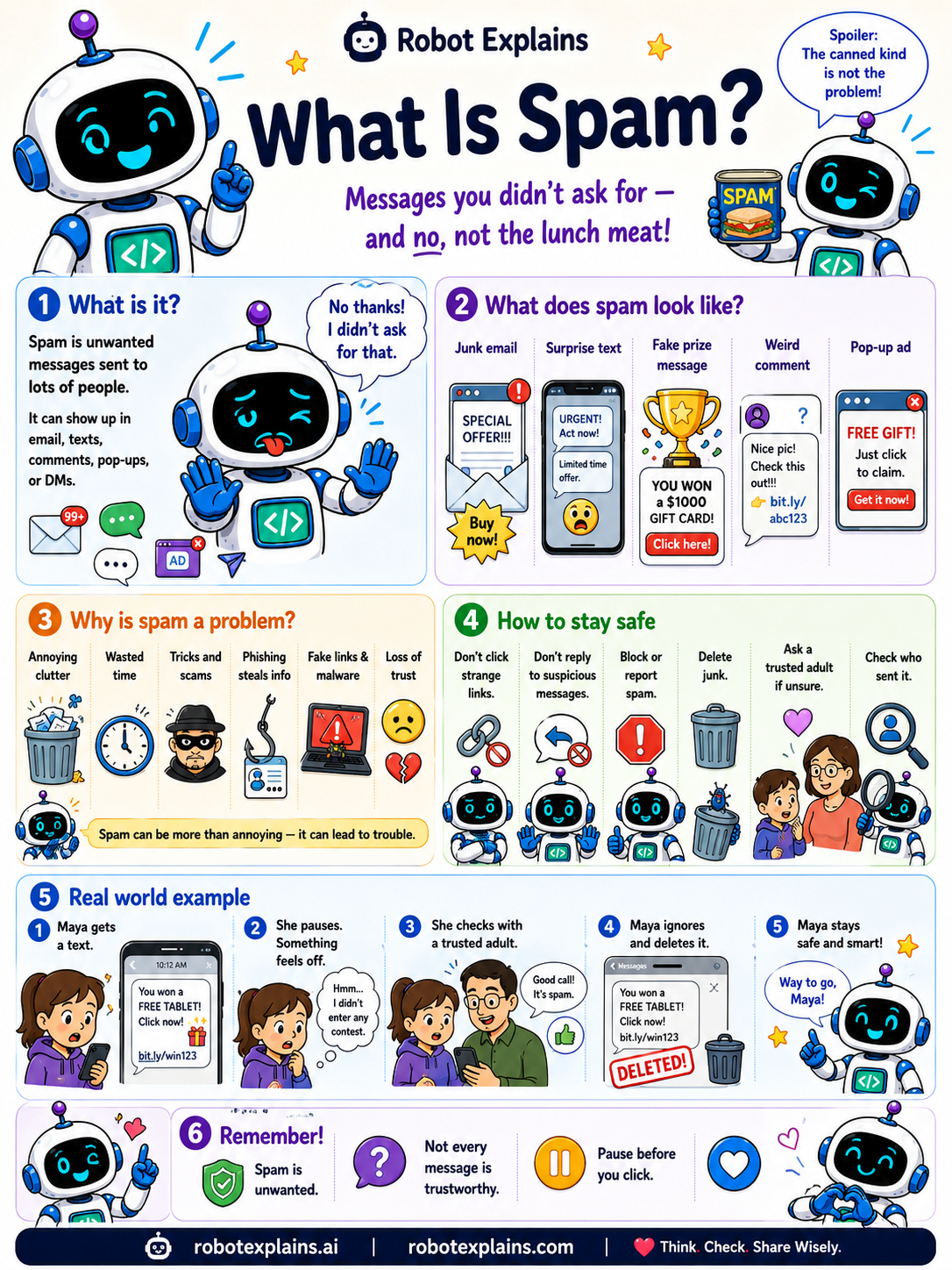
Spam is unwanted messages sent to lots of people. (And no, not the lunch meat, the canned kind is not the problem!)
It can show up almost anywhere: email, texts, comments, pop-ups, or DMs. It might look like junk email, a surprise text, a fake prize message, a weird comment, or a pop-up ad.
Why is spam a problem? It is annoying clutter and wastes time, but worse, some spam hides tricks and scams, phishing that steals your info, or fake links that carry malware.
How do you stay safe? Don't click strange links, don't reply, block or report the sender, delete it, and ask a trusted adult if you are not sure.
Here is a real example. Maya gets a text that says "YOU WON a free tablet! Click here." Something feels off, so she checks with a trusted adult, ignores it, and deletes it. Safe and smart.
Remember: spam is unwanted, not every message is trustworthy, and it is always okay to pause before you click.
What to remember
- Spam is messages you did not ask for.
- It can be email, texts, comments, pop-ups, or DMs.
- Some spam hides scams, phishing, or malware.
- Do not click or reply, block and delete it.
Words to know
- Spam
- Unwanted messages sent to many people.
- Junk mail
- Spam in your email inbox.
- Block
- To stop a sender from reaching you.
- Report
- To tell the app a message is spam.
For grown-ups
Spam is unsolicited bulk messaging across email, SMS, comments, and DMs. Beyond annoyance, it is a delivery vehicle for phishing and malware. The safe response is non-engagement: don't click or reply, block and report, and delete, treating unexpected links and offers as suspect.
Want the full story? These go deeper: