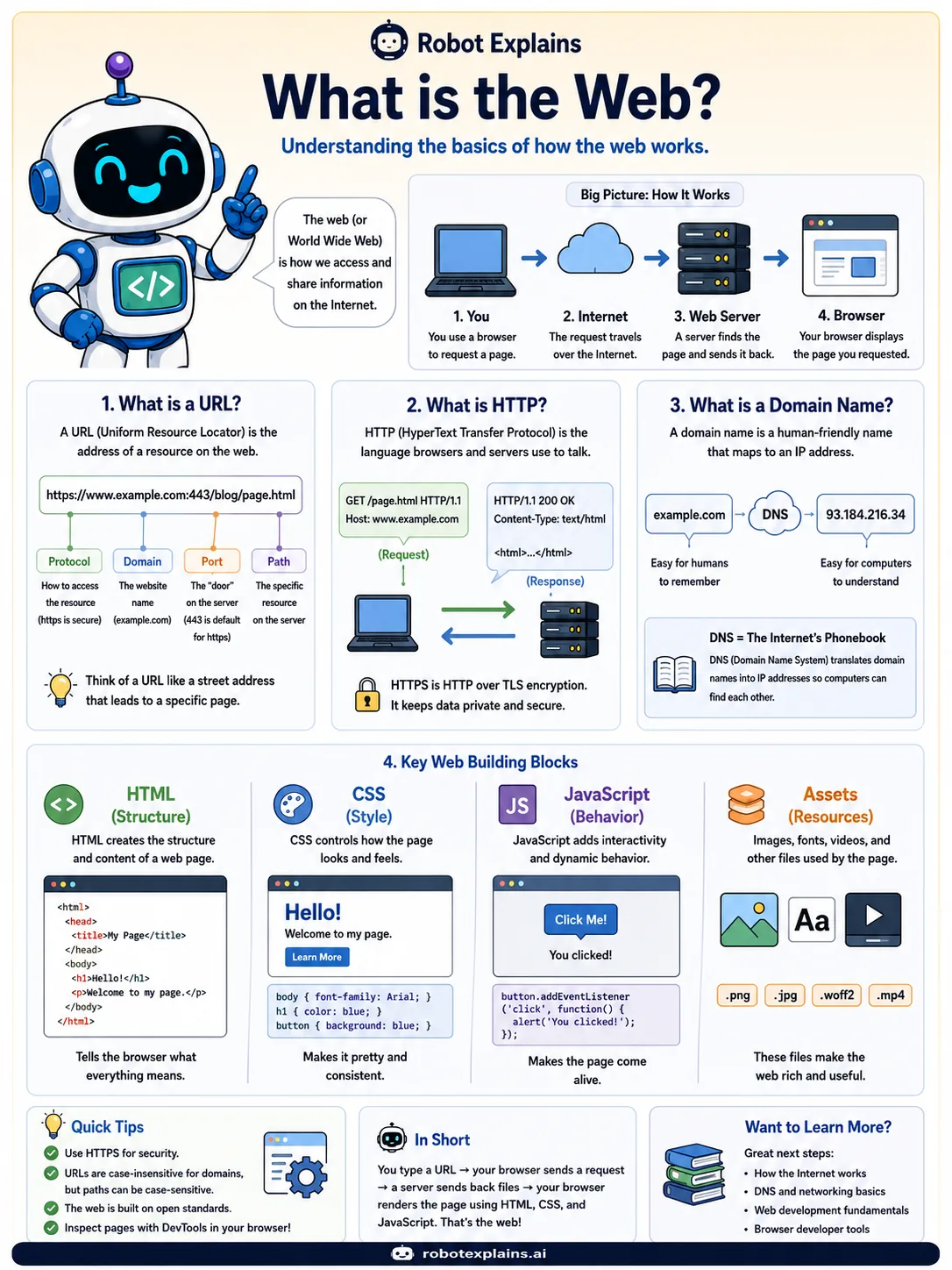
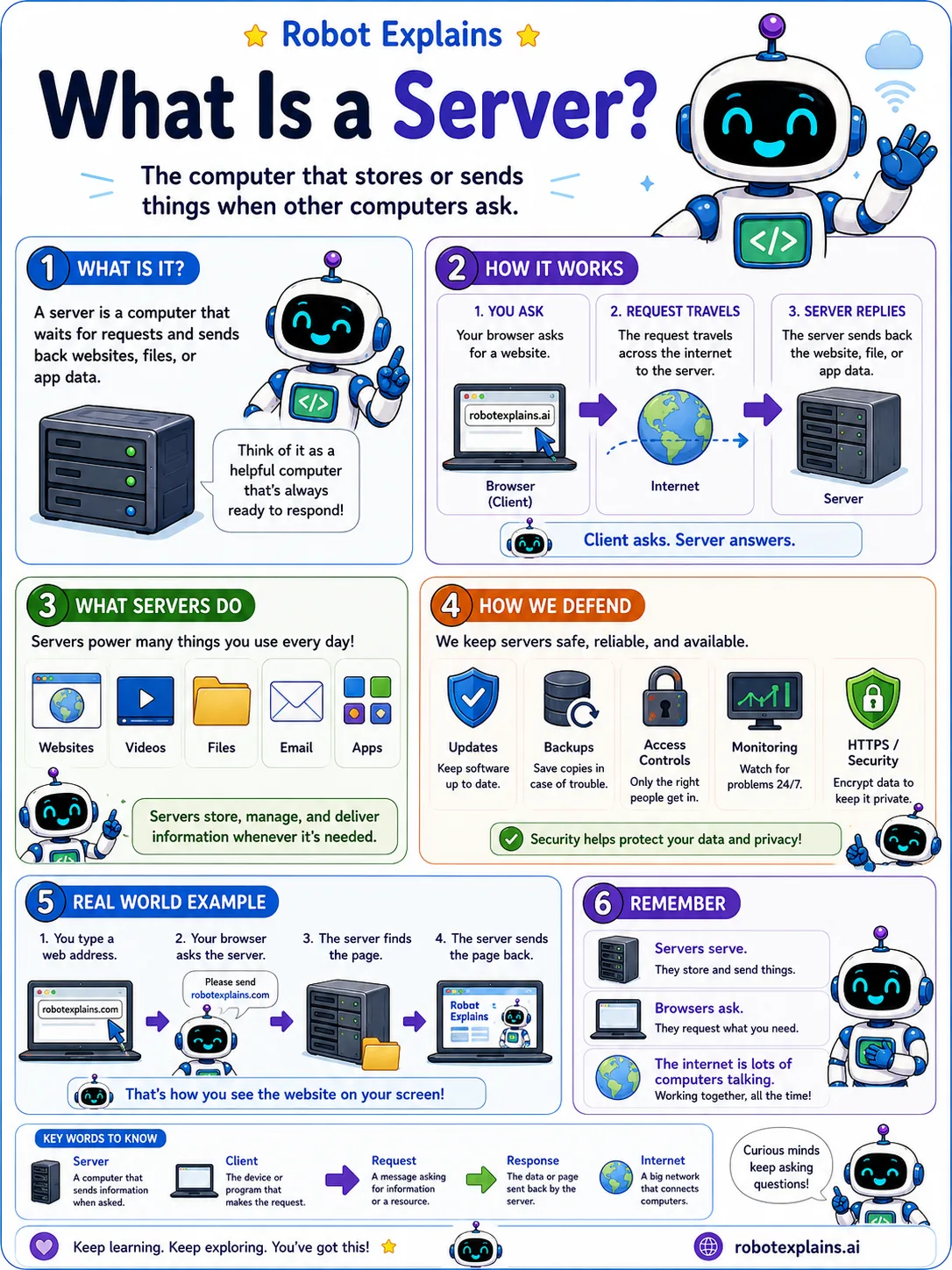
When you open a website, a lot happens in about a second. Here is the whole trip, step by step.
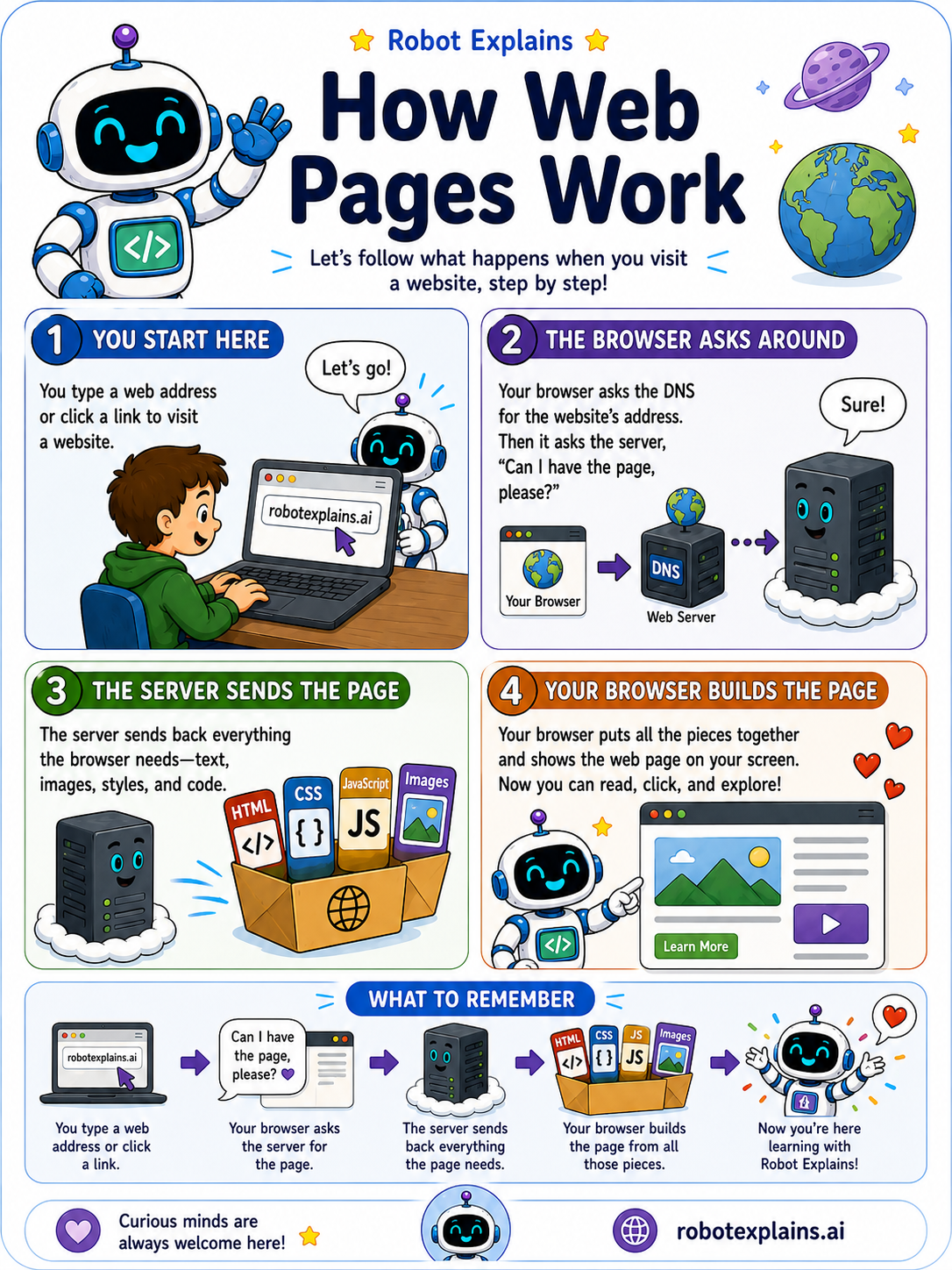
You start by typing a web address like robotexplains.ai, or by clicking a link.
Your browser then asks around to find the right computer. It checks DNS (the internet's address book) for the website's address, then asks that computer, the server, "Can I have the page, please?"
The server sends back everything the browser needs: the text, the pictures, the styles, and the code.
Your browser puts all of those pieces together and shows you the finished page. Now you can read it, click around, and explore.
None of it is magic. It is just computers passing messages to each other, very fast.
What to remember
- You type a web address or click a link.
- Your browser asks DNS for the address, then asks the server for the page.
- The server sends back all the pieces: text, pictures, styles, and code.
- Your browser builds those pieces into the page you see.
Words to know
For grown-ups
Opening a page is a request-and-response cycle: the browser resolves the domain through DNS, sends an HTTP request to the server, and the server returns HTML, CSS, JavaScript, and assets that the browser then parses and renders. It is a solid first mental model for almost everything else on the web.
Want the full story? These go deeper: