USB devices are useful, but a found or unknown one can carry harmful software, so don't plug in random USBs.
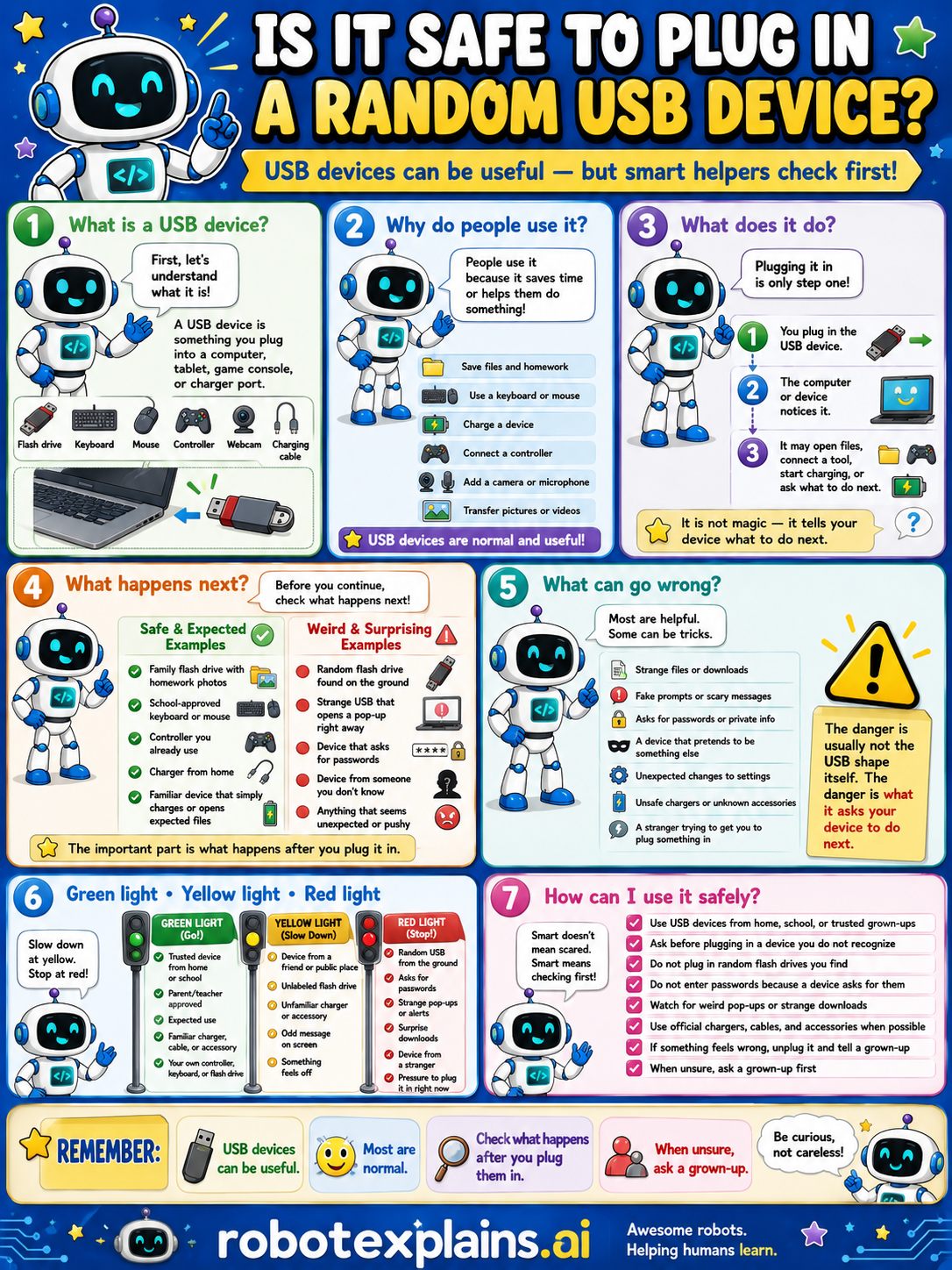
What is it? A USB device is something you plug into a computer, tablet, game console, or charger port, like a flash drive, keyboard, mouse, controller, webcam, or charging cable.
Why do people use it? People use them because they save time or help do something, like see files and homework, use a keyboard or mouse, charge a device, connect a controller, add a camera or microphone, or transfer pictures or videos. USB devices are normal and useful.
What does it do? Plugging in is only one step. You plug in the USB device, the computer or device notices it, and it may open files, connect a tool, start charging, or ask what to do next. It is not magic, it tells your device what to do next.
What happens next? Before you continue, check what happens next. A family flash drive with homework photos, a school-approved keyboard or mouse, a controller you already use, or a charge cable from a trusted person, that's safe and expected. A random USB drive found on the ground, a strange USB that opens a page right away, a device that asks for your password, or anything that seems unexpected or pushy, that's a weird, surprising red flag.
What can go wrong? Most are helpful, but some can be tricks: strange files or downloads, fake prompts or scary messages, asking for passwords or private info, a device that pretends to be something else, unsafe changes or unknown accessories, or a stranger trying to get you to plug in. The danger is usually not the shape itself, it's what it asks your device to do next.
Green light, yellow light, red light. A quick way to decide:
- 🟢 Green: a USB device from home, school, or a trusted grown-up, a device from a friend or public place you trust.
- 🟡 Yellow: an unfamiliar USB, a found device, or something that feels off — slow down.
- 🔴 Red: a found USB you don't know, a device that opens a strange page, asks for passwords or private info, or anything that seems pushy — don't plug it in and ask a grown-up.
How can I use it safely? Only use USB devices from home, school, or a trusted grown-up. Ask before plugging in a device you do not recognize. Don't plug in random USBs you find. Don't enter passwords because a device asks. Watch for weird pop-ups or strange downloads. Use official chargers, cables, and accessories when possible. If something feels wrong, unplug it and tell a grown-up. When unsure, ask a grown-up.
Remember: USB devices can be useful, most are normal, but never plug in a USB you found or don't know. When unsure, ask a grown-up. Be curious, not careless!
What to remember
- USB devices can be useful, and most are normal.
- A found or unknown USB can carry harmful software.
- Only plug in devices you know and trust.
- When unsure, ask a grown-up.
Words to know
- USB device
- Something you plug into a computer or charger port.
- Flash drive
- A small USB stick that stores files.
- Harmful software
- Bad programs that can sneak in through a device.
- Trusted
- Something you know is safe and real.
For grown-ups
USB ports trust what's plugged in, which is why 'found' drives and unknown peripherals are a classic attack vector (malware, or devices that act like a keyboard). Realistic guidance: only connect devices you own or that come from a trusted person, never plug in a USB you found, and ask a grown-up about anything unfamiliar. Pairs with How USB Works; teaches caution and source-trust, not the attack technique.
Want the full story? These go deeper: