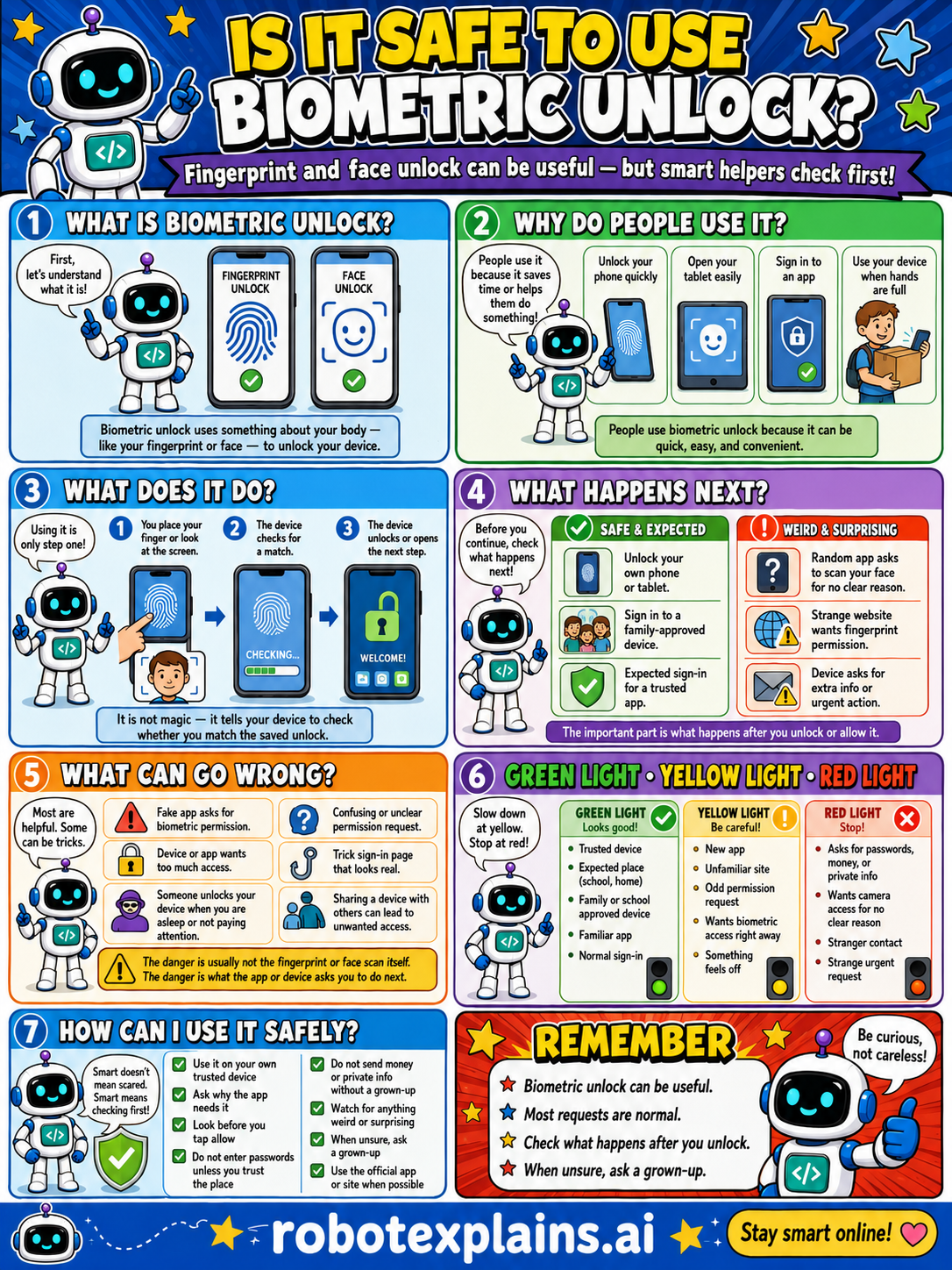
Fingerprint and face unlock are quick and usually safe, but they should be set up with a grown-up and backed by a passcode.
What is it? Biometric unlock uses something about your body, like your fingerprint or face, to unlock your device.
Why do people use it? People use it because it's quick, easy, and convenient, like unlocking your phone quickly, opening your tablet safely, signing in to an app, or using your device when hands are full. People use biometric unlock because it can be quick, easy, and convenient.
What does it do? Using it is only one step. You place your finger or look at the screen, the device checks for a match, and the device unlocks if it matches. It is not magic, it tells your device to check whether the biometric is yours.
What happens next? Before you continue, check what happens next. You unlock your own phone or tablet, sign in to a family-approved device, or an expected sign-in for a trusted app, that's safe and expected. A random app asks to scan your face for no clear reason, a strange website wants fingerprint permission, or a device asks for extra info or urgent action, that's a weird, surprising red flag.
What can go wrong? Most are helpful, but some can be tricks: a fake app asks for biometric permission, a device or app wants too much access, someone unlocks your device when you are asleep or not paying attention, or sharing a device with others can lead to unwanted access. The danger is usually not the fingerprint or face scan itself, it's the app or device asks you to do next.
Green light, yellow light, red light. A quick way to decide:
- 🟢 Green: your own device or trusted device, a family or school approved sign-in, a familiar app, a normal sign-in.
- 🟡 Yellow: a new app, an unfamiliar site, an old-permission request, or something that feels off — slow down.
- 🔴 Red: asks for passwords, money, or private info, wants a camera or scan access for no clear reason, a stranger contact, or a strange or urgent request — stop and ask a grown-up.
How can I use it safely? Use it on your own trusted device. Ask why an app needs it. Look before you allow. Keep a backup passcode and a strong one. Don't use biometrics to unlock or share with people you don't trust. When unsure, ask a grown-up. Use the official app or site when possible.
Remember: biometric unlock can be useful, most requests are normal, but set it up with a grown-up and keep a strong backup passcode. When unsure, ask a grown-up. Be curious, not careless!
What to remember
- Biometric unlock is quick and usually safe.
- It uses your fingerprint or face to unlock.
- Set it up with a grown-up, and keep a backup passcode.
- When unsure, ask a grown-up.
Words to know
- Biometric
- Using your body, like a fingerprint or face.
- Fingerprint unlock
- Unlocking with your fingertip.
- Face unlock
- Unlocking by looking at the device.
- Passcode
- A backup number code to unlock a device.
For grown-ups
Biometrics (fingerprint, face) are convenient and generally secure on modern devices, with the biometric template stored locally rather than shared. Caveats worth teaching: it should be set up with a parent, only your own biometrics enrolled, and always backed by a strong passcode (the fallback that actually protects the device). Frames it as a safe, grown-up-supervised convenience plus a backup habit, not a spoofing tutorial.
Want the full story? These go deeper: