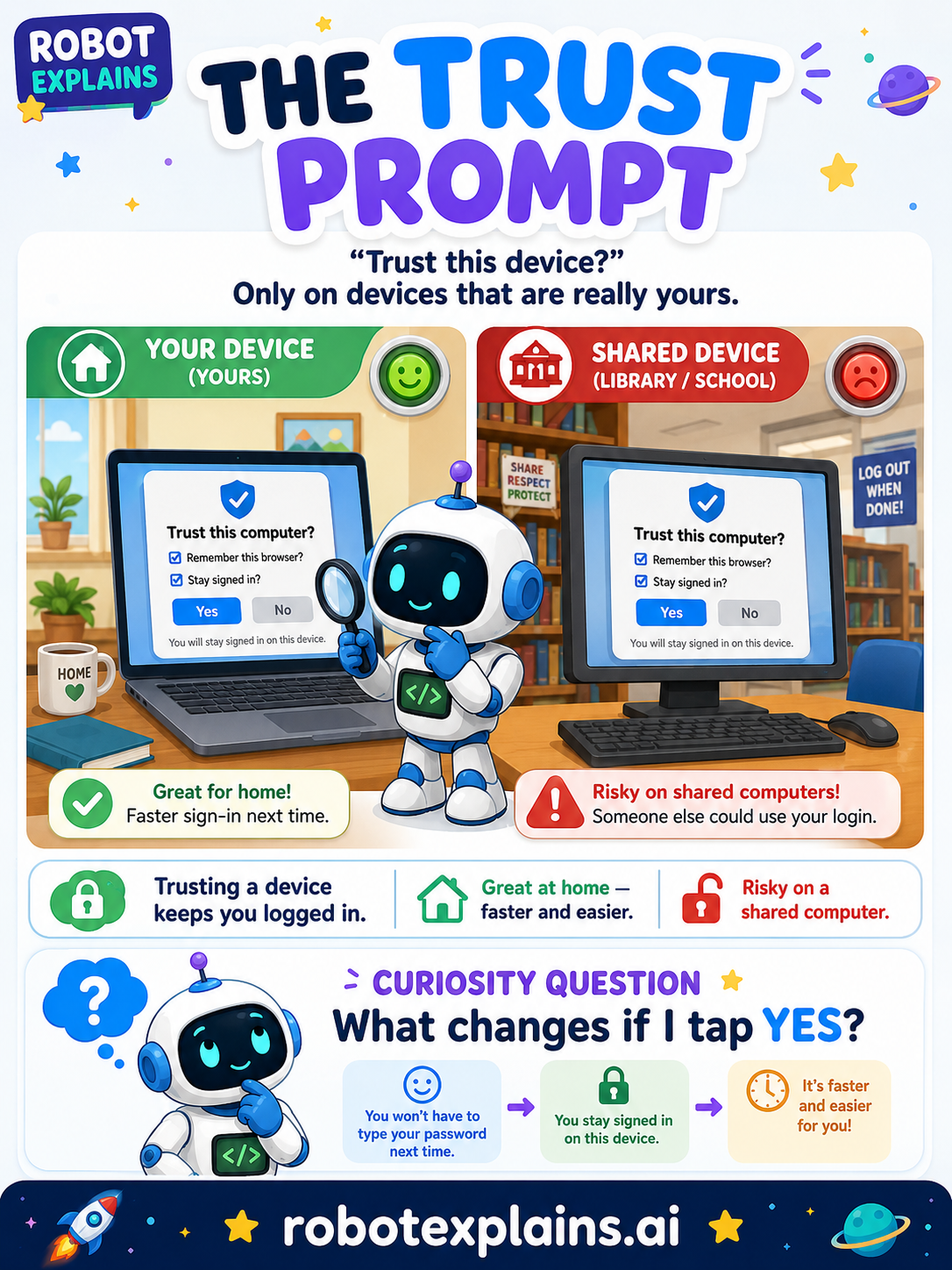
Have you ever seen "Trust this computer?" or "Stay signed in?" pop up after you log in? That's a trust prompt, and the right answer depends on one thing: whose device is this?
What is a trust prompt? It's a screen that asks a device to remember you so you don't have to type your password every single time. "Trust this device," "Remember this browser," "Stay signed in" — they all do the same thing: make logging in faster by skipping a step next time.
Handy at home, risky in public. On your own phone or tablet, trusting the device is convenient and usually fine — it's just you. But on a device other people use — a school computer, a library screen, a friend's tablet — saying "trust" or "stay signed in" means the next person might open your account without a password.
The simple rule. Only say "yes, trust this device" on a device that is really yours. On anything shared or public, say no — and sign out when you're finished.
Green, yellow, red.
- 🟢 Green: "remember me" on your own tablet at home.
- 🟡 Yellow: a device you sometimes borrow, like a family member's — probably don't bother.
- 🔴 Red: a public, library, or school computer — say "don't trust" and sign out.
Remember: trusting a device skips your password, so only do it on a device that's yours. When in doubt, don't trust — and always sign out on shared computers. Be curious, not careless!
What changed?
Every tap changes something. The trick isn't fear — it's noticing. After you say “yes,” ask: what just changed?
- Trusted your own tablet at homeit remembers you and skips the password next time — handy
- Trusted a shared or public computerthe next person could get into your account
- Chose “Don't trust” on a friend's deviceyou stay signed out and safe
What to remember
- "Trust" and "remember me" skip the password next time.
- Only say yes on a device that's really yours.
- On a shared or public computer, always say no.
- When in doubt, don't trust — and sign out when you're done.
Explain it back
You understand something best when you can teach it. Finish these out loud — to a friend, a grown-up, a little brother or sister, or even the mirror:
- A trust prompt is asking…
- It's fine to trust a device when…
- On a library or school computer, I should…
Words to know
- Trust prompt
- A screen asking a device to remember you and skip the password.
- Stay signed in
- Staying logged in so you don't type your password again.
- Shared device
- A computer or tablet that other people also use.
- Sign out
- Logging off so no one else can use your account.