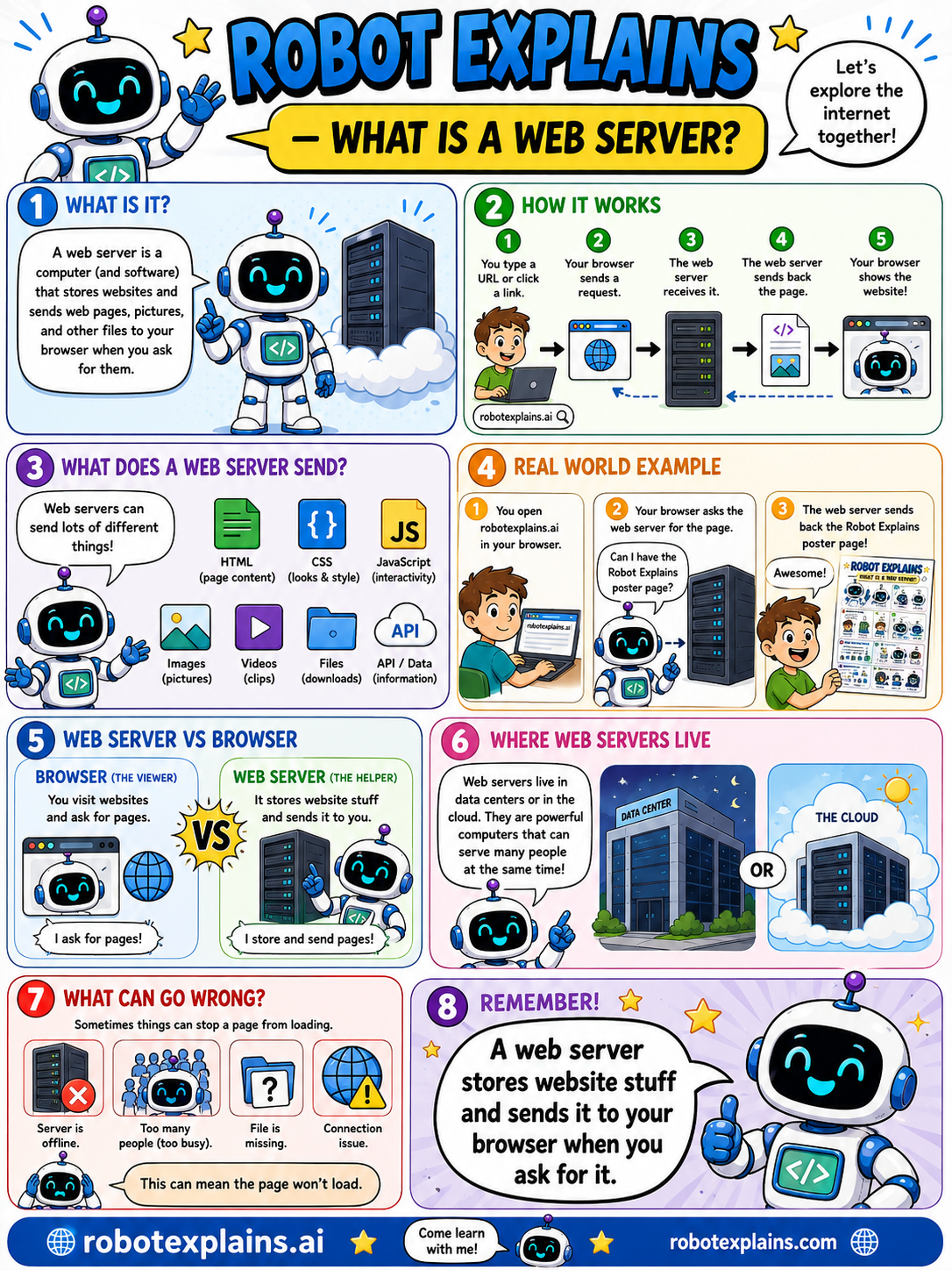
A web server is a computer and software that stores websites and sends web pages, pictures, and other files to your browser when you ask for them. Let's explore the internet together!
How does it work? You type a URL or click a link, your browser sends a request, the web server receives it, the server sends back the page, and your browser shows the website!
What does a web server send? Lots of different things: HTML (the page content), CSS (looks and style), JavaScript (interactivity), images, videos, files to download, and API data.
Web server vs browser: the browser is the viewer, it visits websites and asks for pages ("I ask for pages!"). The web server is the helper, it stores website stuff and sends it to you ("I store and send pages!").
Where do web servers live? In a data center or the cloud. They're powerful computers that can serve many people at the same time.
What can go wrong? Sometimes things can stop a page from loading, the server is offline, too many people (too busy), a file is missing, or a connection issue. This can mean the page won't load.
Here's a real example. You type robotexplains.ai in your browser, your browser asks the web server for the page, and the server sends back the Robot Explains poster page. Awesome!
Remember: a web server stores website stuff and sends it to your browser when you ask for it. Your browser asks, the server answers!
What to remember
- A web server stores website files and sends them to browsers.
- Your browser asks; the server answers with the page.
- It can send HTML, images, videos, and files.
- Web servers often live in data centers or the cloud.
Words to know
- Web server
- A computer that stores and serves websites.
- Request
- Your browser asking for a page.
- Response
- The page the server sends back.
- Browser
- The app that asks for and shows pages.
For grown-ups
A web server is software (on a computer) that stores website assets and responds to HTTP requests from browsers, returning HTML, media, files, or API data. It pairs with the browser (the client): the browser requests, the server responds. Web servers typically run in data centers or the cloud.
Want the full story? These go deeper: