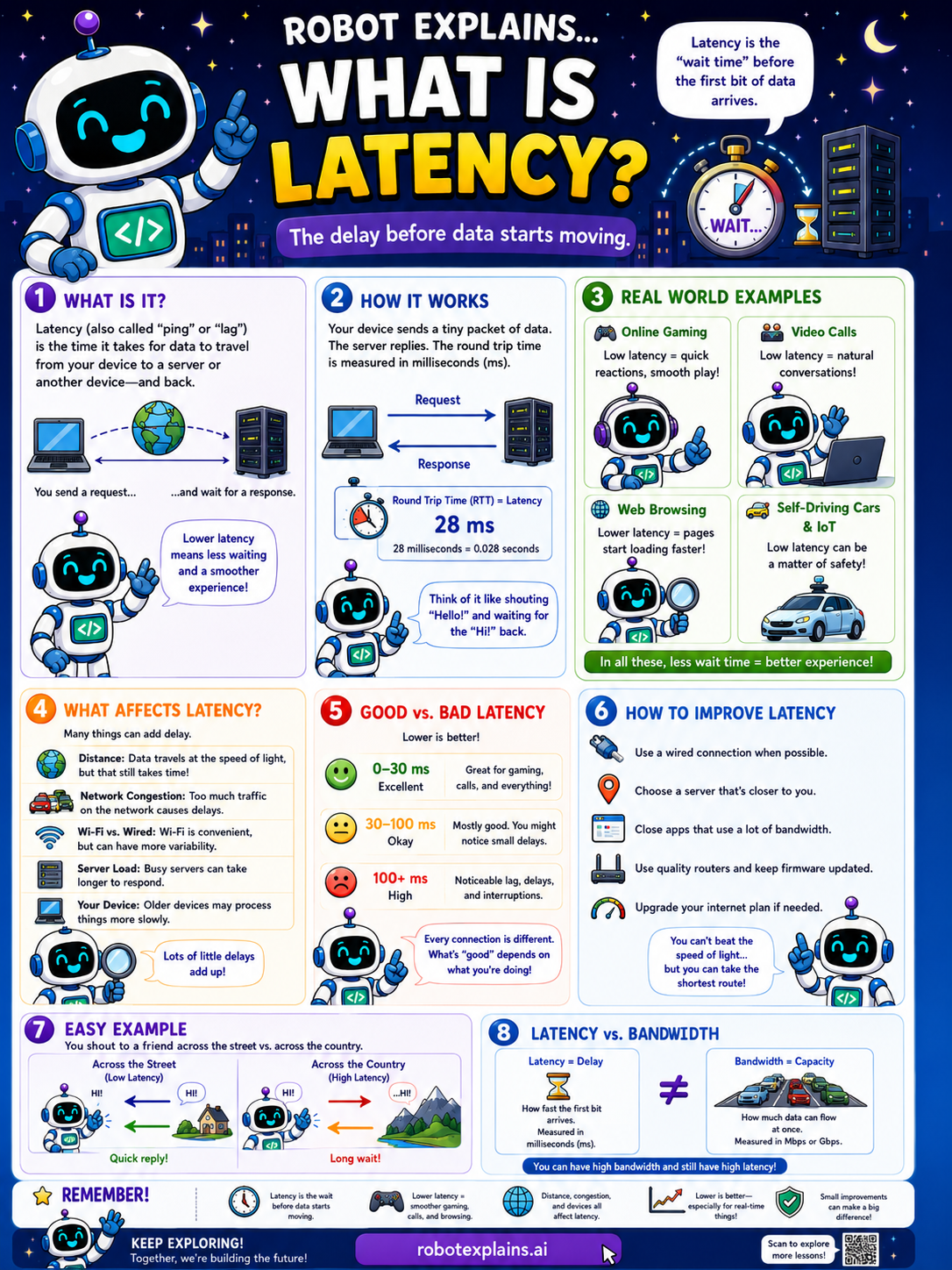
Latency is the time it takes for data to travel from your device to a server (or another device) and back again. It's not about how fast the data moves, it's about the delay. I send a wave and wait for a wave back!
How does it work? You send a request, it travels, the server gets it, sends a response, and it comes back to you. That whole round trip is latency! Lower latency means a snappier experience.
What affects latency? Distance (farther means more delay), network traffic (busy roads cause slowdowns), connection type (Wi-Fi, 4G/5G, fiber, and cables all differ), server load (a busy server takes longer to respond), and your devices (older devices can add extra delay). Lots of little things can add up.
Here are real examples. In online gaming, high latency means lag. On video calls, it means delays. With streaming, it means buffering before the video starts. While browsing, pages take longer to load. Lower latency is smoother, faster, and more fun!
Low vs high latency: low latency (good) gives quick responses, smooth gameplay, and clear video calls. High latency (not so good) brings lag, buffering, and frustration.
Tips to reduce latency: use a wired connection when possible, keep your router in a central spot, close apps and devices that use bandwidth, choose servers close to you, and use a good-quality router that's kept updated.
Remember: latency is the wait time for data to go there and back, it's measured in milliseconds, lower is better, and you can take steps to keep it low.
What to remember
- Latency is the wait time for data to go there and back.
- It's measured in milliseconds (ms).
- Lower latency means a smoother experience.
- Distance, traffic, and old gear can add to latency.
Words to know
- Latency
- The delay before data makes its round trip.
- Millisecond
- A thousandth of a second; latency's unit.
- Round trip
- Data going out and coming back.
- Lag
- Noticeable delay from high latency.
For grown-ups
Latency is the round-trip delay for data, distinct from bandwidth (capacity). Measured in milliseconds, it's driven by distance, congestion, connection type, and device/server load. Low latency matters most for interactive uses, gaming, video calls, where lag is felt even with high bandwidth.
Want the full story? These go deeper: