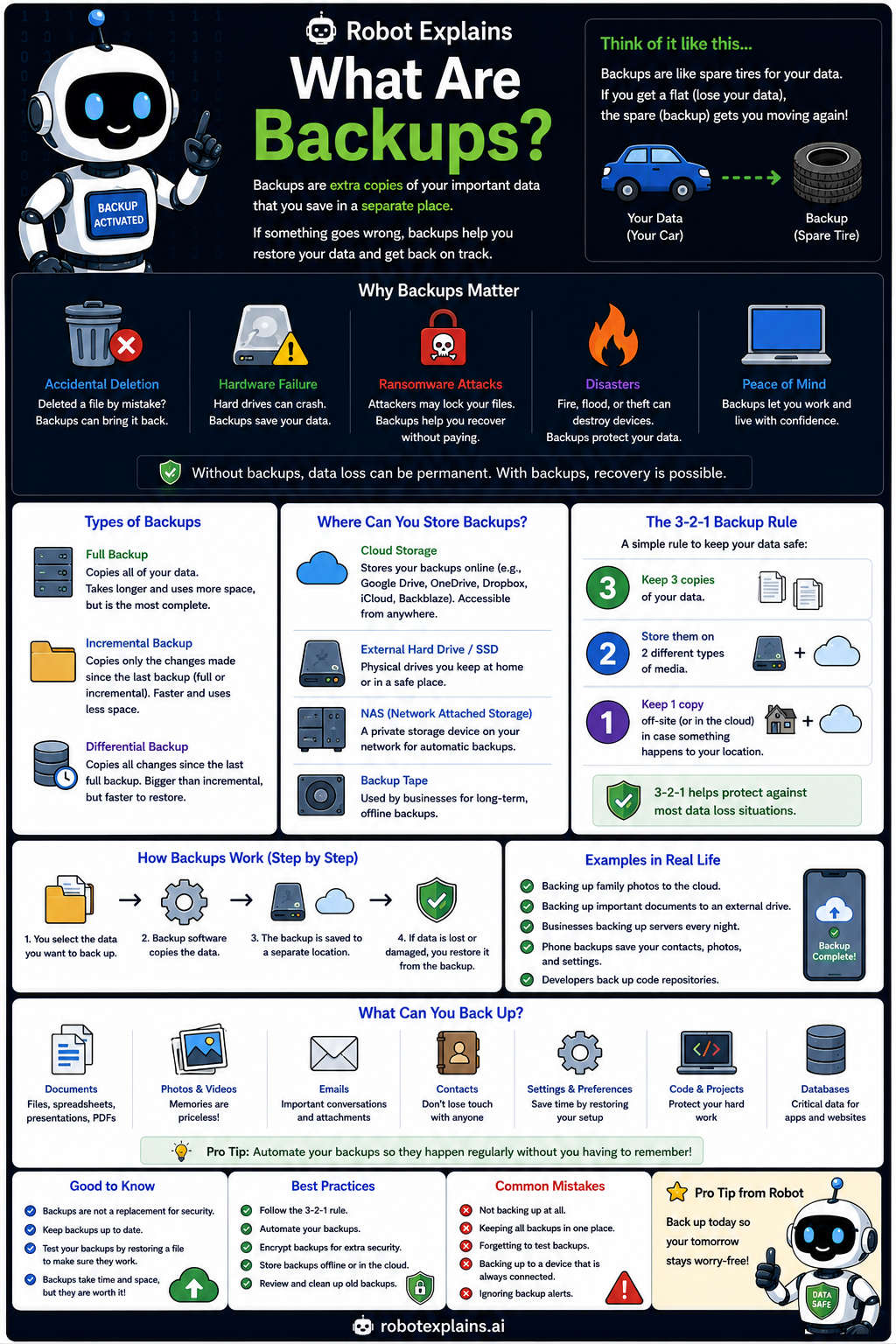
Backups are extra copies of your important data, saved in a separate place. If something goes wrong, backups let you restore your files and get back on track.
Think of them like a spare tire for your data. If you get a flat (lose your data), the spare backup gets you moving again.
Why do they matter? Backups protect you from accidental deletion, hardware failure, ransomware attacks, and disasters like fire or flood, and they give real peace of mind.
You can store backups in a few places: the cloud, an external drive or SSD, a network drive (NAS), or backup tapes for big organizations.
A simple plan keeps your data safe: the 3-2-1 rule. Keep three copies, on two different kinds of storage, with one kept off-site or offline.
Remember: backups are spare copies, they beat deletion and ransomware, follow 3-2-1, and a backup is not real until you have tested getting your files back.
What to remember
- Backups are spare copies of your important data.
- They save you from deletion, crashes, and ransomware.
- Follow the 3-2-1 rule: 3 copies, 2 types, 1 off-site.
- A backup is not done until you have tested a restore.
Explain it back
You understand something best when you can teach it. Finish these out loud — to a friend, a grown-up, a little brother or sister, or even the mirror:
- A backup is…
- Backups matter because…
- A good backup is kept… (somewhere different from the original)
Words to know
- Backup
- A spare copy of your data, kept somewhere safe.
- 3-2-1 rule
- Three copies, on two kinds of storage, one off-site.
- Ransomware
- Malware that locks files; backups defeat it.
- Restore
- Getting your files back from a backup.
For grown-ups
Backups are independent copies that enable recovery from deletion, hardware failure, ransomware, or disaster. The 3-2-1 rule (three copies, two media types, one off-site or offline) is the durable baseline, and restores must be tested, an untested backup is a hope, not a plan.
Want the full story? These go deeper: