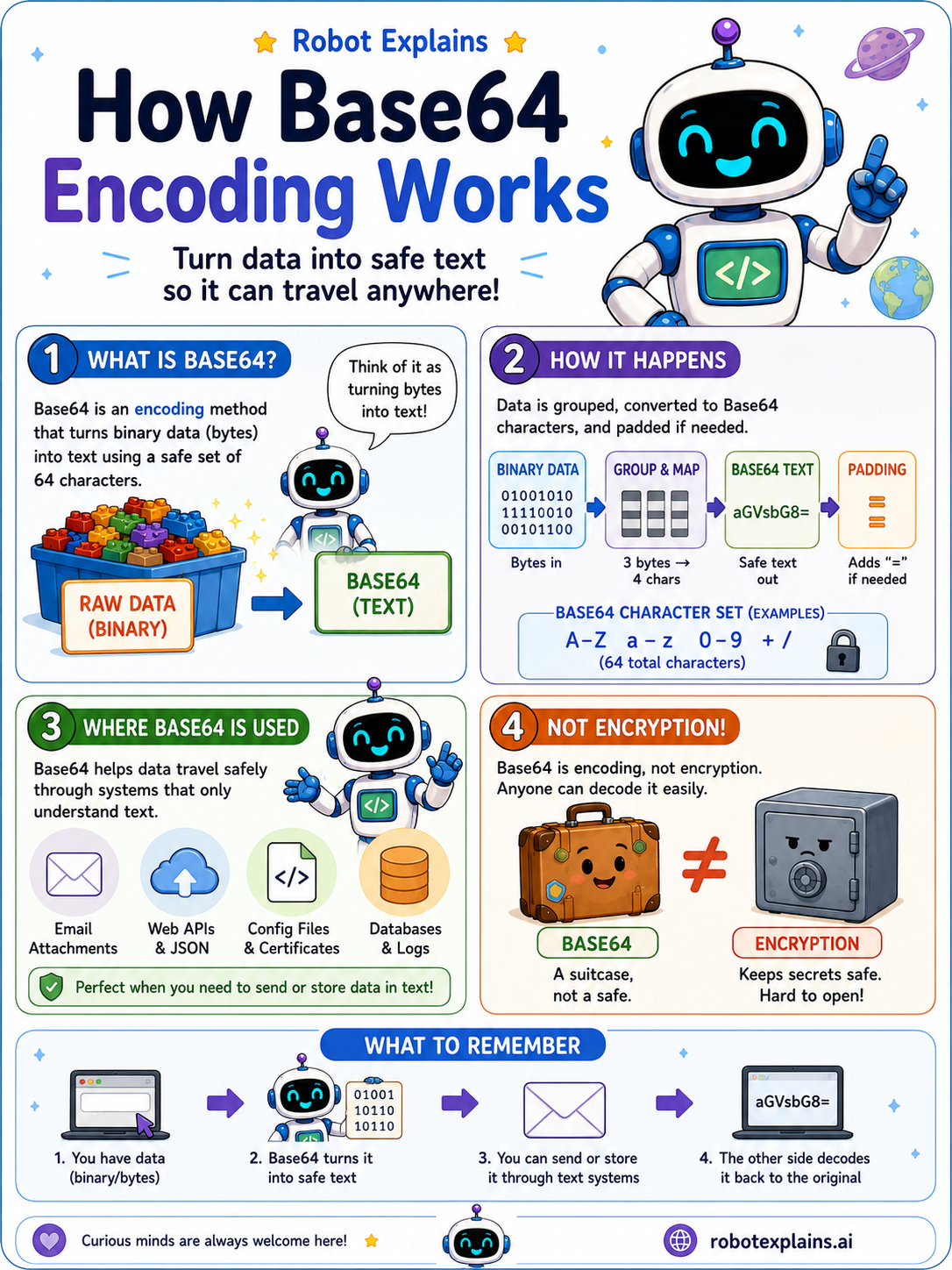
Computers store things like pictures and files as binary, just long streams of 1s and 0s. But some places, like email and certain web messages, can only handle plain text.
So how do you send a picture through a text-only door? You use Base64.
Base64 takes that binary data and rewrites it using a set of 64 safe characters, the letters A to Z, a to z, the digits 0 to 9, and a couple of symbols. The result looks like a jumble of letters, but it is just plain text.
Now the data can travel safely through anything that understands text, and the other side can turn it back into the original.
Here is the most important part: Base64 is not a secret code. Anyone can decode it. It is like packing your stuff in a clear suitcase, not a locked safe.
So remember the difference: Base64 is encoding (can this travel?), while encryption is what keeps things secret.
What to remember
- Base64 turns data into plain text.
- That lets it travel through systems that only understand text.
- Anyone can decode it, so it is not a secret code.
- Base64 is encoding, not encryption.
Words to know
- Base64
- A way to write data as text using 64 safe characters.
- Binary
- The raw 1s and 0s that computers use.
- Encoding
- Changing data into a different format, like text.
- Encryption
- Scrambling data so only the right person can read it. Different from Base64!
For grown-ups
Base64 maps arbitrary binary into a 64-character ASCII-safe alphabet so it survives text-only channels like email, JSON, and data URLs, padding with '=' as needed. It is reversible by anyone, so it provides zero confidentiality. Encoding answers 'can this travel?'; encryption answers 'is this secret?'. They are not the same.
Want the full story? These go deeper: