When you plug a cable into a computer, your data doesn't crawl through the wire as tiny written zeros and ones. Something cleverer happens. Let's follow the trip!
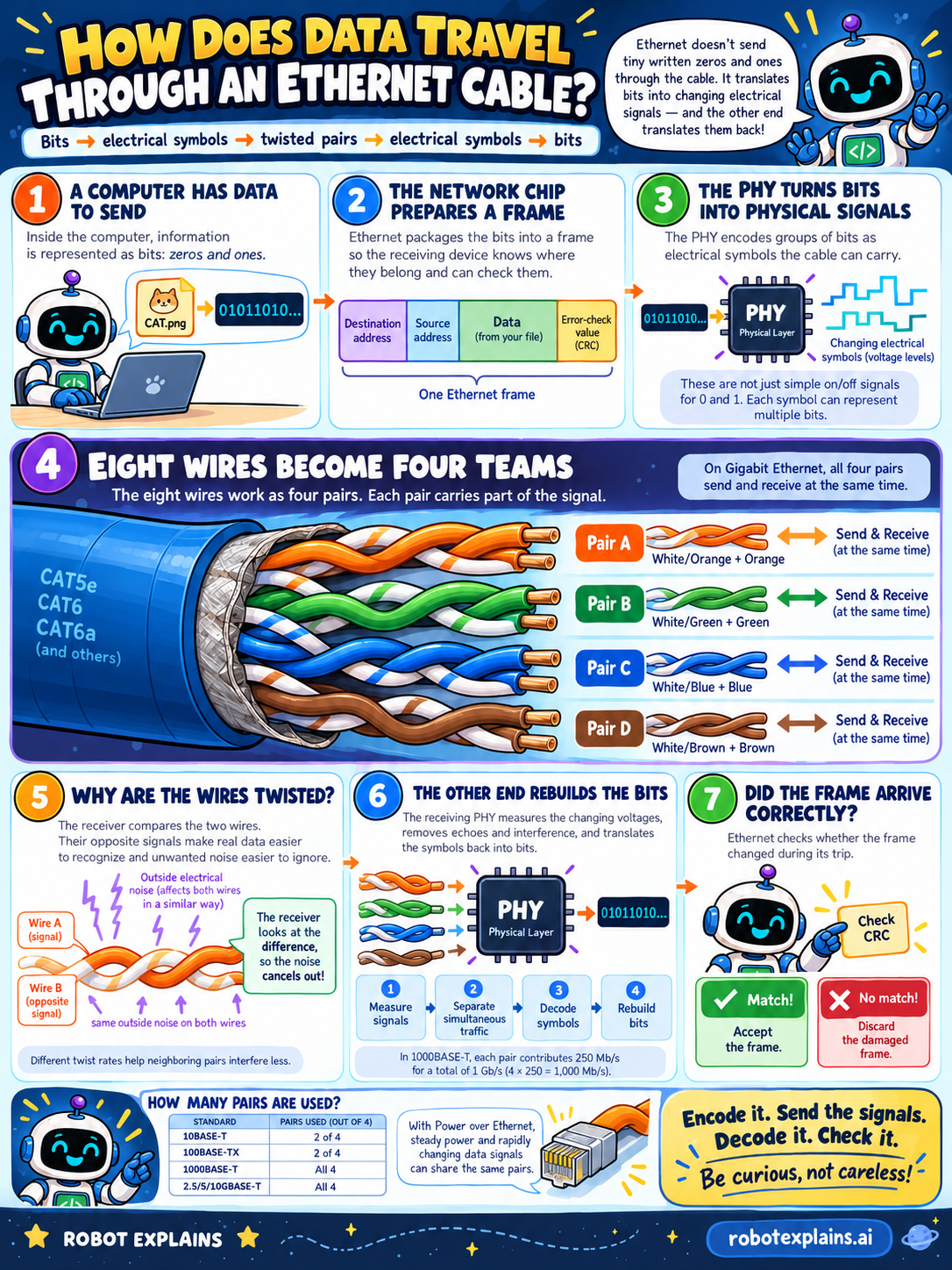
Where does it start? Inside the computer, information is stored as bits — just zeros and ones. A picture, a message, a game save: all of it is bits. Say Robot wants to send a file called CAT.png. To the computer, that's a long string like 01011010…
First stop: the network chip builds a frame. A frame is one neat package. It has a destination address (who it's going to), a source address (who it's from), the data itself, and an error-check value called a CRC. The CRC is like a little math fingerprint of the data, so the other end can check if anything changed.
Next: turning bits into signals. A special chip called the PHY (short for "physical layer") encodes groups of bits as changing electrical signals the cable can carry. Here's a surprise: these aren't just simple on/off blips for 0 and 1. Each signal level can stand for more than one bit, so the cable moves data faster.
Now, eight wires become four teams. Look inside an Ethernet cable (the kind labeled CAT5e, CAT6, or CAT6a) and you'll find eight wires. They work as four pairs, and each pair carries part of the signal. On Gigabit Ethernet, all four pairs send and receive at the same time — teamwork!
Why are the wires twisted together? Because twisting fights noise. Outside electrical noise hits both wires in a pair almost the same way. The receiver doesn't look at one wire alone — it looks at the difference between the two. Since the noise is the same on both, it cancels out, and the real signal stays clear. Neighboring pairs are even twisted at different rates so they bother each other less.
The other end rebuilds the bits. The receiving PHY measures the changing voltages, separates the signals coming at the same time, removes echoes and interference, and decodes the symbols back into bits: 01011010… In 1000BASE-T, each of the four pairs carries 250 Mb/s, which adds up to 1,000 Mb/s — a full gigabit.
Last step: did the frame arrive correctly? The receiver runs the CRC check. If the fingerprint matches, the frame is accepted. If it doesn't match, the frame got damaged on the trip and is thrown away. (Bonus fact: with Power over Ethernet, steady power and the fast-changing data signals can even share the same wires.)
What should we remember? Encode it, send the signals, decode it, check it. An Ethernet cable turns bits into careful electrical signals, uses twisted pairs to beat noise, and checks a CRC so only good data gets through. Be curious, not careless!
What to remember
- Ethernet turns bits into changing electrical signals, then back into bits at the other end.
- The data is packed into a frame with addresses and an error-check value (a CRC).
- A network cable has eight wires that work as four twisted pairs.
- The wires are twisted so the receiver can compare them and cancel out noise.
- A CRC check at the end catches a frame that got damaged on the trip.
Words to know
- Bit
- The smallest piece of data: a single 0 or 1.
- Frame
- One packaged chunk of Ethernet data, with addresses and a check value.
- PHY
- The physical-layer chip that turns bits into signals and back.
- Twisted pair
- Two wires twisted together so noise hits both the same way and cancels out.
- CRC
- An error-check value used to tell if the data changed on the way.
For grown-ups
Ethernet is the wired networking standard most home and office devices use. The network interface frames the data (destination and source MAC addresses, payload, and a CRC), then the PHY line-codes groups of bits into multi-level voltage symbols rather than simple on/off pulses. A standard twisted-pair cable carries eight conductors as four pairs; 1000BASE-T runs all four pairs full-duplex at 250 Mb/s each for 1 Gb/s. Twisting turns each pair into a balanced line: the receiver reads the difference between the two wires, so common-mode noise cancels, and varying the twist rate between pairs limits crosstalk. The receiver equalizes, decodes the symbols back to bits, and checks the CRC — a match is accepted, a mismatch is discarded. Power over Ethernet can share the same pairs because steady power and rapidly changing data signals don't interfere.
Want the full story? These go deeper: