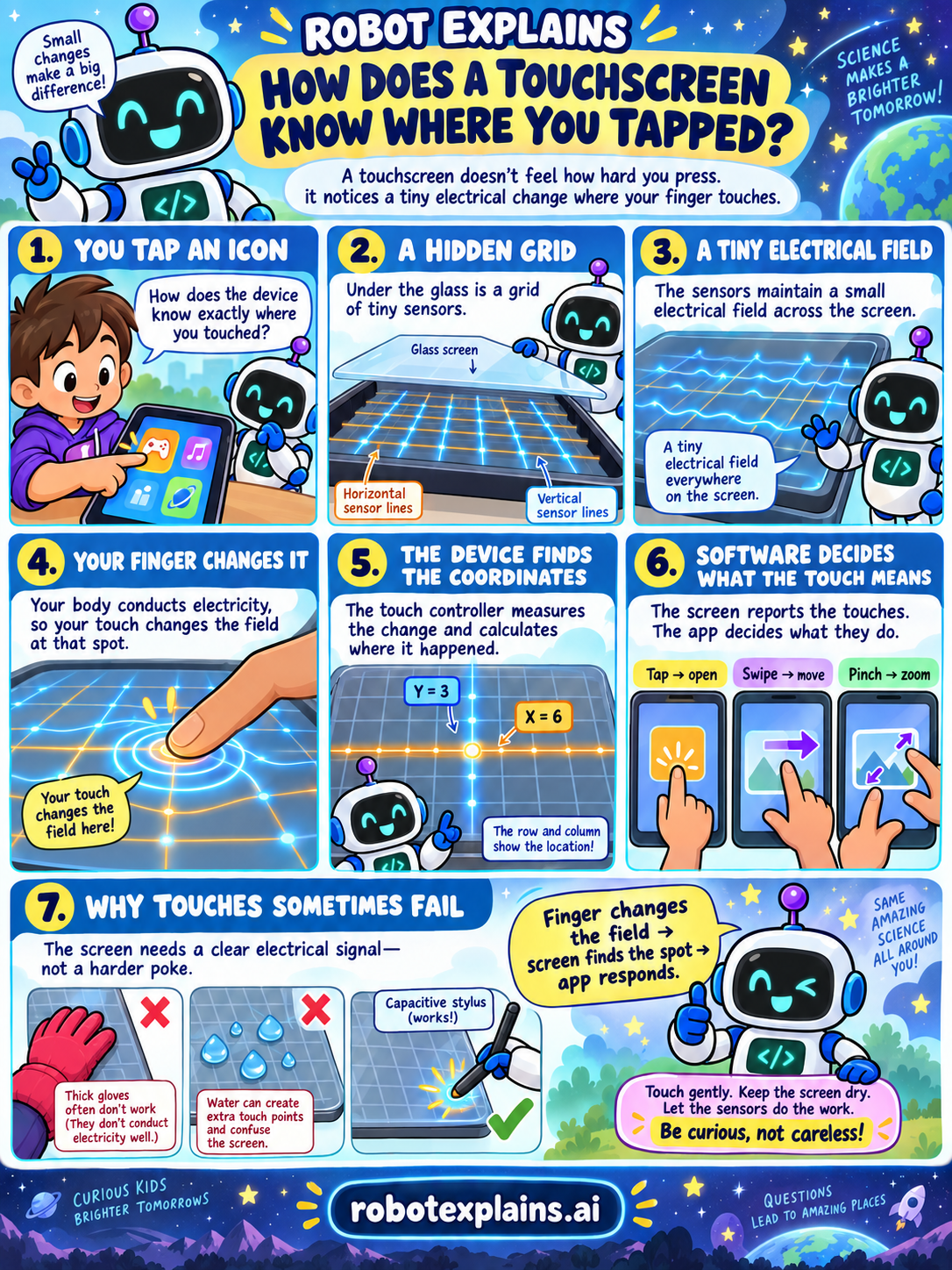
You tap an icon and the right app opens. But how does the device know exactly where your finger landed? A touchscreen doesn't feel how hard you press. It notices a tiny electrical change where your finger touches.
A hidden grid. Under the glass is a grid of tiny sensors, arranged in horizontal and vertical lines like rows and columns. You can't see them, but they cover the whole screen.
A tiny electrical field. Those sensors keep a small electrical field spread across the screen. Everywhere is charged, just a little, all the time.
Your finger changes it. Your body conducts electricity, so when you touch the glass, your finger changes the field right at that spot. The screen doesn't need a hard poke, just a clear signal.
The device finds the coordinates. The touch controller (a little chip) measures the change and works out where it happened, like a row and a column meeting at one point. That is how it turns your touch into an exact place on the screen, such as "row 3, column 6."
Software decides what the touch means. The screen reports the touches, and the app decides what they do. A quick tap opens something, a swipe moves the page, and a pinch zooms in or out. The same touch can mean different things in different apps.
Why touches sometimes fail. The screen needs a clear electrical signal, not a harder press. Thick gloves often don't work because they don't conduct electricity well. Water can create extra touch points and confuse the screen. A special "capacitive" stylus works because it conducts electricity like your finger.
So the trick is: touch gently, keep the screen dry, and let the sensors do the work. Your finger changes the field, the screen finds the spot, and the app responds. Small changes make a big difference. Be curious, not careless!
Want to try it yourself? Play Robot Touch Lab and be the touch controller: read the sensor grid, tap where each real touch's row and column cross, and reject a glove or water.
What to remember
- A touchscreen notices a tiny electrical change, not how hard you press.
- Under the glass is a grid of sensors holding a small electrical field.
- Your finger conducts electricity and changes the field where you touch.
- The device finds the spot, and the app decides what the tap means.
Words to know
- Touchscreen
- A screen you control by touching it.
- Sensor grid
- Rows and columns of tiny sensors under the glass.
- Electrical field
- A small charge spread across the screen.
- Touch controller
- The chip that works out where you touched.
- Coordinates
- The row and column that mark the spot.
For grown-ups
Most phone and tablet screens are projected-capacitive touchscreens. A transparent grid of conductive rows and columns under the glass holds a small electrostatic field. A fingertip conducts electricity, so touching the surface draws off a measurable amount of charge at the nearest intersections. The touch controller scans the grid, measures the change in capacitance, and interpolates the contact point into precise coordinates, which the operating system reports to the app as a tap, swipe, or pinch. Because it senses an electrical change rather than pressure, it needs a conductive touch and a clean signal: an insulating glove often doesn't register, water can create false touch points, and a capacitive stylus works because it conducts. That is why the useful advice is 'touch gently and keep the screen dry,' not 'press harder.'
Want the full story? These go deeper: