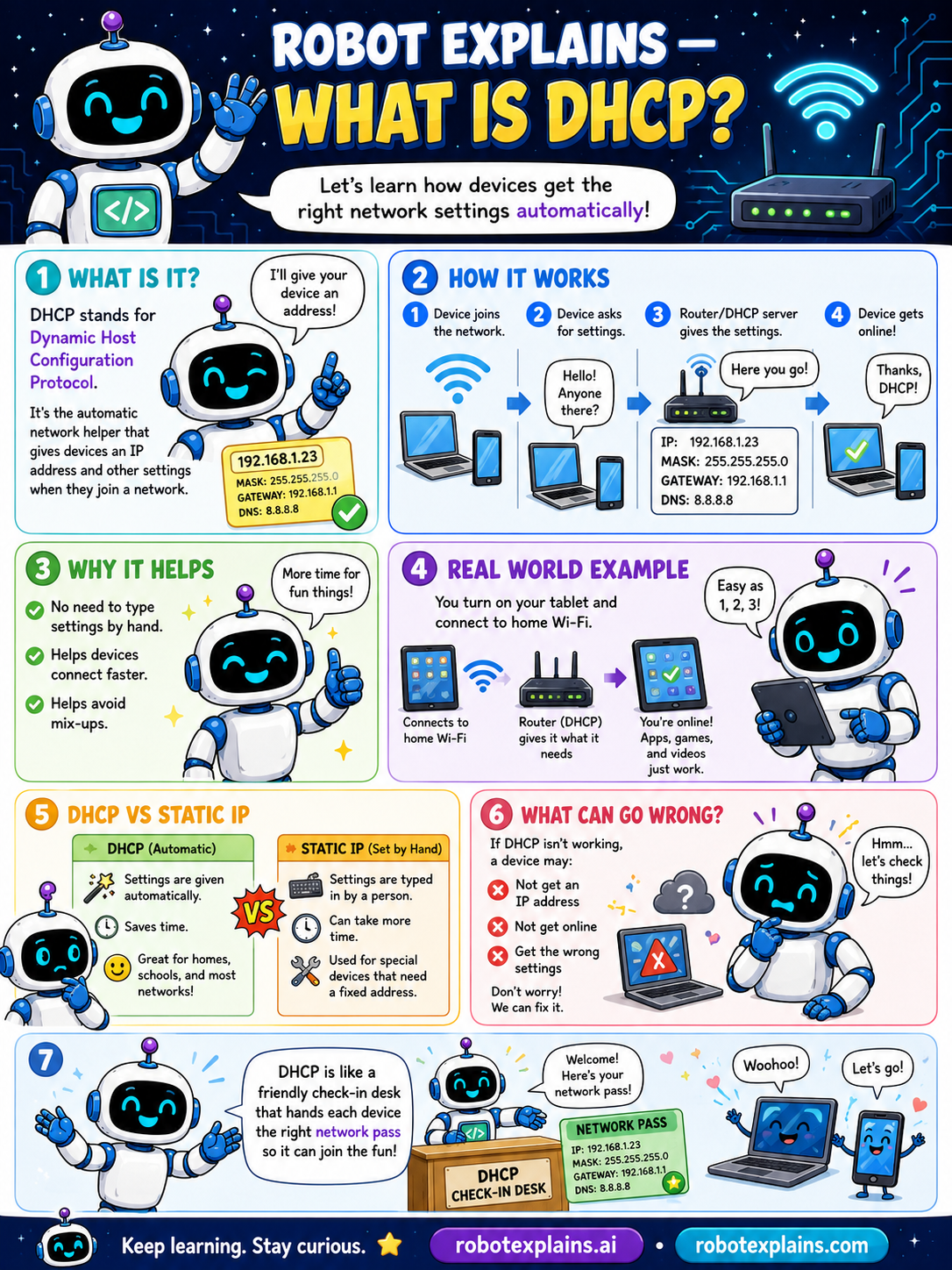
DHCP stands for Dynamic Host Configuration Protocol. It's the automatic network helper that gives devices an IP address and other settings when they join a network. Let's learn how devices get the right network settings automatically!
How does it work? A device joins the network and asks for settings ("Hello! Anyone there?"). The router or DHCP server replies ("Here you go!") with an IP address, subnet mask, gateway, and DNS. The device is online, "Thanks, DHCP!"
Why does it help? No need to type settings by hand, devices connect faster, and it helps avoid mix-ups (like two devices grabbing the same address).
DHCP vs Static IP: with DHCP, settings are given automatically, which saves time and is great for homes, schools, and big networks. With a static IP, settings are typed in by hand, which takes more time but is used for special devices that need a fixed address (like a server or printer).
What can go wrong? If DHCP isn't working, a device may not get an IP address, may not get online, or may get the wrong settings. Don't worry, it can be fixed.
Here's a real example. DHCP is like a friendly check-in desk that hands each device the right network pass, so it can join the fun.
Remember: DHCP gives devices their network settings automatically, it hands out IP addresses when devices join, it saves you from typing settings by hand, and static IPs are set by hand for special devices.
What to remember
- DHCP gives devices their network settings automatically.
- It hands out IP addresses when devices join.
- It saves you from typing settings by hand.
- Static IPs are set by hand for special devices.
Words to know
- DHCP
- The helper that auto-assigns network settings.
- IP address
- A device's address on the network.
- Gateway
- The way out to the rest of the network.
- Static IP
- A fixed address set by hand.
For grown-ups
DHCP automatically assigns IP addresses and config (subnet mask, gateway, DNS) to devices as they join, eliminating manual setup and conflicts. Static IPs are reserved for devices needing fixed addresses (servers, printers). The home router usually acts as the DHCP server.
Want the full story? These go deeper: