When you delete a file, where does it go? On a computer, delete usually doesn't mean “gone forever” right away.
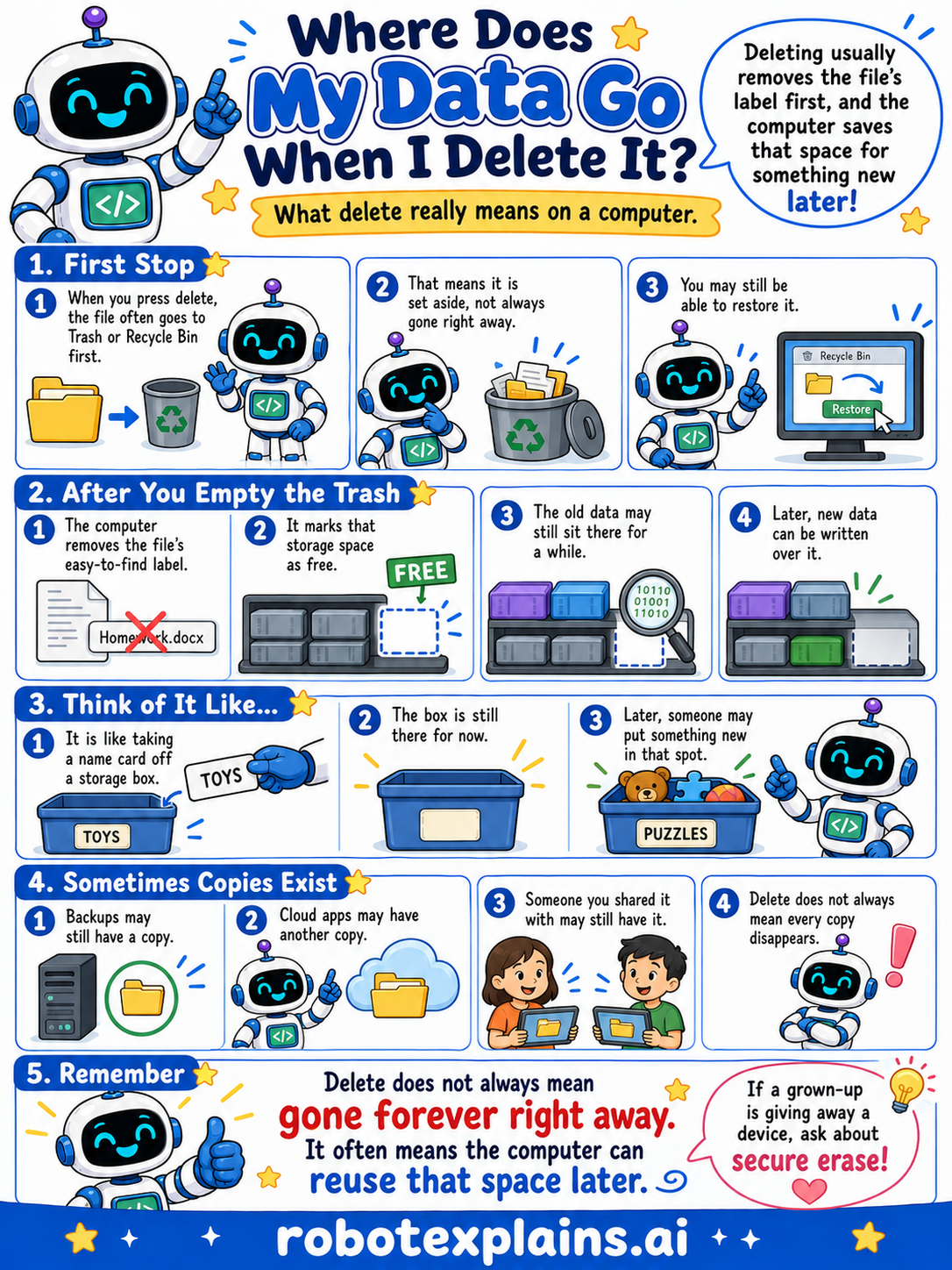
First stop. When you press delete, the file often goes to the Trash or Recycle Bin first. That means it is set aside, not always gone right away, and you may still be able to restore it.
After you empty the trash. The computer removes the file's easy-to-find label and marks that storage space as free. The old data may still sit there for a while, until new data is written over it.
Think of it like a name card on a storage box. Taking the name card off means the box is free for now, but what's inside may still be there until someone puts something new in that spot.
Sometimes copies exist. Backups may have a copy. Cloud apps may have another copy. And someone you shared a file with may still have it. Delete doesn't always mean every copy disappears.
Remember: delete does not always mean gone forever right away. It often means the computer can reuse that space later. If a grown-up is giving away a device, ask them to securely erase it!
What to remember
- Delete often moves a file to the Trash or Recycle Bin first.
- Emptying the trash marks the space as free to reuse.
- The old data may still be there until something writes over it.
- “Delete” does not always mean gone forever right away.
Words to know
- Delete
- To remove a file so it's no longer easy to find.
- Recycle Bin
- A holding spot for files before they're fully removed.
- Storage
- Where a computer keeps files for the long term.
- Secure erase
- Carefully wiping data so it can't be recovered.
For grown-ups
Deleting a file typically removes its directory entry and marks its storage blocks as available, rather than scrubbing the bits immediately, which is why undelete tools can often recover recently deleted files until the space is overwritten. Backups and cloud copies may also persist. Truly removing data requires secure-erase methods or device-level encryption with key destruction. For kids: deleting clears the label and frees the space; the old stuff may linger, so a grown-up should securely wipe a device before giving it away.
Want the full story? These go deeper: