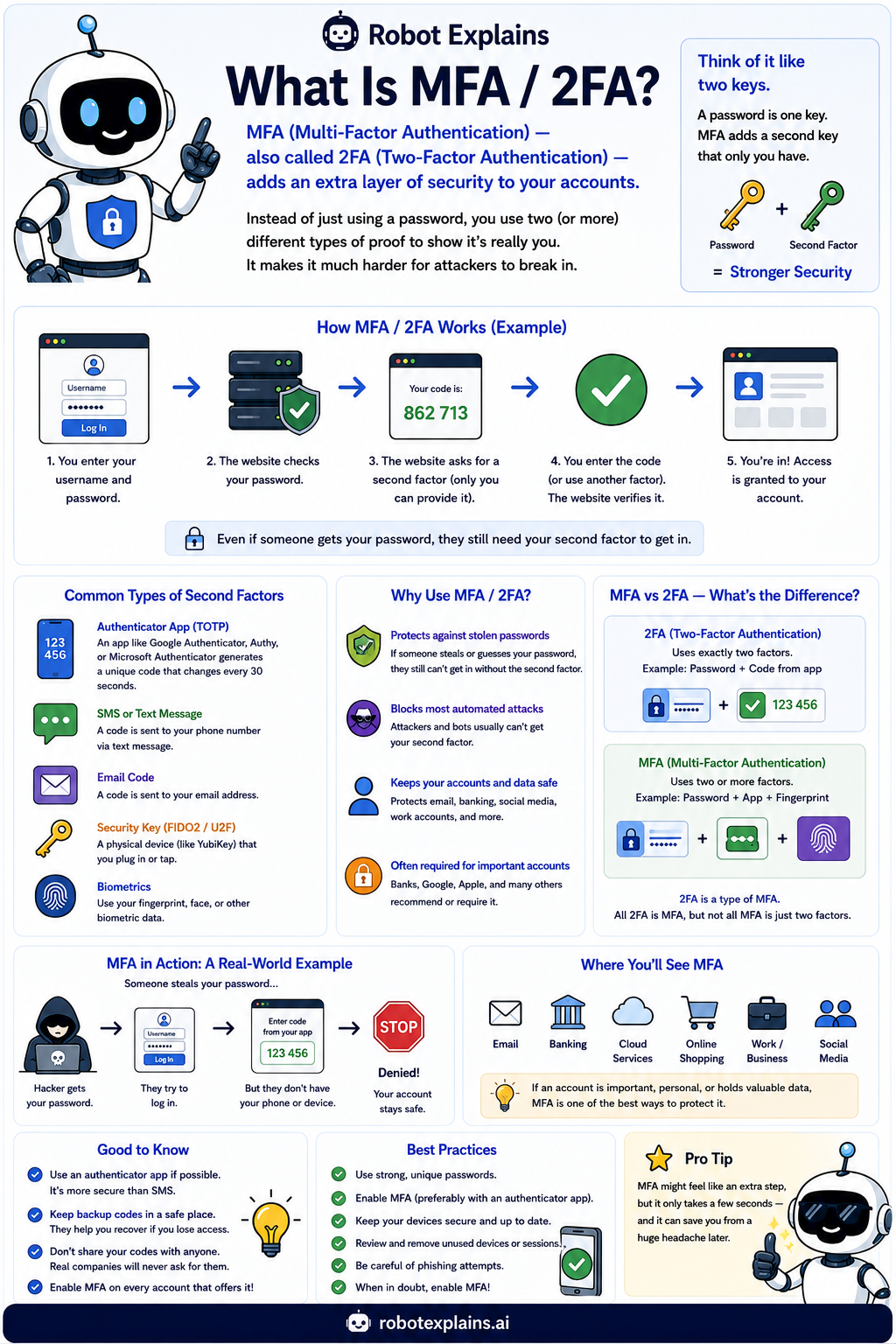
A password is one key to your account. But what if someone steals it? MFA adds a second key that only you have.
MFA stands for Multi-Factor Authentication. When it is exactly two steps, people also call it 2FA.
It works like this: you type your password as usual, and then the site asks for one more proof, like a code from an app on your phone.
That second step is the magic. Even if a bad guy learns your password, they still cannot get in without your second key.
There are a few kinds of second factor. An authenticator app makes a fresh code every few seconds. A text message sends a code (handy, but less safe). A security key is a little device you tap. And biometrics use your fingerprint or face.
Turn MFA on everywhere that matters, like email, banking, and your game accounts. An authenticator app is better than text, and keep your backup codes somewhere safe.
What to remember
- MFA adds a second key beyond your password.
- Even a stolen password is not enough to get in.
- An authenticator app is safer than a text code.
- Turn it on everywhere important, especially email.
Words to know
- MFA / 2FA
- Multi-Factor (or Two-Factor) Authentication: an extra login step.
- Authenticator app
- An app that makes a fresh login code every few seconds.
- Security key
- A small device you tap to prove it is you.
- Biometrics
- Using your fingerprint or face to log in.
For grown-ups
MFA requires two or more independent factors: something you know (password), something you have (authenticator or security key), or something you are (biometric). It dramatically reduces account takeover from credential theft. Prefer app-based TOTP or FIDO2 security keys over SMS, which is vulnerable to SIM-swap and interception.
Want the full story? These go deeper: